


Description
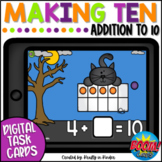
In this Making 10 game, your students will solve equations that make ten. In these Halloween Boom Cards, your students will be given a partially filled ten frame and movable counters.
They can drag the counters to make ten and then type the missing addend in the equation. Students will find how many more are needed to make 10 as they become more familiar with "friends of 10". This digital math center includes a direction card with sound so students can listen to the directions before they begin.
Click HERE to SAVE 20% with the First Grade October Boom Card Bundle!
Skill(s) addressed in this deck:
- Making 10
- Friends of 10
Boom Cards are self-checking which means they will give the student immediate feedback. They are great for whole group, small groups, independent centers, fast finishers, distance and remote learning, and MORE!
New to Boom Cards? The download includes links with all the info you'll need to get started.
Boom Cards are
- interactive
- engaging
- easy to prep
- self-checking
- FUN!
>>Click here to play a PREVIEW of the game!<<
Boom Cards can easily be shared with Google Classroom, Seesaw, or any other platform that permits you to share a URL. These cards can be played on many digital devices (iPads, SmartBoard, Chromebooks, computers) with an internet connection. They are perfect for whole group and small group instruction as well as literacy centers, stations, morning work, assessment, extra practice, distance learning, homeschooling, etc!
Boom Cards offer an easy way for teachers to assess important skills while the student is engaged and having fun. There is no copying, cutting, or laminating with Boom Cards. Make sure to click the link in the preview for a playable sample!
Have any questions, comments, or suggestions about this resource? Please email me at tiffany@kraftyinkinder.com
-------------------------------------------------------------------------------------------------------------------------------
To use Boom Cards, you must be connected to the Internet. Boom Cards play on modern browsers (Chrome, Safari, Firefox, and Edge). Apps are available for Android, iPads, iPhones, and Kindle Fires. For security and privacy, adults must have a Boom Learning account to use and assign Boom Cards. You will be able to assign the Boom Cards you are buying with "Fast Pins," (play provides instant feedback for self-grading Boom Cards). Fast Play is always a free way for students to engage with Boom Cards decks. For additional assignment options you'll need a premium account. If you are new to Boom Learning, you will be offered a free trial of our premium account. Read here for details: http://bit.ly/BoomTrial.
You may be eligible for a free trial from Boom Learning. Read here for details: http://bit.ly/BoomTrial. If you choose not to stay on a premium account after your free trial, you will still be able to assign all your Boom Cards to as many students as you see fit using Fast Play pins (which give instant feedback for decks that are self-grading).

Highlights


Save even more with bundles


Description
In this Making 10 game, your students will solve equations that make ten. In these Halloween Boom Cards, your students will be given a partially filled ten frame and movable counters.
They can drag the counters to make ten and then type the missing addend in the equation. Students will find how many more are needed to make 10 as they become more familiar with "friends of 10". This digital math center includes a direction card with sound so students can listen to the directions before they begin.
Click HERE to SAVE 20% with the First Grade October Boom Card Bundle!
Skill(s) addressed in this deck:
- Making 10
- Friends of 10
Boom Cards are self-checking which means they will give the student immediate feedback. They are great for whole group, small groups, independent centers, fast finishers, distance and remote learning, and MORE!
New to Boom Cards? The download includes links with all the info you'll need to get started.
Boom Cards are
- interactive
- engaging
- easy to prep
- self-checking
- FUN!
>>Click here to play a PREVIEW of the game!<<
Boom Cards can easily be shared with Google Classroom, Seesaw, or any other platform that permits you to share a URL. These cards can be played on many digital devices (iPads, SmartBoard, Chromebooks, computers) with an internet connection. They are perfect for whole group and small group instruction as well as literacy centers, stations, morning work, assessment, extra practice, distance learning, homeschooling, etc!
Boom Cards offer an easy way for teachers to assess important skills while the student is engaged and having fun. There is no copying, cutting, or laminating with Boom Cards. Make sure to click the link in the preview for a playable sample!
Have any questions, comments, or suggestions about this resource? Please email me at tiffany@kraftyinkinder.com
-------------------------------------------------------------------------------------------------------------------------------
To use Boom Cards, you must be connected to the Internet. Boom Cards play on modern browsers (Chrome, Safari, Firefox, and Edge). Apps are available for Android, iPads, iPhones, and Kindle Fires. For security and privacy, adults must have a Boom Learning account to use and assign Boom Cards. You will be able to assign the Boom Cards you are buying with "Fast Pins," (play provides instant feedback for self-grading Boom Cards). Fast Play is always a free way for students to engage with Boom Cards decks. For additional assignment options you'll need a premium account. If you are new to Boom Learning, you will be offered a free trial of our premium account. Read here for details: http://bit.ly/BoomTrial.
You may be eligible for a free trial from Boom Learning. Read here for details: http://bit.ly/BoomTrial. If you choose not to stay on a premium account after your free trial, you will still be able to assign all your Boom Cards to as many students as you see fit using Fast Play pins (which give instant feedback for decks that are self-grading).
