


Description
3 JavaScript Debugging Challenges
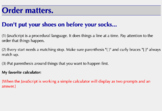
- Challenge #1 - Order
- Challenge #2 - Spelling
- Challenge #3 - Strings and Variables
This is an excellent assessment activity giving the student debugging experience. These three challenges incorporate the common mistakes that most beginning programmers make.
This activity is based on over 10 years of helping students in the classroom, debug their programs. It highlights the most common errors that learners experience.
On completion of these challenges the learner will be able to demonstrate:
- Using the console built into the developer tools in Google Chrome and Firefox.
- Stepping through JavaScript code using the debug tools in Chrome and Firefox.
- Why the order of each line of code is critical.
- Why naming conventions and spelling are critical.
- The difference between Strings and variables
- The importance of matching { } and ( ).
Assignment Suggestion:
Have each student submit a finished copy of the corrected code.
Each change should be commented describing how they fixed it. (I have students add their initials to the comment marker to make it easier to locate their comments while grading.)
This module includes:
1) Student Guide (HTML and PDF formats)
2) Student HTML code for each challenge
3) Teacher HTML code showing the solutions for each challenge
5) Links to solution video with walk-throughs showing the use of the debugging tools as well as an explanation and solution for each error.

Highlights


Description
3 JavaScript Debugging Challenges
- Challenge #1 - Order
- Challenge #2 - Spelling
- Challenge #3 - Strings and Variables
This is an excellent assessment activity giving the student debugging experience. These three challenges incorporate the common mistakes that most beginning programmers make.
This activity is based on over 10 years of helping students in the classroom, debug their programs. It highlights the most common errors that learners experience.
On completion of these challenges the learner will be able to demonstrate:
- Using the console built into the developer tools in Google Chrome and Firefox.
- Stepping through JavaScript code using the debug tools in Chrome and Firefox.
- Why the order of each line of code is critical.
- Why naming conventions and spelling are critical.
- The difference between Strings and variables
- The importance of matching { } and ( ).
Assignment Suggestion:
Have each student submit a finished copy of the corrected code.
Each change should be commented describing how they fixed it. (I have students add their initials to the comment marker to make it easier to locate their comments while grading.)
This module includes:
1) Student Guide (HTML and PDF formats)
2) Student HTML code for each challenge
3) Teacher HTML code showing the solutions for each challenge
5) Links to solution video with walk-throughs showing the use of the debugging tools as well as an explanation and solution for each error.
