


Description
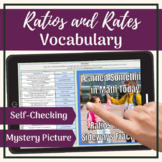
These 6th Grade Math digital Self-Checking Activities utilizes Google Sheets™ to engage students with the vocabulary from a Ratios and Rates unit. A Green/Red Color Checking Version and a Mystery Picture Reveal Picture version are included. Your middle school students will enjoy the immediate feedback they receive with these vocabulary review activities.
INCLUDED WITHIN THIS RESOURCE
- Green/Red Color Checking Activity (with or without Word Bank)
- Mystery Picture Reveal (with or without Word Bank)
- Teacher Guide
- Terms of Use
The Green/Red Color Checking activity indicates whether students have correctly identified the term that corresponds with the definition. A correct answer on the Mystery Picture activity will reveal a portion of the mystery picture/meme.
VOCABULARY TERMS INCLUDED
- Coordinate Plane
- Equivalent Ratio
- Graph
- Greatest Common Factor
- Least Common Multiple
- Ordered Pair
- Origin
- Prime Factorization
- Rate
- Ratio
- Ratio Table
- Scaling
- Unit Price
- Unit Rate
- x-axis
- x-coordinate
- y-axis
- y-coordinate.
This corresponds with 6th Grade Math: RATIOS & RATES Digital Interactive Vocabulary Notebook.
I hope you and your students enjoy the notebook and improving your mathematical vocabulary. It is much easier to learn mathematics if you can speak and understand the language!
Related Products
GCF Self Checking Google Sheets™ Activity
LCM Self Checking Google Sheets™ Activity
Check out our other middle grade vocabulary resources!
CCSS Mathematical Practices Digital Vocabulary Interactive Notebook
You may also enjoy our printable and digital warm-up resources!
Digital Math Warm-up Templates
Middle School Math Weekly Warm-up Template
*******************************************************************************************************Your feedback is greatly appreciated. Remember, you can earn TPT CREDITS for future purchases by leaving REVIEWS. Go to "My Purchases" and click the "Provide Feedback" link next to the product.
Also, click the GREEN STAR to FOLLOW ME for more great products!
6th Grade Math: RATIOS & RATES Self Checking Google Sheets™ & Picture Reveal

Highlights


Save even more with bundles


Description
These 6th Grade Math digital Self-Checking Activities utilizes Google Sheets™ to engage students with the vocabulary from a Ratios and Rates unit. A Green/Red Color Checking Version and a Mystery Picture Reveal Picture version are included. Your middle school students will enjoy the immediate feedback they receive with these vocabulary review activities.
INCLUDED WITHIN THIS RESOURCE
- Green/Red Color Checking Activity (with or without Word Bank)
- Mystery Picture Reveal (with or without Word Bank)
- Teacher Guide
- Terms of Use
The Green/Red Color Checking activity indicates whether students have correctly identified the term that corresponds with the definition. A correct answer on the Mystery Picture activity will reveal a portion of the mystery picture/meme.
VOCABULARY TERMS INCLUDED
- Coordinate Plane
- Equivalent Ratio
- Graph
- Greatest Common Factor
- Least Common Multiple
- Ordered Pair
- Origin
- Prime Factorization
- Rate
- Ratio
- Ratio Table
- Scaling
- Unit Price
- Unit Rate
- x-axis
- x-coordinate
- y-axis
- y-coordinate.
This corresponds with 6th Grade Math: RATIOS & RATES Digital Interactive Vocabulary Notebook.
I hope you and your students enjoy the notebook and improving your mathematical vocabulary. It is much easier to learn mathematics if you can speak and understand the language!
Related Products
GCF Self Checking Google Sheets™ Activity
LCM Self Checking Google Sheets™ Activity
Check out our other middle grade vocabulary resources!
CCSS Mathematical Practices Digital Vocabulary Interactive Notebook
You may also enjoy our printable and digital warm-up resources!
Digital Math Warm-up Templates
Middle School Math Weekly Warm-up Template
*******************************************************************************************************Your feedback is greatly appreciated. Remember, you can earn TPT CREDITS for future purchases by leaving REVIEWS. Go to "My Purchases" and click the "Provide Feedback" link next to the product.
Also, click the GREEN STAR to FOLLOW ME for more great products!
