


What others say

Description
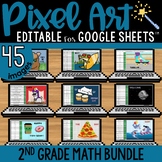
Adding money mystery pixel art! Have students practice adding money in dollar + cent notation to AUTO-GENERATE one of 5 pixel art images in Google™ Sheets (or Microsoft Excel™) plus a "secret message."
★ Low Prep: Just assign the sheet in Google Classroom. Each sheet includes all 5 images; students click the tabs at the bottom to advance to the next pixel image. There are 12 math problems per image to solve.
★ Differentiated: Includes 4 levels - choose 1 to assign:
- Adding Money: Sums Under $2.00
- Adding Money: Sums Under $5.00
- Adding Money: Sums Under $20.00
- Adding Money: Sums Under $100.00
★ Editable: The sheet can be easily edited - just change the problems and answers on the Answer Key sheet - no coding needed!
★ Self-checking: As students solve the problems in Column A, by typing their answers in Column B, a mystery pixel art image is revealed, piece by piece. Students will know they have typed the correct answer if they see pixels appearing!
You and your students will need Google Drive accounts or access to Microsoft Excel.
~~~~~~~~~~~~~~~~~~~
This SAME set of images is available to purchase in 5 versions:
- Adding with Pictures (K - 1st Grade)
- Adding Money (2nd & 3rd Grade)
- Multidigit Multiplication (3rd & 4th Grade)
- Adding Fractions: Complete the Whole (4th & 5th Grade)
- Comparing Decimals (4th & 5th Grade)
~~~~~~~~~~~~~~~~~~~
MORE DIGITAL MAGIC REVEAL PIXEL ART
~~~~~~~~~~~~~~~~~~~
Google and Google Apps are trademarks of Google Inc. © 2015 Google Inc. All rights reserved. Microsoft Excel is a trademark of Microsoft. Erintegration is not affiliated with and has not been authorized, sponsored, or otherwise approved by Google Inc. or Microsoft. By purchasing this resource, you agree not to create derivative resources for commercial sale or for free distribution beyond a single classroom using the formulas and pixel art images provided by Erintegration.
Adding Money Pixel Art Math Google Sheets | Editable | 5 Images

Highlights


What others say
Save even more with bundles
Description
Adding money mystery pixel art! Have students practice adding money in dollar + cent notation to AUTO-GENERATE one of 5 pixel art images in Google™ Sheets (or Microsoft Excel™) plus a "secret message."
★ Low Prep: Just assign the sheet in Google Classroom. Each sheet includes all 5 images; students click the tabs at the bottom to advance to the next pixel image. There are 12 math problems per image to solve.
★ Differentiated: Includes 4 levels - choose 1 to assign:
- Adding Money: Sums Under $2.00
- Adding Money: Sums Under $5.00
- Adding Money: Sums Under $20.00
- Adding Money: Sums Under $100.00
★ Editable: The sheet can be easily edited - just change the problems and answers on the Answer Key sheet - no coding needed!
★ Self-checking: As students solve the problems in Column A, by typing their answers in Column B, a mystery pixel art image is revealed, piece by piece. Students will know they have typed the correct answer if they see pixels appearing!
You and your students will need Google Drive accounts or access to Microsoft Excel.
~~~~~~~~~~~~~~~~~~~
This SAME set of images is available to purchase in 5 versions:
- Adding with Pictures (K - 1st Grade)
- Adding Money (2nd & 3rd Grade)
- Multidigit Multiplication (3rd & 4th Grade)
- Adding Fractions: Complete the Whole (4th & 5th Grade)
- Comparing Decimals (4th & 5th Grade)
~~~~~~~~~~~~~~~~~~~
MORE DIGITAL MAGIC REVEAL PIXEL ART
~~~~~~~~~~~~~~~~~~~
Google and Google Apps are trademarks of Google Inc. © 2015 Google Inc. All rights reserved. Microsoft Excel is a trademark of Microsoft. Erintegration is not affiliated with and has not been authorized, sponsored, or otherwise approved by Google Inc. or Microsoft. By purchasing this resource, you agree not to create derivative resources for commercial sale or for free distribution beyond a single classroom using the formulas and pixel art images provided by Erintegration.
