


Description
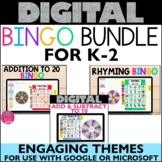
Looking for something fun to do during video calls?? Try bingo!! This digital bingo game is perfect for K-2 distance learning or no paper fun in the classroom. Includes 30 bingo boards plus a spinner. View preview for themes!
WOW! You are saving 30% when you purchase this bundle!!! Plus any new boards are FREE for you!!
GREAT FOR:
- TIME SAVER
- WHOLE CLASS
- TECHNOLOGY CLASS
- CLASS PARTIES
- SMALL GROUPS/TUTORING
- Great for practicing mouse skills, drag & drop
- Identifying pictures & words
HOW THIS WORKS:
****This resource does require a good internet connection & device (Laptop/Chromebook works best - a tablet is possible, but I recommend downloading the Google Slides app). Students should have an understanding of using Google Slides to move items.
Click here to view a video preview!
* Everything is ready to go for you, all you must do it share the slide show with your students (detailed directions inside).
* Use in person with one-to-one devices or over a Zoom or Google Meet video call!
* Each student will use one board (30 boards available at once inside the slide show). Students will be able to move the bingo chips onto their board. For younger kids - you may want to provide a new slide show for each student with one board.
* You will be in charge of the spinning wheel, when a new spot is called, say it out loud or share your screen. Have some fun while on your video calls. Listen for your students to say BINGO!
SOME MORE FAQ:
* I created this for my class during virtual instruction to use during our Zoom calls and my students had so much fun. I received emails asking to play again!
* Kindergarten students played with an adult present. Grades 3 and up played on their own.
* One game took us about 30 minutes.
* I now use digital bingo in my technology class to practice mouse & basic computer skills
INCLUDED IN THIS BUNDLE:
- Addition to 20
- Rhyming Words
- Adding & Subtracting to 10
- Google Slide Show (must have a Google sign in to open)
- 30 bingo boards for each
- Individual slides to send to 1 student (26 available due to TPT restrictions)
- The spinner has the matching words
- Digital Spinner to select spots
- Digital CALL Sheet to easily check off which spot has been used
- Teacher directions on how to play
- Teacher directions on how to send through Google Classroom
- Teacher directions on how to convert to Microsoft or PDF for printing
Promote creativity & excitement in your classroom! Perfect for distance learning.
New to using Google???? Don't worry! Teacher Guides included to explain how to share these files with your students. Google Drawings is a great way for students to create custom projects. The teacher guide will help you start, and provide you with tips and directions to upload on Google Classroom.
Please email me with any questions - Dena@Misstechqueen.com
LET'S CONNECT
Click here to follow me & learn when new products are uploaded. New items are 50% off for the first 24 hours! :D
I'd love to hear your feedback :) When you review, you earn TPT credits for free purchases!
♥ I'd Love to connect with YOU! Click here to follow me on Instagram
As always, please contact me with any questions! Thank you,
Dena ♥
Bingo Games Digital Computer Party Activities Rhyming Addition Practice Math

Highlights


Description
Looking for something fun to do during video calls?? Try bingo!! This digital bingo game is perfect for K-2 distance learning or no paper fun in the classroom. Includes 30 bingo boards plus a spinner. View preview for themes!
WOW! You are saving 30% when you purchase this bundle!!! Plus any new boards are FREE for you!!
GREAT FOR:
- TIME SAVER
- WHOLE CLASS
- TECHNOLOGY CLASS
- CLASS PARTIES
- SMALL GROUPS/TUTORING
- Great for practicing mouse skills, drag & drop
- Identifying pictures & words
HOW THIS WORKS:
****This resource does require a good internet connection & device (Laptop/Chromebook works best - a tablet is possible, but I recommend downloading the Google Slides app). Students should have an understanding of using Google Slides to move items.
Click here to view a video preview!
* Everything is ready to go for you, all you must do it share the slide show with your students (detailed directions inside).
* Use in person with one-to-one devices or over a Zoom or Google Meet video call!
* Each student will use one board (30 boards available at once inside the slide show). Students will be able to move the bingo chips onto their board. For younger kids - you may want to provide a new slide show for each student with one board.
* You will be in charge of the spinning wheel, when a new spot is called, say it out loud or share your screen. Have some fun while on your video calls. Listen for your students to say BINGO!
SOME MORE FAQ:
* I created this for my class during virtual instruction to use during our Zoom calls and my students had so much fun. I received emails asking to play again!
* Kindergarten students played with an adult present. Grades 3 and up played on their own.
* One game took us about 30 minutes.
* I now use digital bingo in my technology class to practice mouse & basic computer skills
INCLUDED IN THIS BUNDLE:
- Addition to 20
- Rhyming Words
- Adding & Subtracting to 10
- Google Slide Show (must have a Google sign in to open)
- 30 bingo boards for each
- Individual slides to send to 1 student (26 available due to TPT restrictions)
- The spinner has the matching words
- Digital Spinner to select spots
- Digital CALL Sheet to easily check off which spot has been used
- Teacher directions on how to play
- Teacher directions on how to send through Google Classroom
- Teacher directions on how to convert to Microsoft or PDF for printing
Promote creativity & excitement in your classroom! Perfect for distance learning.
New to using Google???? Don't worry! Teacher Guides included to explain how to share these files with your students. Google Drawings is a great way for students to create custom projects. The teacher guide will help you start, and provide you with tips and directions to upload on Google Classroom.
Please email me with any questions - Dena@Misstechqueen.com
LET'S CONNECT
Click here to follow me & learn when new products are uploaded. New items are 50% off for the first 24 hours! :D
I'd love to hear your feedback :) When you review, you earn TPT credits for free purchases!
♥ I'd Love to connect with YOU! Click here to follow me on Instagram
As always, please contact me with any questions! Thank you,
Dena ♥
