TPT
Total:
$0.00
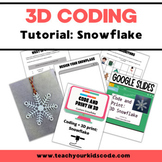
Code a Snowflake: 3D Coding Tutorial
Share

Description

In this tutorial we will guide you and your students on how to get started with 3D coding using blocks. You'll design your own custom monogrammed snowflake using TinkerCad Codeblocks. If you have a 3D printer at home or school you'll be able to print out the final snowflakes and hang them as ornaments or decorations in your classroom.

It's easy to get started with block-based coding for kids. By using the intuitive drag and drop features of codeblocks, students will be coding their own snowflakes in minutes.

This tutorial that will walk you and your students through the basics of 3D Coding using a google slides presentation. Students can also complete the included coding worksheets for additional learning. We will teach you how to design your first project: a custom monogrammed snowflake. This is a perfect hour of code activity to get your kids excited about coding.

Report this resource to TPT
Reported resources will be reviewed by our team. Report this resource to let us know if this resource violates TPT's content guidelines.

Code a Snowflake: 3D Coding Tutorial

Teach Your Kids Code
292 Followers
$4.99

Highlights

Digital downloads
Pages
46
Teaching Duration
90 minutes

Description

In this tutorial we will guide you and your students on how to get started with 3D coding using blocks. You'll design your own custom monogrammed snowflake using TinkerCad Codeblocks. If you have a 3D printer at home or school you'll be able to print out the final snowflakes and hang them as ornaments or decorations in your classroom.

It's easy to get started with block-based coding for kids. By using the intuitive drag and drop features of codeblocks, students will be coding their own snowflakes in minutes.

This tutorial that will walk you and your students through the basics of 3D Coding using a google slides presentation. Students can also complete the included coding worksheets for additional learning. We will teach you how to design your first project: a custom monogrammed snowflake. This is a perfect hour of code activity to get your kids excited about coding.

Report this resource to TPT
Reported resources will be reviewed by our team. Report this resource to let us know if this resource violates TPT's content guidelines.

Reviews

4.6
Rated 4.6 out of 5, based on 5 reviews
5
ratings
Mostly used with 5th and 6th grades
Reviews
1
1
1
1
2
2
1
1st
2nd
3rd
4th
5th
6th
7th
All verified TPT purchases
Fun resource
Rated 5 out of 5
April 25, 2026
Met expectations
Great value
Great for teaching my gifted students more advanced coding.
Andrea V.
313 reviews • Florida
Grades taught: 1st, 2nd, 3rd
Important Lesson Needs to be updated: Tinkercad Has Been Updated since this lesson was published!
Rated 3 out of 5
January 9, 2026
This tutorial is a strong guide for creating a snowflake in Tinkercad, however, since it was originally published, Tinkercad has been updated. Some blocks and menu options have changed, so the instructions do not always match the current interface. As a result, adjustments are needed to complete the activity using the latest version of Tinkercad. It was frustrating, as I am new to Tinkercad.
karen S.
1 review • Rhode Island
Student populations: Learning difficulties
Rated 5 out of 5
April 21, 2024
This was very easy to follow and the students had a really fun time!
Kelsey S.
79 reviews
Grades taught: 6th
Rated 5 out of 5
April 9, 2024
My students use this resource as guided to create their own creative snowflake. They enjoyed their outcomes and found this lesson a lot of fun.
Ellen C.
220 reviews
Grades taught: 5th, 6th, 7th, 8th
Rated 5 out of 5
January 18, 2023
Students had a wonderful time creating these snowflakes. They have asked to do them again. Thank you
Naomi T.
1,671 reviews
Grades taught: 4th, 5th
Student populations: Learning difficulties

Questions & Answers

Loading
Loading