


Description
Make Teaching Web Development Easier with CodePen
If you’ve ever struggled with file management, monitoring student screens, or helping students debug their code, this guide will completely change how your classroom runs.
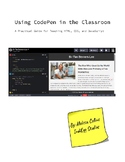
This free resource shows you exactly how to use CodePen as both a coding tool and a classroom management system for teaching HTML, CSS, and JavaScript.
I used this system in my own high school web development classes for eight years, and it dramatically reduced frustration for both me and my students.
What You’ll Learn
- How to set up CodePen for classroom use
- Free vs. Pro (and when Pro is actually worth it)
- How to have students start from templates using the fork feature
- How to monitor student work in real time without walking around the room
- A powerful smartboard debugging method that builds student confidence
- How to create a classroom culture where mistakes are expected and valued
- How to handle inappropriate or off-task student work on a public platform
Bonus Materials Included
- Student worksheet for CodePen account setup
- Teacher guide for managing student accounts efficiently
- Letter to administration requesting funding for a CodePen Pro account
Why Teachers Love This Approach
- No software installation
- No file management
- No “I forgot to submit it”
- Easy access to student work anytime (even from home)
- Built-in system for collecting work samples
Perfect For
- High school computer science classes
- Web development courses (HTML, CSS, JavaScript)
- Intro to coding classes
- Teachers looking for a simple, effective coding workflow
Important Note
This is not a sponsored resource. It is based entirely on real classroom experience using CodePen with students.
Want a Full, Ready-to-Use Curriculum?
This guide is part of a complete web development course with step-by-step lessons, projects, and materials designed for real classrooms.
Follow my store to be notified when new lessons are released!
Keywords:
CodePen classroom
web development teaching
HTML CSS JavaScript lesson
coding classroom tools
computer science teaching
teach web development
coding for beginners
high school computer science
coding activities
stem computer science
debugging code classroom
coding projects high school
web design lesson
JavaScript classroom
html lesson high school
coding curriculum
computer science resources
intro to coding
coding teacher tools
free coding resources
CodePen Classroom Guide for Web Development | HTML CSS JavaScript Teaching Tool

Highlights


Description
Make Teaching Web Development Easier with CodePen
If you’ve ever struggled with file management, monitoring student screens, or helping students debug their code, this guide will completely change how your classroom runs.
This free resource shows you exactly how to use CodePen as both a coding tool and a classroom management system for teaching HTML, CSS, and JavaScript.
I used this system in my own high school web development classes for eight years, and it dramatically reduced frustration for both me and my students.
What You’ll Learn
- How to set up CodePen for classroom use
- Free vs. Pro (and when Pro is actually worth it)
- How to have students start from templates using the fork feature
- How to monitor student work in real time without walking around the room
- A powerful smartboard debugging method that builds student confidence
- How to create a classroom culture where mistakes are expected and valued
- How to handle inappropriate or off-task student work on a public platform
Bonus Materials Included
- Student worksheet for CodePen account setup
- Teacher guide for managing student accounts efficiently
- Letter to administration requesting funding for a CodePen Pro account
Why Teachers Love This Approach
- No software installation
- No file management
- No “I forgot to submit it”
- Easy access to student work anytime (even from home)
- Built-in system for collecting work samples
Perfect For
- High school computer science classes
- Web development courses (HTML, CSS, JavaScript)
- Intro to coding classes
- Teachers looking for a simple, effective coding workflow
Important Note
This is not a sponsored resource. It is based entirely on real classroom experience using CodePen with students.
Want a Full, Ready-to-Use Curriculum?
This guide is part of a complete web development course with step-by-step lessons, projects, and materials designed for real classrooms.
Follow my store to be notified when new lessons are released!
Keywords:
CodePen classroom
web development teaching
HTML CSS JavaScript lesson
coding classroom tools
computer science teaching
teach web development
coding for beginners
high school computer science
coding activities
stem computer science
debugging code classroom
coding projects high school
web design lesson
JavaScript classroom
html lesson high school
coding curriculum
computer science resources
intro to coding
coding teacher tools
free coding resources
