


Description
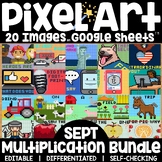
Digital Magic Reveal Pixel Art for Service Day, community helper unit, Patriot Day, and/or other service learning days. Students solve multiplication and/or division problems to auto-generate one of 5 themed pixel art images plus a "secret message." This self-checking, editable, digital activity works with ANY device with Google™ Sheets (iPads, Chromebooks, and more) and includes 4 differentiated versions.
★ Low Prep: Just assign the sheet in Google Classroom. Each sheet includes all 5 images; students click the tabs at the bottom to advance to the next pixel image. There are 25 math problems per image to solve.
★ Differentiated: Includes 4 levels - choose 1 to assign:
- Multiplication Times Tables 1-5
- Multiplication Times Tables 6-12
- Multiplication Times Tables 1-12
- Division Tables 1-10
★ Editable: The sheet can be easily edited - the PDF includes 2 pages of visual directions for editing both the problems and the solutions on Google Sheets and Microsoft Excel!
★ Self-checking: As students solve the problems in Column A, by typing their answers in Column B, a mystery pixel art image is revealed, piece by piece. Students will know they have typed the correct answer if they see pixels appearing!
You and your students will need Google Drive accounts or access to Microsoft Excel.
✨MORE DIGITAL MAGIC REVEAL PIXEL ART✨
Google and Google Apps are trademarks of Google Inc. © 2015 Google Inc. All rights reserved. Microsoft Excel is a trademark of Microsoft. Erintegration is not affiliated with and has not been authorized, sponsored, or otherwise approved by Google Inc. or Microsoft. By purchasing this resource, you agree not to create derivative resources for commercial sale or for free distribution beyond a single classroom using the formulas and pixel art images provided by Erintegration.
Pixel Art Math Multiplication and Division Magic Reveal Service Day Theme

Highlights


Save even more with bundles
Description
Digital Magic Reveal Pixel Art for Service Day, community helper unit, Patriot Day, and/or other service learning days. Students solve multiplication and/or division problems to auto-generate one of 5 themed pixel art images plus a "secret message." This self-checking, editable, digital activity works with ANY device with Google™ Sheets (iPads, Chromebooks, and more) and includes 4 differentiated versions.
★ Low Prep: Just assign the sheet in Google Classroom. Each sheet includes all 5 images; students click the tabs at the bottom to advance to the next pixel image. There are 25 math problems per image to solve.
★ Differentiated: Includes 4 levels - choose 1 to assign:
- Multiplication Times Tables 1-5
- Multiplication Times Tables 6-12
- Multiplication Times Tables 1-12
- Division Tables 1-10
★ Editable: The sheet can be easily edited - the PDF includes 2 pages of visual directions for editing both the problems and the solutions on Google Sheets and Microsoft Excel!
★ Self-checking: As students solve the problems in Column A, by typing their answers in Column B, a mystery pixel art image is revealed, piece by piece. Students will know they have typed the correct answer if they see pixels appearing!
You and your students will need Google Drive accounts or access to Microsoft Excel.
✨MORE DIGITAL MAGIC REVEAL PIXEL ART✨
Google and Google Apps are trademarks of Google Inc. © 2015 Google Inc. All rights reserved. Microsoft Excel is a trademark of Microsoft. Erintegration is not affiliated with and has not been authorized, sponsored, or otherwise approved by Google Inc. or Microsoft. By purchasing this resource, you agree not to create derivative resources for commercial sale or for free distribution beyond a single classroom using the formulas and pixel art images provided by Erintegration.
