TPT
Total:
$0.00
Comparing Fractions Lesson | ALL EDITABLE | Number Line | Model | Cross Multiply
Share

Description

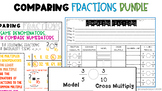
This 100% EDITABLE PowerPoint Presentation is perfect for introducing multiple methods for comparing fractions. The strategies included are finding common denominators, cross multiply, number line, model, and comparing to one half. By utilizing the pen feature on PowerPoint, you are able to draw right on this presentation as your teach. It has a color coated anchor chart for the students to refer back to. The anchor chart is even placed on first few problems to help you teach!

This PowerPoint has an accompanying worksheet and digital anchor chart with examples that pair with it perfectly. These work independently of each other, but are also great for giving differentiating in the classroom. Check them out in my store @shawintheclassroom or click on the link below to view the bundle!

Report this resource to TPT
Reported resources will be reviewed by our team. Report this resource to let us know if this resource violates TPT's content guidelines.

Comparing Fractions Lesson | ALL EDITABLE | Number Line | Model | Cross Multiply

Rated 5 out of 5, based on 2 reviews
5.0 (2 ratings)
Shaw in the Classroom
1.2k Followers
$2.00

Highlights

Digital downloads
Grades icon
Grades
3rd - 8th
Standards icon
Standards
Pages
32
Teaching Duration
3 days

Save even more with bundles

Introducing our comprehensive Fourth Grade Math Mega Bundle – your one-stop solution for mastering all the fourth-grade math standards! This bundle combines all the digital step-by-step instruction products from our collection, offering a treasure trove of resources to support your students' math le
Price $63.00Original Price $71.50Save $8.50
25
This 100% EDITABLE PowerPoint Presentation is perfect for introducing multiple methods for comparing fractions. The strategies included are finding common denominators, cross multiply, number line, model, and comparing to one half. By utilizing the pen feature on PowerPoint, you are able to draw rig
Price $4.00Original Price $5.00Save $1.00
3

Description

This 100% EDITABLE PowerPoint Presentation is perfect for introducing multiple methods for comparing fractions. The strategies included are finding common denominators, cross multiply, number line, model, and comparing to one half. By utilizing the pen feature on PowerPoint, you are able to draw right on this presentation as your teach. It has a color coated anchor chart for the students to refer back to. The anchor chart is even placed on first few problems to help you teach!

This PowerPoint has an accompanying worksheet and digital anchor chart with examples that pair with it perfectly. These work independently of each other, but are also great for giving differentiating in the classroom. Check them out in my store @shawintheclassroom or click on the link below to view the bundle!

Report this resource to TPT
Reported resources will be reviewed by our team. Report this resource to let us know if this resource violates TPT's content guidelines.

Reviews

5.0
Rated 5 out of 5, based on 2 reviews
2
ratings
All verified TPT purchases
Rated 5 out of 5
June 27, 2021
Great practice resource for my students to use remotely.
330 reviews
Grades taught: 4th
Rated 5 out of 5
February 14, 2021
Great product!
Molly B.
73 reviews
Grades taught: 5th

Questions & Answers

Loading

Standards

to see state-specific standards (only available in the US).
Understand a fraction as a number on the number line; represent fractions on a number line diagram.
Represent a fraction 1/𝘣 on a number line diagram by defining the interval from 0 to 1 as the whole and partitioning it into 𝘣 equal parts. Recognize that each part has size 1/𝘣 and that the endpoint of the part based at 0 locates the number 1/𝘣 on the number line.
Represent a fraction 𝘢/𝘣 on a number line diagram by marking off 𝘢 lengths 1/𝘣 from 0. Recognize that the resulting interval has size 𝘢/𝘣 and that its endpoint locates the number 𝘢/𝘣 on the number line.
Loading