


Description
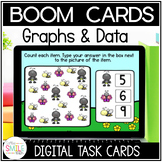
Data and graphing digital Boom Cards for 1st grade. Help your students practice important skills with this set of digital learning task cards. Boom cards are the perfect addition to any classroom. They are self-checking (which means self-grading!) and easy to use. The best part? They are all digital and can be used at school or at home.
What's Included:
This deck includes 20 cards that give your students practice in reading and interpreting graphs.
You May Also Like:
First Grade Math: True or False Equations
First Grade Math: Missing Addends
First Grade Math: Telling Time to Hour & Half Hour
First Grade Math: Finding 10 More or 10 Less of a 2 Digit Number
First Grade Math: Place Value Tens and Ones
First Grade Math: 2D & 3D Shapes
First Grade Math: Fractions - Whole, Half, & Fourth
First Grade Math: Adding 3 Numbers in Word Problems
First Grade Math: Graphing & Data Interpretation
Spring Addition Within 20 - Word Problems
Spring Subtraction Within 20 - Word Problems
Or SAVE BIG with this BUNDLE:
Using Boom Cards:
To use Boom Cards, you must be connected to the Internet. Boom Cards play on modern browsers (Chrome, Safari, Firefox, and Edge). Apps are available for Android, iPads, iPhones, and Kindle Fires. For security and privacy, adults must have a Boom Learning account to use and assign Boom Cards. You will be able to assign the Boom Cards you are buying with "Fast Pins," (play provides instant feedback for self-grading Boom Cards). Read here for details: http://bit.ly/BoomTrial.
Can I preview the Boom Cards?
Yes, you can. Click on the preview slide provided to see a sample of the deck.
Can I Use the Boom Cards with SeeSaw, Google Classroom, or other Learning Management Systems?
There are two ways you can use these with SeeSaw, Google Classroom, or other learning management systems. You could even assign these by email. You can assign the fast pin in SeeSaw or other platforms and students can click the link to play. Students won't need to log in to an account with this method, but data will not be saved. The other method is to use a Boom Learning account, which offers a free trial and is set at a low cost for the entire year. You can create an assignment for your students, assign it with a hyper play link, and students will need to log into their Boom Learning account to use these
Don't forget to leave feedback and earn credits for your future purchases! Make sure to follow us so you will be notified when we add new products and to get notified of any sales we are having.
---------------------------------------------------------------------------------------------------------------
Terms of Use
Copyright © CoffeeSmileTeach. All rights reserved by the author. This product is to be used by the original purchaser only. Copying for more than one teacher, classroom, department, school, or school system is prohibited. This product may not be distributed or displayed digitally for public view. Failure to comply is a copyright infringement and a violation of the Digital Millennium Copyright Act (DMCA). Clip art and elements found in this PDF are copyrighted and cannot be extracted and used outside of this file without permission or license. Intended for classroom and personal use ONLY
Data & Graphing Boom Cards for Kindergarten First Grade Math Centers

Highlights


Save even more with bundles

Description
Data and graphing digital Boom Cards for 1st grade. Help your students practice important skills with this set of digital learning task cards. Boom cards are the perfect addition to any classroom. They are self-checking (which means self-grading!) and easy to use. The best part? They are all digital and can be used at school or at home.
What's Included:
This deck includes 20 cards that give your students practice in reading and interpreting graphs.
You May Also Like:
First Grade Math: True or False Equations
First Grade Math: Missing Addends
First Grade Math: Telling Time to Hour & Half Hour
First Grade Math: Finding 10 More or 10 Less of a 2 Digit Number
First Grade Math: Place Value Tens and Ones
First Grade Math: 2D & 3D Shapes
First Grade Math: Fractions - Whole, Half, & Fourth
First Grade Math: Adding 3 Numbers in Word Problems
First Grade Math: Graphing & Data Interpretation
Spring Addition Within 20 - Word Problems
Spring Subtraction Within 20 - Word Problems
Or SAVE BIG with this BUNDLE:
Using Boom Cards:
To use Boom Cards, you must be connected to the Internet. Boom Cards play on modern browsers (Chrome, Safari, Firefox, and Edge). Apps are available for Android, iPads, iPhones, and Kindle Fires. For security and privacy, adults must have a Boom Learning account to use and assign Boom Cards. You will be able to assign the Boom Cards you are buying with "Fast Pins," (play provides instant feedback for self-grading Boom Cards). Read here for details: http://bit.ly/BoomTrial.
Can I preview the Boom Cards?
Yes, you can. Click on the preview slide provided to see a sample of the deck.
Can I Use the Boom Cards with SeeSaw, Google Classroom, or other Learning Management Systems?
There are two ways you can use these with SeeSaw, Google Classroom, or other learning management systems. You could even assign these by email. You can assign the fast pin in SeeSaw or other platforms and students can click the link to play. Students won't need to log in to an account with this method, but data will not be saved. The other method is to use a Boom Learning account, which offers a free trial and is set at a low cost for the entire year. You can create an assignment for your students, assign it with a hyper play link, and students will need to log into their Boom Learning account to use these
Don't forget to leave feedback and earn credits for your future purchases! Make sure to follow us so you will be notified when we add new products and to get notified of any sales we are having.
---------------------------------------------------------------------------------------------------------------
Terms of Use
Copyright © CoffeeSmileTeach. All rights reserved by the author. This product is to be used by the original purchaser only. Copying for more than one teacher, classroom, department, school, or school system is prohibited. This product may not be distributed or displayed digitally for public view. Failure to comply is a copyright infringement and a violation of the Digital Millennium Copyright Act (DMCA). Clip art and elements found in this PDF are copyrighted and cannot be extracted and used outside of this file without permission or license. Intended for classroom and personal use ONLY
