


Description
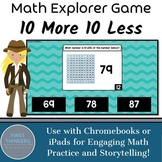
Math activities are a great way to introduce engaging ten more ten less math practice to your math centers or distance learning through Google Classroom or Seesaw. Explorer Math is a fun and engaging way to do all of those in one spot! By giving students a choice on where to start first and differentiating the content, this is a game that will help your students gain mastery in the concept taught!
⭐Included in a BUNDLE with over 30 concepts! CLICK HERE!⭐
WHY USE THIS GOOGLE SLIDES AND POWERPOINT RESOURCE?
This resource has students practicing a math concept using Google Classroom or Seesaw on Chromebooks, PCs, or Macs or on PowerPoint for iPads in an interactive way that helps differentiate the methods of delivery that would be much more paperwork and prep to do paper-based.
Students get instant feedback if they are correct or need to try again. It also provides a way to challenge ALL students. There are options that provide scaffolding for more support, and challenging questions for students needing more complex work. No need to think how you'll differentiate for everyone. It's done right here for you!
HOW IT WORKS
- Students click "Present" on the Google Slide or PowerPoint to start.
- There are 24 problems total. They are separated into three differentiated groups that provide more or less scaffolding.
- The beginning slide has where students can choose where they want to start.
- Each slide details what students need to do.
- Students are given 3 multiple choice options to choose from for their answer.
- Students write their work for the problem on the accountability worksheet provided.
- Students get an explorer story for each correct answer to motivate them.
INCLUDED FOR THE TEACHER
- Instructions on how to access the file and make a copy for your Google Drive.
- Video tutorials on how to assign this through Google Classroom and Seesaw
- How to setup Google Classroom and push the file to your students as an assignment using Chromebooks, PCs, or Macs.
- Instructions on how to use the PowerPoint version on iPads.
- Accountability sheet for students to record their work on.
ADVANTAGES TO PURCHASING THIS DIGITALLY RATHER THAN PAPER-BASED
- Google Classroom allows you to view your students work live from your computer.
- Students can log in at home and work on the assignments there.
- No prep at all. Select the file from your Google Drive. Assign it as an assignment to your students. Done.
- Students are developing digital computer skills necessary for 21st century jobs.
- Student motivation and engagement is high.
- Students use clicking, transferring information from their computer to their paper, and navigating digitally that will help them with online assessments.
*************************************************************************************************************
Materials You May Be Interested In
❤️ Full Year Holiday Math and Phonics Google Slides Seesaw
❤️ Self-Correcting Math Google Slide and PowerPoint Games
❤️ Self-Correcting Phonics Google Slide and PowerPoint Games
❤️ Full Year Math Standard Based Games for Google Slide, Seesaw, and PowerPoint
❤️ Full Year Phonics Scope and Sequence Games for Google Slide, Seesaw, and PowerPoint
❤️ Full Year Addition Within 20 Color By Name for All Holidays and Seasons
*************************************************************************************************************

Highlights


Save even more with bundles


Description
Math activities are a great way to introduce engaging ten more ten less math practice to your math centers or distance learning through Google Classroom or Seesaw. Explorer Math is a fun and engaging way to do all of those in one spot! By giving students a choice on where to start first and differentiating the content, this is a game that will help your students gain mastery in the concept taught!
⭐Included in a BUNDLE with over 30 concepts! CLICK HERE!⭐
WHY USE THIS GOOGLE SLIDES AND POWERPOINT RESOURCE?
This resource has students practicing a math concept using Google Classroom or Seesaw on Chromebooks, PCs, or Macs or on PowerPoint for iPads in an interactive way that helps differentiate the methods of delivery that would be much more paperwork and prep to do paper-based.
Students get instant feedback if they are correct or need to try again. It also provides a way to challenge ALL students. There are options that provide scaffolding for more support, and challenging questions for students needing more complex work. No need to think how you'll differentiate for everyone. It's done right here for you!
HOW IT WORKS
- Students click "Present" on the Google Slide or PowerPoint to start.
- There are 24 problems total. They are separated into three differentiated groups that provide more or less scaffolding.
- The beginning slide has where students can choose where they want to start.
- Each slide details what students need to do.
- Students are given 3 multiple choice options to choose from for their answer.
- Students write their work for the problem on the accountability worksheet provided.
- Students get an explorer story for each correct answer to motivate them.
INCLUDED FOR THE TEACHER
- Instructions on how to access the file and make a copy for your Google Drive.
- Video tutorials on how to assign this through Google Classroom and Seesaw
- How to setup Google Classroom and push the file to your students as an assignment using Chromebooks, PCs, or Macs.
- Instructions on how to use the PowerPoint version on iPads.
- Accountability sheet for students to record their work on.
ADVANTAGES TO PURCHASING THIS DIGITALLY RATHER THAN PAPER-BASED
- Google Classroom allows you to view your students work live from your computer.
- Students can log in at home and work on the assignments there.
- No prep at all. Select the file from your Google Drive. Assign it as an assignment to your students. Done.
- Students are developing digital computer skills necessary for 21st century jobs.
- Student motivation and engagement is high.
- Students use clicking, transferring information from their computer to their paper, and navigating digitally that will help them with online assessments.
*************************************************************************************************************
Materials You May Be Interested In
❤️ Full Year Holiday Math and Phonics Google Slides Seesaw
❤️ Self-Correcting Math Google Slide and PowerPoint Games
❤️ Self-Correcting Phonics Google Slide and PowerPoint Games
❤️ Full Year Math Standard Based Games for Google Slide, Seesaw, and PowerPoint
❤️ Full Year Phonics Scope and Sequence Games for Google Slide, Seesaw, and PowerPoint
❤️ Full Year Addition Within 20 Color By Name for All Holidays and Seasons
*************************************************************************************************************
