


What others say

Description
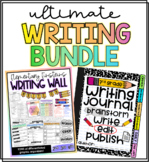
Do you use a writing journal in your classroom? I have always used these printable covers and tabs to set up a hands-on notebook.
**Now included: Digital Writing Notebook with linkable tabs and "digital" lined paper!
How to set up your digital writing journal:
- Find the cover page you want, drag it to the top, and delete the other covers.
- Set up your sections by using the premade tabs or typing in your own! The dividers that say “TAB” are editable!
- If you choose, include a page of teacher notes/reminders for your students to refer to when completing writing assignments.
- Leave a digital blank piece of paper slide after each section so your students can duplicate the slide for each writing assignment.
- When you assign this slide presentation in Google Classroom, be sure to select “Make a copy for each student”
- Have students type their name in the text box next to “author.”
- I suggest keeping this as a running document throughout the school year!
Included:
-Kinder-6th digital & printable cover options
-Premade & editable tabs
-Digital lined paper
-Digital editable cover option
Check out some of my other DISTANCE LEARNING products below!
DL Zoom Times & Daily Slide Templates
Virtual Learning Websites & Links
DL Independent Work Times Schedule
Class Holiday Card Template - First Day of Distance Learning
If you do happen to use any of my products with your class, I would love to see them! Tag me on Instagram @elementary_einsteins

Highlights


What others say
Save even more with bundles

Description
Do you use a writing journal in your classroom? I have always used these printable covers and tabs to set up a hands-on notebook.
**Now included: Digital Writing Notebook with linkable tabs and "digital" lined paper!
How to set up your digital writing journal:
- Find the cover page you want, drag it to the top, and delete the other covers.
- Set up your sections by using the premade tabs or typing in your own! The dividers that say “TAB” are editable!
- If you choose, include a page of teacher notes/reminders for your students to refer to when completing writing assignments.
- Leave a digital blank piece of paper slide after each section so your students can duplicate the slide for each writing assignment.
- When you assign this slide presentation in Google Classroom, be sure to select “Make a copy for each student”
- Have students type their name in the text box next to “author.”
- I suggest keeping this as a running document throughout the school year!
Included:
-Kinder-6th digital & printable cover options
-Premade & editable tabs
-Digital lined paper
-Digital editable cover option
Check out some of my other DISTANCE LEARNING products below!
DL Zoom Times & Daily Slide Templates
Virtual Learning Websites & Links
DL Independent Work Times Schedule
Class Holiday Card Template - First Day of Distance Learning
If you do happen to use any of my products with your class, I would love to see them! Tag me on Instagram @elementary_einsteins
