


Description
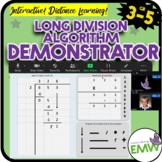
This editable PowerPoint slide deck provides a simple blank chart for you to type the numbers and drag the symbols for your students to practice seeing and doing the standard long division algorithm. It's so hard to write clearly using the Draw/Annotation tools on Zoom for you to demonstrate as well as your students to show you. This template provides a grid and all the symbols for your students to clearly see the long division algorithm as well as provide a multiplication grid to check the answers. You can use the form from 2 digits divided by 1 digit, up to four digits divided by 2 digits. You can lead a whole class discussion, use for small groups, even make individual assignments because you can make copies of each slide and type in your own questions. You can also open this into Google Slides.
Distance Learning Digital Math Long Division Steps Algorithm Demonstrator
How can I use this for Distance Learning?
- You open this file in PowerPoint (or Google Slides.) Read through all the tips and notes. Make any changes and adaptions you need for this class. Make a copy of it.
- Open your Zoom session for your whole class. Share your screen with your students and show them step by step the standard long division algorithm.
or
- You can share an editable link to the file and have your students show you (and the class) step by step.
or
- You can copy the slide and add your own numbers for the problem (creating different levels) and make slides for group work in breakout rooms. Or assign to individual students.
What is included?
1 editable PowerPoint (.pptx format) with 11 slides
- There is one slide with the form/template/grid for you to demonstrate, but I include several samples for you to use and see how it works.
Note: You will need to be familiar with Zoom. You also need to be able to share a slide show so that everyone who has the link can EDIT the slide show together at the same time, using Google or MS Teams. But having said that, you can also just display this in front of your class (or share your screen), and you can interact/edit each slide yourself.
Do you have other products that are related?
I have lots of other distance learning/google ready resources and virtual manipulatives!
How do I connect with Evil Math Wizard?
Be sure to follow my TPT store to receive notifications of new products and upcoming sales. New products are always 50% for the first 24 hours, so it pays to follow my store. To save more money, please leave feedback to earn TPT credits. Also visit my blog for K-5 math tips and freebies you can use tomorrow in your classroom. You can also find me on Facebook and Pinterest.
Other questions or requests?
If you have any requests or questions, please contact me through the "Product Q & A " tab below or email me at Deirdre@evilmathwizard.com.
Distance Learning Digital Math Long Division Steps Algorithm Demonstrator

Highlights


Description
This editable PowerPoint slide deck provides a simple blank chart for you to type the numbers and drag the symbols for your students to practice seeing and doing the standard long division algorithm. It's so hard to write clearly using the Draw/Annotation tools on Zoom for you to demonstrate as well as your students to show you. This template provides a grid and all the symbols for your students to clearly see the long division algorithm as well as provide a multiplication grid to check the answers. You can use the form from 2 digits divided by 1 digit, up to four digits divided by 2 digits. You can lead a whole class discussion, use for small groups, even make individual assignments because you can make copies of each slide and type in your own questions. You can also open this into Google Slides.
Distance Learning Digital Math Long Division Steps Algorithm Demonstrator
How can I use this for Distance Learning?
- You open this file in PowerPoint (or Google Slides.) Read through all the tips and notes. Make any changes and adaptions you need for this class. Make a copy of it.
- Open your Zoom session for your whole class. Share your screen with your students and show them step by step the standard long division algorithm.
or
- You can share an editable link to the file and have your students show you (and the class) step by step.
or
- You can copy the slide and add your own numbers for the problem (creating different levels) and make slides for group work in breakout rooms. Or assign to individual students.
What is included?
1 editable PowerPoint (.pptx format) with 11 slides
- There is one slide with the form/template/grid for you to demonstrate, but I include several samples for you to use and see how it works.
Note: You will need to be familiar with Zoom. You also need to be able to share a slide show so that everyone who has the link can EDIT the slide show together at the same time, using Google or MS Teams. But having said that, you can also just display this in front of your class (or share your screen), and you can interact/edit each slide yourself.
Do you have other products that are related?
I have lots of other distance learning/google ready resources and virtual manipulatives!
How do I connect with Evil Math Wizard?
Be sure to follow my TPT store to receive notifications of new products and upcoming sales. New products are always 50% for the first 24 hours, so it pays to follow my store. To save more money, please leave feedback to earn TPT credits. Also visit my blog for K-5 math tips and freebies you can use tomorrow in your classroom. You can also find me on Facebook and Pinterest.
Other questions or requests?
If you have any requests or questions, please contact me through the "Product Q & A " tab below or email me at Deirdre@evilmathwizard.com.
