


Description
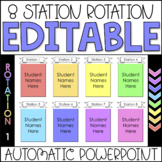
Need your center rotations to run smoothly? This PowerPoint will help all year to differentiate for students in each group as well as make transitions easier during guided reading. In this center rotation PowerPoint the total play length is about 2 hours. Each slide will change automatically after a given time which will help you and the students stay on track!
PowerPoint at a glance
**Text and images in PowerPoint are completely editable**
This Editable Automatic Center Rotations has 8 centers to start with. You may add or delete the centers as you wish.
Center names are editable.
This PowerPoint come with two files one with a timer and one without. Check out the preview to see how the timing works.
With Timer
Each center is 15 minutes in length. This is broken down into a 15 minute center slide with a timer counting down by minutes. The next slide will be a Clean Up Slide that lasts 20 seconds and has a chime sound to help acknowledge the transition. After that the next Center Slide will appear for the students to see where their new station is.
→1 Introduction Slide
→8 Center Slides- 15 minutes
→8 Clean Up Slides- 20 seconds (chime sound to help with transition)
Time lengths cannot be edited with the timer PowerPoints.
Without Timer
Each center is 15 minutes in length. This is broken down into 14 minutes for the Center Slide with a 1 Minute Remaining Slide to help everyone know it's time to start wrapping up. The next slide will be a Clean Up Slide that lasts 20 seconds and has a chime sound to help acknowledge the transition. After that the next Center Slide will appear for the students to see where their new station is.
→1 Introduction Slide
→8 Center Slides- 14 minutes
→8 One Minute Remaining Slides- 1 minute
→8 Clean Up Slides- 20 seconds (chime sound to help with transition)
Time lengths can be edited in the transitions tab of PowerPoint
Similar Products
Need a different timer?
Want a custom PowerPoint?
Thank You!
Don't forget to leave feedback and earn points towards free TpT purchases.
Also, follow me so that you can be notified when new products are uploaded. New products are 50% off for the first 48 hours!
Feel free to contact me with any questions!
Thank you so much,
Ally

Highlights


Save even more with bundles

Description
Need your center rotations to run smoothly? This PowerPoint will help all year to differentiate for students in each group as well as make transitions easier during guided reading. In this center rotation PowerPoint the total play length is about 2 hours. Each slide will change automatically after a given time which will help you and the students stay on track!
PowerPoint at a glance
**Text and images in PowerPoint are completely editable**
This Editable Automatic Center Rotations has 8 centers to start with. You may add or delete the centers as you wish.
Center names are editable.
This PowerPoint come with two files one with a timer and one without. Check out the preview to see how the timing works.
With Timer
Each center is 15 minutes in length. This is broken down into a 15 minute center slide with a timer counting down by minutes. The next slide will be a Clean Up Slide that lasts 20 seconds and has a chime sound to help acknowledge the transition. After that the next Center Slide will appear for the students to see where their new station is.
→1 Introduction Slide
→8 Center Slides- 15 minutes
→8 Clean Up Slides- 20 seconds (chime sound to help with transition)
Time lengths cannot be edited with the timer PowerPoints.
Without Timer
Each center is 15 minutes in length. This is broken down into 14 minutes for the Center Slide with a 1 Minute Remaining Slide to help everyone know it's time to start wrapping up. The next slide will be a Clean Up Slide that lasts 20 seconds and has a chime sound to help acknowledge the transition. After that the next Center Slide will appear for the students to see where their new station is.
→1 Introduction Slide
→8 Center Slides- 14 minutes
→8 One Minute Remaining Slides- 1 minute
→8 Clean Up Slides- 20 seconds (chime sound to help with transition)
Time lengths can be edited in the transitions tab of PowerPoint
Similar Products
Need a different timer?
Want a custom PowerPoint?
Thank You!
Don't forget to leave feedback and earn points towards free TpT purchases.
Also, follow me so that you can be notified when new products are uploaded. New products are 50% off for the first 48 hours!
Feel free to contact me with any questions!
Thank you so much,
Ally
