


Description
Do you have a classroom full of creative students? Are you looking to integrate technology in a meaningful, fun way? The Entrepreneur Project Notebook has everything you need to introduce this creative writing and technology project during distance learning and as a back to school activity. The Entrepreneur Project challenges students to think of a business that makes a difference in this world. Students write a business plan using Google Docs and create brochures, emails, and business cards with Microsoft Publisher. If you don't have Microsoft Publisher, there are many publishing sites online that are kid-friendly, like Canva.
With editable slides, you can customize the notebook to meet the needs of you and your students. Simply review and edit the slides, print, and your students will be off and running!
How I use this in my classroom: As a PreK-8 technology teacher, I introduce this as a four-week project for my 4th-7th grade students. My students LOVE this project and the businesses that they create are truly remarkable! At the end of the project, we invite the principal and other staff members to sit in on their presentations for a "Shark Tank" themed debut. This project is an unforgettable project for my students - and SO easy to prep as a teacher!
Keep your student organized during virtual learning with these resources:
Check out my other STEM/Technology Products:
Entrepreneur Project - Project Based Learning (PBL) Business - Distance Learning

Highlights


Save even more with bundles




Description
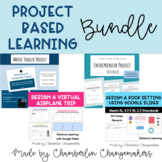
Do you have a classroom full of creative students? Are you looking to integrate technology in a meaningful, fun way? The Entrepreneur Project Notebook has everything you need to introduce this creative writing and technology project during distance learning and as a back to school activity. The Entrepreneur Project challenges students to think of a business that makes a difference in this world. Students write a business plan using Google Docs and create brochures, emails, and business cards with Microsoft Publisher. If you don't have Microsoft Publisher, there are many publishing sites online that are kid-friendly, like Canva.
With editable slides, you can customize the notebook to meet the needs of you and your students. Simply review and edit the slides, print, and your students will be off and running!
How I use this in my classroom: As a PreK-8 technology teacher, I introduce this as a four-week project for my 4th-7th grade students. My students LOVE this project and the businesses that they create are truly remarkable! At the end of the project, we invite the principal and other staff members to sit in on their presentations for a "Shark Tank" themed debut. This project is an unforgettable project for my students - and SO easy to prep as a teacher!
Keep your student organized during virtual learning with these resources:
Check out my other STEM/Technology Products:
Reviews
