


Description
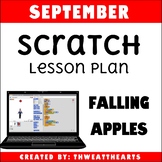
September Scratch Programming Lesson Plan teaches students to create a falling objects game where an object falls(apples) and a character (person) tries to catch it using the block programming language called Scratch. Designed for upper elementary and middle school students, this lesson incorporates STEM into the classroom or computer lab. Though the title says “September” this is a great lesson any time of the year! I’ve even used these lessons during Hour of Code week in my computer class!
What's Included:
★ Objective Display Cards
★ Standard Display Cards
★ 3 Formats of Lesson Plans (Overview, Screenshots, Detailed)
★ Printable Student Directions
★ Digital Student Directions
★ Student Checklist Cards
★ Teacher Rubric Key
★ Student Rubric
★ Printable Scratch Color and Black/White Scratch Blocks
Teacher Directions:
Prior to teaching this lesson, a basic familiarity of scratch is encouraged for students, but not necessary. This lesson is best taught in 1 class period.
Notes:
Not compatible with Scratch, Jr iPad app
Designed for Scratch 3 2019
Related Products:
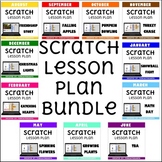
August Scratch Lesson Plan - Friendship Story
September Scratch Lesson Plan - Falling Apples
October Scratch Lesson Plan - Pumpkin Bowling
November Scratch Lesson Plan - Turkey Chase
December Scratch Lesson Plan - Christmas Lights
January Scratch Jr Lesson Plan - Firework Show
February Scratch Lesson Plan - Catching Hearts
March Scratch Lesson Plan - Silly Sentence
April Scratch Lesson Plan - Plant Sequence
May Scratch Lesson Plan - Spinning Flowers
If you find an error or have a question, please go to the question tab at the top of the page and ask away! I'll try to get back to you in a timely fashion.
Want to know when I add new products or have a sale? Follow Thweatthearts to stay updated!
Your feedback is always welcome! When you leave a review, you earn TPT credits for future purchases.
© 2022 Thweatthearts

Highlights


Save even more with bundles
Description
September Scratch Programming Lesson Plan teaches students to create a falling objects game where an object falls(apples) and a character (person) tries to catch it using the block programming language called Scratch. Designed for upper elementary and middle school students, this lesson incorporates STEM into the classroom or computer lab. Though the title says “September” this is a great lesson any time of the year! I’ve even used these lessons during Hour of Code week in my computer class!
What's Included:
★ Objective Display Cards
★ Standard Display Cards
★ 3 Formats of Lesson Plans (Overview, Screenshots, Detailed)
★ Printable Student Directions
★ Digital Student Directions
★ Student Checklist Cards
★ Teacher Rubric Key
★ Student Rubric
★ Printable Scratch Color and Black/White Scratch Blocks
Teacher Directions:
Prior to teaching this lesson, a basic familiarity of scratch is encouraged for students, but not necessary. This lesson is best taught in 1 class period.
Notes:
Not compatible with Scratch, Jr iPad app
Designed for Scratch 3 2019
Related Products:
August Scratch Lesson Plan - Friendship Story
September Scratch Lesson Plan - Falling Apples
October Scratch Lesson Plan - Pumpkin Bowling
November Scratch Lesson Plan - Turkey Chase
December Scratch Lesson Plan - Christmas Lights
January Scratch Jr Lesson Plan - Firework Show
February Scratch Lesson Plan - Catching Hearts
March Scratch Lesson Plan - Silly Sentence
April Scratch Lesson Plan - Plant Sequence
May Scratch Lesson Plan - Spinning Flowers
If you find an error or have a question, please go to the question tab at the top of the page and ask away! I'll try to get back to you in a timely fashion.
Want to know when I add new products or have a sale? Follow Thweatthearts to stay updated!
Your feedback is always welcome! When you leave a review, you earn TPT credits for future purchases.
© 2022 Thweatthearts
