


What others say

Description
Are you overwhelmed by the thought of having to create and manage a class website on top of everything else on your teacher to-do list? It doesn't have to be scary as long as you choose the right platform. Google Sites are simple to use, easily integrate with other Google Apps (drive, slides, sheets, forms), and best of all are FREE to use!
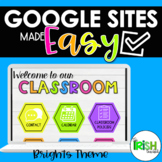
This product is not your average website design template. It's so much more! Think of it as a complete crash course in using Google Sites plus everything you need to put it together. You'll not only receive beautiful design elements like banners and buttons to help you build the class website of your dreams but I will guide you step by step as you learn the ins and outs of how to use Google Sites. That means you end up with a class website that not only looks great but is built by you for your specific needs.
Included in this product:
- Premade and Editable Banners
- Customizable Buttons
- Digital Stickers (including text words and phrases*)
- Background Options
- Premade and Customizable Google Slide Templates (class newsletters, weekly agendas, schedules, etc.)
- Step by Step Video Tutorials
- Product Support
*Digital text stickers include OVER 300 commonly used words and phrases to help you design digital resources for the following:
- Virtual Classroom Management
- Parent Communication and Engagement
- School and Classroom Policies, Procedures, Rules and Expectations
- Subjects and Specials
- Grade Levels (Preschool through 12th Grade)
- Assignments, Homework, and additional resources
- Daily and Weekly Schedules and Agendas
- Building Classroom Community
Please note: this is not a premade website template
For a preview of the product (different design theme) in action check out the Demo Google Site here
To fully edit and use this product you need to have access to Powerpoint or Keynote
This product will work with Canvas however the video tutorials are specific to Google Sites
Check out these other Google Sites Made Easy design themes:
Design Your Own Google Site Video Course
All Design Themes GROWING BUNDLE
Love Google? Check out these products made just for Google Apps:
Daily Teaching Slides for Google Slides and PowerPoint
Digital Organization Made Easy
Please consider leaving feedback for this product! It means so much to me, and it helps you earn FREE products here on TpT! For every review you leave, you earn 1 credit point toward a future purchase. Go to "My Purchases" to leave a review.
Want to know when I'm having a sale? Or when a new product is released? Hit the green FOLLOW ME button to stay in the know!
Connect with me on Instagram to for tips on virtual teaching, organization and tech: @The_Irish_Teacher
Questions? Email me at theirishteachertpt@gmail.com
Class Website Elements & Tutorial for Google Sites - Back to School Forms

Highlights


What others say
Save even more with bundles
Description
Are you overwhelmed by the thought of having to create and manage a class website on top of everything else on your teacher to-do list? It doesn't have to be scary as long as you choose the right platform. Google Sites are simple to use, easily integrate with other Google Apps (drive, slides, sheets, forms), and best of all are FREE to use!
This product is not your average website design template. It's so much more! Think of it as a complete crash course in using Google Sites plus everything you need to put it together. You'll not only receive beautiful design elements like banners and buttons to help you build the class website of your dreams but I will guide you step by step as you learn the ins and outs of how to use Google Sites. That means you end up with a class website that not only looks great but is built by you for your specific needs.
Included in this product:
- Premade and Editable Banners
- Customizable Buttons
- Digital Stickers (including text words and phrases*)
- Background Options
- Premade and Customizable Google Slide Templates (class newsletters, weekly agendas, schedules, etc.)
- Step by Step Video Tutorials
- Product Support
*Digital text stickers include OVER 300 commonly used words and phrases to help you design digital resources for the following:
- Virtual Classroom Management
- Parent Communication and Engagement
- School and Classroom Policies, Procedures, Rules and Expectations
- Subjects and Specials
- Grade Levels (Preschool through 12th Grade)
- Assignments, Homework, and additional resources
- Daily and Weekly Schedules and Agendas
- Building Classroom Community
Please note: this is not a premade website template
For a preview of the product (different design theme) in action check out the Demo Google Site here
To fully edit and use this product you need to have access to Powerpoint or Keynote
This product will work with Canvas however the video tutorials are specific to Google Sites
Check out these other Google Sites Made Easy design themes:
Design Your Own Google Site Video Course
All Design Themes GROWING BUNDLE
Love Google? Check out these products made just for Google Apps:
Daily Teaching Slides for Google Slides and PowerPoint
Digital Organization Made Easy
Please consider leaving feedback for this product! It means so much to me, and it helps you earn FREE products here on TpT! For every review you leave, you earn 1 credit point toward a future purchase. Go to "My Purchases" to leave a review.
Want to know when I'm having a sale? Or when a new product is released? Hit the green FOLLOW ME button to stay in the know!
Connect with me on Instagram to for tips on virtual teaching, organization and tech: @The_Irish_Teacher
Questions? Email me at theirishteachertpt@gmail.com
