

Description
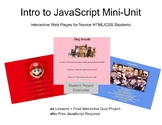
Introduce your students to JavaScript through interactive web pages!
This five-lesson mini-unit is designed for students who already have some familiarity with HTML and CSS and are ready to take their first steps into JavaScript.
Rather than focusing on advanced programming concepts, this unit was designed to provide an accessible first experience with JavaScript while helping students create projects they can be proud of.
Students learn how to make webpages respond to user actions using buttons and simple JavaScript functions that modify webpage styles and content, creating simple but engaging interactive experiences.
The unit culminates in a student-created interactive quiz project that allows students to demonstrate their skills while exploring a topic of their choice.
Topics Covered:
- Organizing webpage content using divs or tables (teacher choice)
- Creating buttons and responding to user clicks
- Writing and calling simple JavaScript functions
- Using parameters to create more flexible functions
- Modifying webpage content with getElementById()
What's Included:
- Unit Teacher Guide
- Four guided lessons -- slideshows with explanations and examples
- Starter code for each guided lesson
- Completed notes code (answer keys)
- Independent practice assignments
- Scaffolded starter code for Lesson 1 practice assignments
- Final Project Description
- Optional student reflection
- Google Drive Access PDF
- Links to import lesson notes / assignments from Juicemind, if desired
Recommended For:
- High School Computer Science courses
- High School Technology courses
- Students transitioning from HTML/CSS to JavaScript
- Advanced Middlel School students with HTML/CSS experience
Prerequisites:
- Basic HTML tags and page structure
- Basic CSS styling
- Experience using a code editor
- No prior JavaScript experience required
Estimated Time:
- Lesson 1-4: One 90-minute class period each
- Final Project: 1-2 class periods (or more, depending on your students)

Highlights


Description
Introduce your students to JavaScript through interactive web pages!
This five-lesson mini-unit is designed for students who already have some familiarity with HTML and CSS and are ready to take their first steps into JavaScript.
Rather than focusing on advanced programming concepts, this unit was designed to provide an accessible first experience with JavaScript while helping students create projects they can be proud of.
Students learn how to make webpages respond to user actions using buttons and simple JavaScript functions that modify webpage styles and content, creating simple but engaging interactive experiences.
The unit culminates in a student-created interactive quiz project that allows students to demonstrate their skills while exploring a topic of their choice.
Topics Covered:
- Organizing webpage content using divs or tables (teacher choice)
- Creating buttons and responding to user clicks
- Writing and calling simple JavaScript functions
- Using parameters to create more flexible functions
- Modifying webpage content with getElementById()
What's Included:
- Unit Teacher Guide
- Four guided lessons -- slideshows with explanations and examples
- Starter code for each guided lesson
- Completed notes code (answer keys)
- Independent practice assignments
- Scaffolded starter code for Lesson 1 practice assignments
- Final Project Description
- Optional student reflection
- Google Drive Access PDF
- Links to import lesson notes / assignments from Juicemind, if desired
Recommended For:
- High School Computer Science courses
- High School Technology courses
- Students transitioning from HTML/CSS to JavaScript
- Advanced Middlel School students with HTML/CSS experience
Prerequisites:
- Basic HTML tags and page structure
- Basic CSS styling
- Experience using a code editor
- No prior JavaScript experience required
Estimated Time:
- Lesson 1-4: One 90-minute class period each
- Final Project: 1-2 class periods (or more, depending on your students)
