TPT
Total:
$0.00
Keyboarding - Finger Placement Digital Distance Learning
Share

Description

A fun and engaging activity for students to learn the proper finger placement for “touch typing” and practice mouse skills. Great for classrooms, center activities, early finisher practice, and the computer lab. UPDATED: Optional “self-check” for each hand. There is a check mark in lower right corner of each hand in which students can “VIEW” the answer key. If you wish for students not to self-check, simply delete the check marks.

Resource Uses:

Use as students are learning to keyboard to develop proper finger placement, encourage students to "break" incorrect finger placement, and/or as a finger placement quiz.

Keyboarding - Finger Placement Digital Activity Includes:

Link to Google Drive Activity

Teacher Directions

Report this resource to TPT
Reported resources will be reviewed by our team. Report this resource to let us know if this resource violates TPT's content guidelines.

Keyboarding - Finger Placement Digital Distance Learning

Proven Computer Lessons
2k Followers
$3.00

Highlights

Grades icon
Grades
1st - 6th
Pages
9
Answer Key
Included

Save even more with bundles

An entire year of WEEKLY Computer Technology Lessons & Activities for 2nd Grade. This bundle includes Computer Technology Lessons for Google Drive apps for a WEEKLY Computer Class or for classroom teachers wanting to teach Google Apps on a weekly basis.Each lesson/activity is approximately 30 mi
Price $121.32Original Price $127.45Save $6.13
37
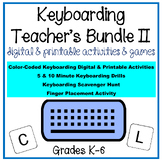
Keyboarding Teacher's Bundle II includes a variety of digital and printable activities, Keyboarding Scavenger Hunt and a Keyboarding Let's Get Moving Game.Beginner keyboarding and up to intermediate keyboarding practice for students in grades K-6. Please view the individual resources included in th
Price $33.75Original Price $37.75Save $4.00
12
Learning to Keyboard correctly is a skill students NEED and are being taught less and less since some schools are doing away with Computer classes. This bundle includes over 23 bundled resources with over 50 individual resources to teach keyboarding/typing to students in grades K-8. Use as a curricu
Price $75.60Original Price $84.00Save $8.40
23

Description

A fun and engaging activity for students to learn the proper finger placement for “touch typing” and practice mouse skills. Great for classrooms, center activities, early finisher practice, and the computer lab. UPDATED: Optional “self-check” for each hand. There is a check mark in lower right corner of each hand in which students can “VIEW” the answer key. If you wish for students not to self-check, simply delete the check marks.

Resource Uses:

Use as students are learning to keyboard to develop proper finger placement, encourage students to "break" incorrect finger placement, and/or as a finger placement quiz.

Keyboarding - Finger Placement Digital Activity Includes:

Link to Google Drive Activity

Teacher Directions

Report this resource to TPT
Reported resources will be reviewed by our team. Report this resource to let us know if this resource violates TPT's content guidelines.

Reviews

This product has not yet been rated.
Rated 0 out of 5

Questions & Answers

Loading
Loading