


Description
Sick of keeping track of so many papers while progress monitoring; is your school going paperless?
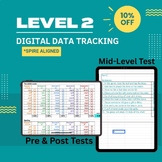
This digital data tracking tool is on Google sheets and aligns with the SPIRE reading program. It allows teachers to keep track of student progress quickly and easily. It includes parts 1 & 2 of the Mid-Leve Test for Level 2. It is completely editable; you may change colors, size, font, etc. Add as many student tabs as you need! Just click on the Master tab (or one of the blank students) and go to duplicate. This will then allow you to rename the tab.
*For personal use only, license does not allow for resale or redistribution.

Highlights


Save even more with bundles
Description
Sick of keeping track of so many papers while progress monitoring; is your school going paperless?
This digital data tracking tool is on Google sheets and aligns with the SPIRE reading program. It allows teachers to keep track of student progress quickly and easily. It includes parts 1 & 2 of the Mid-Leve Test for Level 2. It is completely editable; you may change colors, size, font, etc. Add as many student tabs as you need! Just click on the Master tab (or one of the blank students) and go to duplicate. This will then allow you to rename the tab.
*For personal use only, license does not allow for resale or redistribution.
