


Description
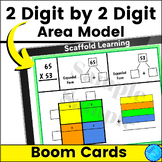
Multiplication Box Method BOOM Cards
Math Digital Resource Multiplication Partial Product Box Method 2 by 2 Digits
Students Simply Type in the Boxes Provided - Students Do NOT need to make a text box
Boom Cards - Great for Centers
10 Different Slides Self - Checking Slides
Color Coded With Scaffolding
Reinforces Place Value of Tens and Ones
Answer Key Included
Try It Out! - See the link in the Preview
They Are:
No Prep
Self - Checking
Self - Correcting
Paperless
Play on Computer Or with an App on a Tablet
USES:
Center
Homework
Test Prep
Review
BOOM CARDS:
To use Boom Cards, you must be connected to the Internet. Boom Cards play on modern browsers (Chrome, Safari, Firefox, and Edge). Apps are available for modern Android, iPads, iPhones, and Kindle Fires. For security and privacy, adults must have a Boom Learning account to use and assign Boom Cards. You will be able to assign the Boom Cards you are buying with "Fast Pins," (a form of play that gives instant feedback to students for self-grading Boom Cards). For assignment options that report student progress back to you, you will need to purchase a premium account. If you are new to Boom Learning, you will be offered a free trial of our premium account. Readhere for details: http://bit.ly/BoomTrial.
"You may be eligible for a free trial from Boom Learning. Read here for details: http://bit.ly/BoomTrial. If you choose not to stay on a premium account after your free trial, you will still be able to assign all your Boom Cards to as many students as you see fit using Fast Play pins (which give instant feedback for decks that are self-grading). You will not be charged when your free trial expires."
Multiplication Box Method BOOM CARDS Math Distance Learning No Prep Task Cards

Highlights


Save even more with bundles

Description
Multiplication Box Method BOOM Cards
Math Digital Resource Multiplication Partial Product Box Method 2 by 2 Digits
Students Simply Type in the Boxes Provided - Students Do NOT need to make a text box
Boom Cards - Great for Centers
10 Different Slides Self - Checking Slides
Color Coded With Scaffolding
Reinforces Place Value of Tens and Ones
Answer Key Included
Try It Out! - See the link in the Preview
They Are:
No Prep
Self - Checking
Self - Correcting
Paperless
Play on Computer Or with an App on a Tablet
USES:
Center
Homework
Test Prep
Review
BOOM CARDS:
To use Boom Cards, you must be connected to the Internet. Boom Cards play on modern browsers (Chrome, Safari, Firefox, and Edge). Apps are available for modern Android, iPads, iPhones, and Kindle Fires. For security and privacy, adults must have a Boom Learning account to use and assign Boom Cards. You will be able to assign the Boom Cards you are buying with "Fast Pins," (a form of play that gives instant feedback to students for self-grading Boom Cards). For assignment options that report student progress back to you, you will need to purchase a premium account. If you are new to Boom Learning, you will be offered a free trial of our premium account. Readhere for details: http://bit.ly/BoomTrial.
"You may be eligible for a free trial from Boom Learning. Read here for details: http://bit.ly/BoomTrial. If you choose not to stay on a premium account after your free trial, you will still be able to assign all your Boom Cards to as many students as you see fit using Fast Play pins (which give instant feedback for decks that are self-grading). You will not be charged when your free trial expires."
