


Description
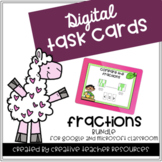
This math resource provides you with a set of 24 task cards Digital Task Cards to use with your students within a virtual classroom such as Google Classroom or Microsoft Classroom. The students will be naming the fraction shown (halves through Twelfths). There is an option to have the students type their responses directly on the task cards or a recording sheet to print out is provided to go with the option where the students just view the cards on the computer. An answer key is provided as well. When you purchase this resource you will receive a file with directions on how to use this resource and a link to the resource on Google Drive.
Task cards are great practice to use with small groups or for an independent center. You can use these cards for practice, review or even as an assessment.
This Resource Includes:
*24 Digital Task Cards with a Response Spot
*24 Digital Task Cards without a Response Spot
*Student Recording Sheet
*Answer Key
Don't Have Access to Google or Microsoft Classroom?
If you do not have access to Google or Microsoft Classroom, I also sell a traditional set of these task cards in a PDF File. They are the exact same questions as the Digital Task Cards. They can be found here.
If you have any questions about the resource please email me at annahines@creativeteacherresources.com
What is the cost for multiple teachers?
Please purchase a license for each teacher using this resource. The first license is the full price of the bundle. All other licenses are at a reduced cost of a 10% savings. You can add licenses when you add the item to your cart or come back at a later time and add from your "my purchases" tab.
How do I get credit to use on future purchases?
Please go to your my purchases page. Besides each purchase you will see a "Please Provide Feedback" button. Simply click on the button and you will be taken to a page where you can leave a quick rating and a short comment for the product. I value your feedback greatly as it lets me know which products are the most valuable for your classroom, so I can create more useful products for my followers.
Want to be the first to know about new resources, freebies, and discounts?
Look for the green star near the top of any page within my store and click it to become a follower. You will then receive customized email updates about my store and be alerted when I launch new products or put my store on sale!
Stay Connected with Me.
Fraction Identification Digital Task Cards| Distance Learning

Highlights


Save even more with bundles

Description
This math resource provides you with a set of 24 task cards Digital Task Cards to use with your students within a virtual classroom such as Google Classroom or Microsoft Classroom. The students will be naming the fraction shown (halves through Twelfths). There is an option to have the students type their responses directly on the task cards or a recording sheet to print out is provided to go with the option where the students just view the cards on the computer. An answer key is provided as well. When you purchase this resource you will receive a file with directions on how to use this resource and a link to the resource on Google Drive.
Task cards are great practice to use with small groups or for an independent center. You can use these cards for practice, review or even as an assessment.
This Resource Includes:
*24 Digital Task Cards with a Response Spot
*24 Digital Task Cards without a Response Spot
*Student Recording Sheet
*Answer Key
Don't Have Access to Google or Microsoft Classroom?
If you do not have access to Google or Microsoft Classroom, I also sell a traditional set of these task cards in a PDF File. They are the exact same questions as the Digital Task Cards. They can be found here.
If you have any questions about the resource please email me at annahines@creativeteacherresources.com
What is the cost for multiple teachers?
Please purchase a license for each teacher using this resource. The first license is the full price of the bundle. All other licenses are at a reduced cost of a 10% savings. You can add licenses when you add the item to your cart or come back at a later time and add from your "my purchases" tab.
How do I get credit to use on future purchases?
Please go to your my purchases page. Besides each purchase you will see a "Please Provide Feedback" button. Simply click on the button and you will be taken to a page where you can leave a quick rating and a short comment for the product. I value your feedback greatly as it lets me know which products are the most valuable for your classroom, so I can create more useful products for my followers.
Want to be the first to know about new resources, freebies, and discounts?
Look for the green star near the top of any page within my store and click it to become a follower. You will then receive customized email updates about my store and be alerted when I launch new products or put my store on sale!
Stay Connected with Me.
