TPT
Total:
$0.00
Scratch Coding Lesson Plan Pong Game
Share

Description

Pong Scratch Lesson Plan teaches students how to create a simple game inspired by the classic Pong, using the block-based programming language Scratch. In this lesson, students will learn how to program a paddle and a bouncing object, aiming to score points in the game. Ideal for upper elementary and middle school students, this lesson integrates STEM concepts into the classroom or computer lab. It’s also a fantastic option for Hour of Code week in your computer class!

What's Included:

★ Objective Display Cards

★ Standard Display Cards

★ 3 Formats of Lesson Plans (Overview, Screenshots, Detailed) 

★ Student Checklist Cards

★ Teacher Rubric Key

★ Student Rubric

★ Printable Scratch Color and Black/White Scratch Blocks

Teacher Directions: 

While prior experience with Scratch is helpful, it’s not required for students. This lesson is best taught in 1 class period.

Notes:

Not compatible with Scratch, Jr iPad app

Designed for Scratch 3 2019

Related Products:

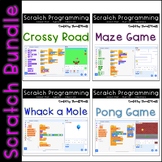
Scratch Programming Lesson Plan Bundle

Scratch Lesson Plan - Crossy Road / Frogger Coding

Scratch Lesson Plan - Maze Coding

Scratch Lesson Plan - Whack-a-Mole Coding

If you find an error or have a question, please go to the question tab at the top of the page and ask away! I'll try to get back to you in a timely fashion.

Want to know when I add new products or have a sale? Follow Thweatthearts to stay updated!

Your feedback is always welcome! When you leave a review, you earn TPT credits for future purchases.

© 2022 Thweatthearts

Report this resource to TPT
Reported resources will be reviewed by our team. Report this resource to let us know if this resource violates TPT's content guidelines.

Scratch Coding Lesson Plan Pong Game

ThweattHearts
998 Followers
$3.50

Highlights

Digital downloads
Pages
37
Teaching Duration
1 hour

Save even more with bundles

Scratch Coding bundle includes all FOUR of my Scratch Programming Lesson Plans – a savings of over 18%! Included are at least 7 class periods worth of Scratch lessons possibly more depending on the age and pacing. I have taught these lesson plans in my 1st through 5th grade computer lab and they are
Price $12.00Original Price $14.00Save $2.00
4

Description

Pong Scratch Lesson Plan teaches students how to create a simple game inspired by the classic Pong, using the block-based programming language Scratch. In this lesson, students will learn how to program a paddle and a bouncing object, aiming to score points in the game. Ideal for upper elementary and middle school students, this lesson integrates STEM concepts into the classroom or computer lab. It’s also a fantastic option for Hour of Code week in your computer class!

What's Included:

★ Objective Display Cards

★ Standard Display Cards

★ 3 Formats of Lesson Plans (Overview, Screenshots, Detailed) 

★ Student Checklist Cards

★ Teacher Rubric Key

★ Student Rubric

★ Printable Scratch Color and Black/White Scratch Blocks

Teacher Directions: 

While prior experience with Scratch is helpful, it’s not required for students. This lesson is best taught in 1 class period.

Notes:

Not compatible with Scratch, Jr iPad app

Designed for Scratch 3 2019

Related Products:

Scratch Programming Lesson Plan Bundle

Scratch Lesson Plan - Crossy Road / Frogger Coding

Scratch Lesson Plan - Maze Coding

Scratch Lesson Plan - Whack-a-Mole Coding

If you find an error or have a question, please go to the question tab at the top of the page and ask away! I'll try to get back to you in a timely fashion.

Want to know when I add new products or have a sale? Follow Thweatthearts to stay updated!

Your feedback is always welcome! When you leave a review, you earn TPT credits for future purchases.

© 2022 Thweatthearts

Report this resource to TPT
Reported resources will be reviewed by our team. Report this resource to let us know if this resource violates TPT's content guidelines.

Reviews

4.6
Rated 4.64 out of 5, based on 19 reviews
19
ratings
5
14
4
3
3
2
2
0
1
0
Mostly used with 4th and 5th grades
Reviews
1
1
2
2
3
6
6
PreK
K
1st
2nd
3rd
4th
5th
All verified TPT purchases
Scratch Pong Game
Rated 5 out of 5
August 21, 2025
I used this resource across multiple grade levels (K–5), and it was a hit with both students and me! Everything was well-organized, easy to implement, and engaging. The activities kept students excited to learn while reinforcing key tech skills. Highly recommend for any teacher looking to bring more structure and fun to their computer lab time!
Carla H.
24 reviews
Grades taught: PreK, K, 1st, 2nd
Pong Coding
Rated 5 out of 5
August 20, 2025
So much for the students to create a game with coding!
Pense Parle Partage
(TPT Seller)
229 reviews • Outside the United States
Grades taught: 4th, 5th
Great activity for students
Rated 4 out of 5
August 6, 2025
My students loved completing this task. Some needed help following the steps.
Rainbow Class Co.
(TPT Seller)
161 reviews • Outside the United States
Grades taught: 1st, 2nd, 3rd, 4th, 5th, 6th, 7th, 8th
Student populations: Autism, Learning difficulties, Mild to severe disabilities
Rated 5 out of 5
July 22, 2024
Among all the Scratch lessons I have taught, this one stood out as exceptionally engaging and became a favorite among the students. Their enthusiasm for creating their own projects was palpable, and I believe it significantly shifted their perception of coding. Many students continue to develop games outside of my STEM classroom, which underscores the lasting impact of this resource. It is truly an invaluable tool for fostering a passion for coding.
617 reviews
Grades taught: 3rd, 4th, 5th
Rated 5 out of 5
November 4, 2023
Great step by step guide for children to create this game
Meabh M.
50 reviews
Grades taught: 4th
Rated 5 out of 5
June 2, 2023
Kids enjoyed it and instructions are easy to follow. I'm interested in buying the whole bundle but as I do mobile classes and can't project I need a more print friendly option of one slide per page instead of 4 cause when you print it as is, you can't see the writing clearly. Please let me know if you can do this. marlizekeyser@gmail.com
Marlize Keyser
(TPT Seller)
1 review
Grades taught: 4th
Rated 3 out of 5
October 24, 2022
My student really enjoyed this resource. They were very engaged.
kimberly D.
167 reviews
Grades taught: 3rd
Rated 5 out of 5
February 9, 2022
Great coding resource.
Elise Erickson
(TPT Seller)
247 reviews
Grades taught: 5th

Questions & Answers

Loading
Loading