
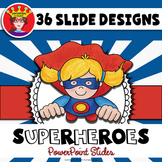


Description
Inspire your students and make your lessons POP with this creative and fun PowerPoint background template. This professional PowerPoint background will make your lessons and presentations stand out from the crowd. The work is already done for you! Simply insert a text box to add your own text to the template.
Each presentation is a background template. This template includes a standard size presentation and a wide screen size presentation. You can easily add your own text, images, transitions, etc. The background slides in the presentation can be copied to add more or just remove the ones you don't need. Re-arrange the slides to create a custom presentation that fits your needs. Several backgrounds are included to help you create a one of a kind presentation.
FAQ:
Is this presentation editable? You can add anything you need to the PowerPoint. You can add text boxes, charts, images, videos,etc. The background image on the slide is flat, so you cannot rearrange the images or frames that are already there.
How do I add a text box or image to a slide? The video tutorial below should be very helpful.
HOW TO ADD TEXT TO POWERPOINT
*Terms of Use: This presentation may be used for non-commercial use only. You may not add text and re-sell as a separate product.
* This template is a background template only. It does not include transitions, titles, etc.
Report this resource to TPT
Reported resources will be reviewed by our team. Report this resource to let us know if this resource violates TPT's content guidelines.
Highlights


Description
Inspire your students and make your lessons POP with this creative and fun PowerPoint background template. This professional PowerPoint background will make your lessons and presentations stand out from the crowd. The work is already done for you! Simply insert a text box to add your own text to the template.
Each presentation is a background template. This template includes a standard size presentation and a wide screen size presentation. You can easily add your own text, images, transitions, etc. The background slides in the presentation can be copied to add more or just remove the ones you don't need. Re-arrange the slides to create a custom presentation that fits your needs. Several backgrounds are included to help you create a one of a kind presentation.
FAQ:
Is this presentation editable? You can add anything you need to the PowerPoint. You can add text boxes, charts, images, videos,etc. The background image on the slide is flat, so you cannot rearrange the images or frames that are already there.
How do I add a text box or image to a slide? The video tutorial below should be very helpful.
HOW TO ADD TEXT TO POWERPOINT
*Terms of Use: This presentation may be used for non-commercial use only. You may not add text and re-sell as a separate product.
* This template is a background template only. It does not include transitions, titles, etc.
Report this resource to TPT
Reported resources will be reviewed by our team. Report this resource to let us know if this resource violates TPT's content guidelines.
Reviews
Grades used with
Reviews
PreK
K
1st
2nd
3rd
4th
5th
All verified TPT purchases
Power Point slides
Met expectations
Great value
Great superhero themed powerpoint slides to make lesson slides more engaging.
Great resource for Kindergarten classroom slides. We used these daily.
This is a very useful resource used in my Year One classroom.
I absolutely love this power point! I've used it for my end of the year slide shows!
I used this product as a background for my reader's workshop minilessons. The graphics are adorable and engaging for students. Great product!
Would have loved it to be editable, a bit more flexible with layout
Very easy to use and edit on in PowerPoint.
Loved it! Geaphics fit my classroom theme perfectly@ Thank you!
Questions & Answers
Loading
Loading
