


Description
Crossy Road Scratch Lesson Plan teaches students how to create their own version of the classic arcade games Crossy Road or Frogger using the block-based programming language Scratch. Students will be guided through the process of programming a character to safely navigate across the screen, avoiding moving objects in order to reach the other side. Perfect for upper elementary and middle school students, this lesson integrates STEM concepts into the classroom or computer lab. It’s also an excellent choice for Hour of Code week in your computer class!
What's Included:
★ Objective Display Cards
★ Standard Display Cards
★ 3 Formats of Lesson Plans (Overview, Screenshots, Detailed)
★ Student Checklist Cards
★ Teacher Rubric Key
★ Student Rubric
★ Printable Scratch Color and Black/White Scratch Blocks
Teacher Directions:
While prior experience with Scratch is helpful, it’s not required for students. Because of the length of this lesson, it is suggested that students will either need to save this project to their computers and upload the next class period or have Scratch accounts.
Notes:
Not compatible with Scratch, Jr iPad app
Designed for Scratch 3 2019
Related Products:
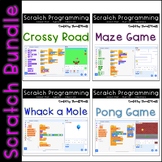
Scratch Programming Lesson Plan Bundle
Scratch Lesson Plan - Crossy Road / Frogger Coding
Scratch Lesson Plan - Pong Game Coding
Scratch Lesson Plan - Whack-a-Mole Coding
If you find an error or have a question, please go to the question tab at the top of the page and ask away! I'll try to get back to you in a timely fashion.
Want to know when I add new products or have a sale? Follow Thweatthearts to stay updated!
Your feedback is always welcome! When you leave a review, you earn TPT credits for future purchases.
© 2022 Thweatthearts

Highlights


Save even more with bundles
Description
Crossy Road Scratch Lesson Plan teaches students how to create their own version of the classic arcade games Crossy Road or Frogger using the block-based programming language Scratch. Students will be guided through the process of programming a character to safely navigate across the screen, avoiding moving objects in order to reach the other side. Perfect for upper elementary and middle school students, this lesson integrates STEM concepts into the classroom or computer lab. It’s also an excellent choice for Hour of Code week in your computer class!
What's Included:
★ Objective Display Cards
★ Standard Display Cards
★ 3 Formats of Lesson Plans (Overview, Screenshots, Detailed)
★ Student Checklist Cards
★ Teacher Rubric Key
★ Student Rubric
★ Printable Scratch Color and Black/White Scratch Blocks
Teacher Directions:
While prior experience with Scratch is helpful, it’s not required for students. Because of the length of this lesson, it is suggested that students will either need to save this project to their computers and upload the next class period or have Scratch accounts.
Notes:
Not compatible with Scratch, Jr iPad app
Designed for Scratch 3 2019
Related Products:
Scratch Programming Lesson Plan Bundle
Scratch Lesson Plan - Crossy Road / Frogger Coding
Scratch Lesson Plan - Pong Game Coding
Scratch Lesson Plan - Whack-a-Mole Coding
If you find an error or have a question, please go to the question tab at the top of the page and ask away! I'll try to get back to you in a timely fashion.
Want to know when I add new products or have a sale? Follow Thweatthearts to stay updated!
Your feedback is always welcome! When you leave a review, you earn TPT credits for future purchases.
© 2022 Thweatthearts
