


Description
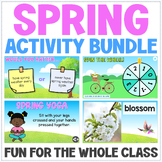
Practice any set of questions this spring with this editable PowerPoint game template. This game has two levels ("Spring Blooms" and "Spring Bugs"). Both levels have 15 questions that are ready for you to edit. Additionally, each level functions independently and can be played separately. All of the question and answer fields are editable, and are clearly labeled and organized for you to quickly and easily fill them in. None of the images are editable due to the Terms of Use policies of the art used in this game.
In the "Spring Blooms" game, points are awarded randomly through a points spinner. In the "Spring Bugs" game, students can click on a flower to see how many points they have earned. After completing a question, the corresponding number will disappear from the game page (to make the game very easy to follow and complete).
⭐ Be careful when moving slides out of order, as it will shift all of the hyperlinks.
⭐ This PowerPoint will work on a PC or a Mac, but please note that the fonts could only be embedded for PC users. This means that for Mac users, the font will change if you do not happen to have the font I used (but the font can be changed to whatever you wish).
Format: PowerPoint (NOT compatible with Google Slides)
Size: Widescreen (16:9)
Terms of Use: For classroom/personal use only (commercial use not permitted)
Other Spring and Summer Activities:
- Spring - Activities for a Class Party
- Spring - Hot Seat Game
- Spring - Would You Rather Game
- Spring - Fill-in-the-Blank Stories
- Spring - Guess the Picture Game
- Spring - Stand Up If Game
- Earth Day - Activities for a Class Party
- Earth Day - Hot Seat Game
- Earth Day - Would You Rather Game
- Cinco de Mayo - Activities for a Class Party
- Summer - Hot Seat Game
- Summer - Would You Rather Game
- Summer - Stand Up If Game
- Camping - Hot Seat Game
- Camping - Would You Rather Game
- Camping - Stand Up If Game
- Beach - Hot Seat Game
- Beach - Would You Rather Game
- Beach - Stand Up If Game
- National Park - Would You Rather Game
- Adventure - Would You Rather Game
End of the Year Activities:
End of the Year Award Ceremonies:
- End of the Year Award Ceremony - Class Superlatives
- Preschool, Pre-K, TK Graduation Ceremony
- Kindergarten Graduation Ceremony
- First Grade Award Ceremony
- Second Grade Award Ceremony
End of the Year Awards:

Highlights


Save even more with bundles

Description
Practice any set of questions this spring with this editable PowerPoint game template. This game has two levels ("Spring Blooms" and "Spring Bugs"). Both levels have 15 questions that are ready for you to edit. Additionally, each level functions independently and can be played separately. All of the question and answer fields are editable, and are clearly labeled and organized for you to quickly and easily fill them in. None of the images are editable due to the Terms of Use policies of the art used in this game.
In the "Spring Blooms" game, points are awarded randomly through a points spinner. In the "Spring Bugs" game, students can click on a flower to see how many points they have earned. After completing a question, the corresponding number will disappear from the game page (to make the game very easy to follow and complete).
⭐ Be careful when moving slides out of order, as it will shift all of the hyperlinks.
⭐ This PowerPoint will work on a PC or a Mac, but please note that the fonts could only be embedded for PC users. This means that for Mac users, the font will change if you do not happen to have the font I used (but the font can be changed to whatever you wish).
Format: PowerPoint (NOT compatible with Google Slides)
Size: Widescreen (16:9)
Terms of Use: For classroom/personal use only (commercial use not permitted)
Other Spring and Summer Activities:
- Spring - Activities for a Class Party
- Spring - Hot Seat Game
- Spring - Would You Rather Game
- Spring - Fill-in-the-Blank Stories
- Spring - Guess the Picture Game
- Spring - Stand Up If Game
- Earth Day - Activities for a Class Party
- Earth Day - Hot Seat Game
- Earth Day - Would You Rather Game
- Cinco de Mayo - Activities for a Class Party
- Summer - Hot Seat Game
- Summer - Would You Rather Game
- Summer - Stand Up If Game
- Camping - Hot Seat Game
- Camping - Would You Rather Game
- Camping - Stand Up If Game
- Beach - Hot Seat Game
- Beach - Would You Rather Game
- Beach - Stand Up If Game
- National Park - Would You Rather Game
- Adventure - Would You Rather Game
End of the Year Activities:
End of the Year Award Ceremonies:
- End of the Year Award Ceremony - Class Superlatives
- Preschool, Pre-K, TK Graduation Ceremony
- Kindergarten Graduation Ceremony
- First Grade Award Ceremony
- Second Grade Award Ceremony
End of the Year Awards:
