


Description
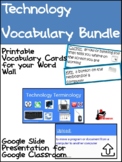
Like all subjects technology skills come with a certain amount of vocabulary that students need to understand in order to complete assignments. This bundle includes vocabulary cards and a Google Slides presentation giving kid-friendly definitions and color pictures for 56 different technology terms. The cards can be laminated and hung on a bulletin board, or placed on an O-ring at the computer to help guide students through technology directions. This presentation can be shared with your class whole group or assigned to students through Google Classroom for them to view and review as needed.
Vocabulary words included are:
mouse
key
cursor
monitor
keyboard
central processing unit
backspace
delete
space bar
enter
click
double click
right click
minimize
maximize
window
icon
internet
spreadsheet
URL
hyperlink
document
menu
search engine
open
save
new
text
graphics
cut
copy
paste
blog
character
app
download
upload
attachment
browser
internet spider
code
social media
vlog
refresh
duplicate
keyboard shortcuts
shutdown
restart
livestream
settings
mute
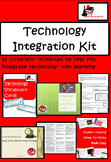
This is part of the Technology Integration Kit is for computer lab teachers or for teachers who are looking to integrate technology into their elementary classrooms. It includes:
1.) Technology Assessment: K-5 (PPT and Google Forms)
Use this technology assessment to test what your students already know about technology. This leveled Power Point with appropriate questions for students in K-5.
2.) Technology Terminology Word Wall Cards (PDF)
Hang these cards on your word wall or put them on an O-ring at each computer station so that student can build a basic understanding of the words used in connection with the technology they are using.
3.) Technology Vocabulary Presentation (Google Slide)
This presentation can be presented to your class whole group, or assigned to students using Google Classroom to be viewed and reviewed by students independently.
4.) Integration Projects for Writing: K-5 Matrix (PDF)
This matrix gives 4 writing projects per grade level K – 5, that can be integrated into technology. Projects are given per quarter.
5.) Integration Projects for Math: K-5 Matrix (PDF)
This matrix gives 9 math projects per grade level K – 5, that can be integrated into math. Projects are given per month.
6.) Online Portfolio Planning Sheet (PDF)
This planning packet gives you three levels of planning sheet, as well as student guidance sheets to help you and your students develop online portfolios.
7.) Tutorial Videos Planning Sheet (PDF)
This planning sheet gives students a chance to plan and build tutorial videos for their peers on a wide range of topics.
8.) Internet Safety Training for Adults (PPT)
This Power Point presentation allows you to present information to your staff or parents on the importance of Internet Safety.
9.) Internet Safety Lesson for Kids (PPT)
This Power Point lesson allows you to teach students in k – 6 about internet safety.
10.) Internet Research Lesson (PPT)
This Power Point lesson allows you to teach students in grades
2 – 6 the basics of doing internet research.
11.) Websites for the Elementary Classroom (PDF)
This e-book provides you with website suggestions to use with students in K – 5 on a wide range of subjects and topics.
Created by Heidi Raki of Raki's Rad Resources.
Technology Vocabulary Bundle - Distance Learning

Highlights


Save even more with bundles
Description
Like all subjects technology skills come with a certain amount of vocabulary that students need to understand in order to complete assignments. This bundle includes vocabulary cards and a Google Slides presentation giving kid-friendly definitions and color pictures for 56 different technology terms. The cards can be laminated and hung on a bulletin board, or placed on an O-ring at the computer to help guide students through technology directions. This presentation can be shared with your class whole group or assigned to students through Google Classroom for them to view and review as needed.
Vocabulary words included are:
mouse
key
cursor
monitor
keyboard
central processing unit
backspace
delete
space bar
enter
click
double click
right click
minimize
maximize
window
icon
internet
spreadsheet
URL
hyperlink
document
menu
search engine
open
save
new
text
graphics
cut
copy
paste
blog
character
app
download
upload
attachment
browser
internet spider
code
social media
vlog
refresh
duplicate
keyboard shortcuts
shutdown
restart
livestream
settings
mute
This is part of the Technology Integration Kit is for computer lab teachers or for teachers who are looking to integrate technology into their elementary classrooms. It includes:
1.) Technology Assessment: K-5 (PPT and Google Forms)
Use this technology assessment to test what your students already know about technology. This leveled Power Point with appropriate questions for students in K-5.
2.) Technology Terminology Word Wall Cards (PDF)
Hang these cards on your word wall or put them on an O-ring at each computer station so that student can build a basic understanding of the words used in connection with the technology they are using.
3.) Technology Vocabulary Presentation (Google Slide)
This presentation can be presented to your class whole group, or assigned to students using Google Classroom to be viewed and reviewed by students independently.
4.) Integration Projects for Writing: K-5 Matrix (PDF)
This matrix gives 4 writing projects per grade level K – 5, that can be integrated into technology. Projects are given per quarter.
5.) Integration Projects for Math: K-5 Matrix (PDF)
This matrix gives 9 math projects per grade level K – 5, that can be integrated into math. Projects are given per month.
6.) Online Portfolio Planning Sheet (PDF)
This planning packet gives you three levels of planning sheet, as well as student guidance sheets to help you and your students develop online portfolios.
7.) Tutorial Videos Planning Sheet (PDF)
This planning sheet gives students a chance to plan and build tutorial videos for their peers on a wide range of topics.
8.) Internet Safety Training for Adults (PPT)
This Power Point presentation allows you to present information to your staff or parents on the importance of Internet Safety.
9.) Internet Safety Lesson for Kids (PPT)
This Power Point lesson allows you to teach students in k – 6 about internet safety.
10.) Internet Research Lesson (PPT)
This Power Point lesson allows you to teach students in grades
2 – 6 the basics of doing internet research.
11.) Websites for the Elementary Classroom (PDF)
This e-book provides you with website suggestions to use with students in K – 5 on a wide range of subjects and topics.
Created by Heidi Raki of Raki's Rad Resources.
