


Description
📌 Using a Graphing Calculator to Find Zeros of Polynomials – Sorting Activity
This hands-on sorting activity helps students use a graphing calculator to find the zeros (x-intercepts) of polynomial functions. Designed for Algebra 2 and Precalculus, this activity builds student confidence with graphing technology while reinforcing connections between equations, graphs, and solutions.
Students work with quadratic, cubic, and quartic polynomials, adjusting the viewing window, interpreting calculator screens, and identifying all real zeros of each function.
✅ What’s Included
- Teacher directions and student-friendly instructions
- 2 student help pages with visuals for calculator use
- Student answer sheet
- Complete answer key
- 4 sets of sorting cards:
- Polynomial equations (degree 2, 3, and 4)
- Equations rewritten in standard form (y = …)
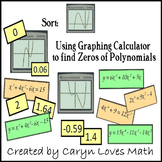
- Calculator screen shots
- Zeros of the functions
🧠 Multiple Ways to Use This Activity
This sort is flexible and can be used in several ways depending on your instructional goals:
Version 1: Rewrite, Graph, and Find Zeros
Students rewrite equations into standard form, graph them on their calculator, adjust the viewing window to match a calculator screen, and then identify all zeros.
A student answer sheet is provided for this version.
Version 2: Rewriting to Standard Form
Students focus only on rewriting polynomial equations into standard form—great for targeted practice or remediation.
Version 3: Full Graph Exploration
Students graph the polynomial and manipulate the viewing window until all intercepts and key features are visible. Some graphs use altered scales to increase rigor.
A printable help page with visuals is included.
Version 4: Finding Zeros Only
Students graph each equation and use their calculator to locate and identify all x-intercepts.
🎯 Why Teachers Love This Resource
- Encourages strategic calculator use, not guesswork
- Supports differentiation and flexible pacing
- Works well for stations, small groups, or review days
- Strengthens understanding of how graphs, equations, and solutions connect
🏫 Great For
- Algebra 2
- Precalculus
- Math stations
- Calculator skill practice
- Review before polynomial units or assessments
This activity is a strong option for helping students become confident, independent users of graphing calculators while deepening their understanding of polynomial functions.
Finding Zeros of Polynomials Using a Graphing Calculator | Sorting Activity

Highlights


Save even more with bundles


Description
📌 Using a Graphing Calculator to Find Zeros of Polynomials – Sorting Activity
This hands-on sorting activity helps students use a graphing calculator to find the zeros (x-intercepts) of polynomial functions. Designed for Algebra 2 and Precalculus, this activity builds student confidence with graphing technology while reinforcing connections between equations, graphs, and solutions.
Students work with quadratic, cubic, and quartic polynomials, adjusting the viewing window, interpreting calculator screens, and identifying all real zeros of each function.
✅ What’s Included
- Teacher directions and student-friendly instructions
- 2 student help pages with visuals for calculator use
- Student answer sheet
- Complete answer key
- 4 sets of sorting cards:
- Polynomial equations (degree 2, 3, and 4)
- Equations rewritten in standard form (y = …)
- Calculator screen shots
- Zeros of the functions
🧠 Multiple Ways to Use This Activity
This sort is flexible and can be used in several ways depending on your instructional goals:
Version 1: Rewrite, Graph, and Find Zeros
Students rewrite equations into standard form, graph them on their calculator, adjust the viewing window to match a calculator screen, and then identify all zeros.
A student answer sheet is provided for this version.
Version 2: Rewriting to Standard Form
Students focus only on rewriting polynomial equations into standard form—great for targeted practice or remediation.
Version 3: Full Graph Exploration
Students graph the polynomial and manipulate the viewing window until all intercepts and key features are visible. Some graphs use altered scales to increase rigor.
A printable help page with visuals is included.
Version 4: Finding Zeros Only
Students graph each equation and use their calculator to locate and identify all x-intercepts.
🎯 Why Teachers Love This Resource
- Encourages strategic calculator use, not guesswork
- Supports differentiation and flexible pacing
- Works well for stations, small groups, or review days
- Strengthens understanding of how graphs, equations, and solutions connect
🏫 Great For
- Algebra 2
- Precalculus
- Math stations
- Calculator skill practice
- Review before polynomial units or assessments
This activity is a strong option for helping students become confident, independent users of graphing calculators while deepening their understanding of polynomial functions.
