
Integer Rules Cheat Sheet
43+ results
Filters
Grade
Subject
Resource type
Standard
Theme
Programs & methods


Scratch Beginners Workbook for Students and Teachers - Cheat Sheet - v1.4
Real computer programming can be challenging and difficult to understand. This is a simple step by step booklet that outlines everything you need to know to plan, set up, program and play your own computer game
This workbook is planned so students can work through each level step by step at their own pace and allows everyone to program something using the Scratch computer program (please note that the free download of Scratch is necessary to have)
http://scratch.mit.edu/
It allows students to e
4th - 9th
Balanced Literacy, Computer Science - Technology

Python Basics Cheat Sheet

🐍 A few basics a Python beginner needs on ONE page.
5th - 12th, Adult Education, Higher Education
Computer Science - Technology

Pandas Data Analysis Doc
Python Cheat Sheet focused on Data Analysis.
5th - 12th, Adult Education, Higher Education
Computer Science - Technology

Python Reference Guide | Easy to Use | Grades 5 - 12+

Give your students the ultimate Python reference they'll actually use! This 29-page Python Basics Cheat Sheet covers everything students need to read, write, and debug Python code with confidence — from their very first variable to file handling and popular modules. Every section is clearly organized, student-friendly, and packed with real code examples that work. What's inside:Basic Syntax — comments, print statements, variables, and data typesOperations & Strings — arithmetic, string methods,
5th - 12th, Adult Education, Higher Education
Computer Science - Technology

Bottle Cap Project in Onshape: Complete CAD Lesson with Teacher Resources

This is a beginner-to-intermediate CAD project where learners design a realistic Fanta Orange bottle cap in Onshape. It includes a step-by-step project guide, a teacher’s guide with pacing and built-in checks, a student quiz with answer key, poster-style visuals, and classroom-ready cheat sheets. Students will model the ridged edges that give the cap strength and grip, loft smooth transitions between profiles, shell the cap for lightweight functionality, and apply a branded decal for an authenti
5th - 12th, Adult Education, Higher Education
Computer Science - Technology, Engineering, Robotics

Summer STEM Challenge | Sandcastle Engineering Activity | End of Year Science

Bring the beach to your classroom with this engaging Summer STEM Sandcastle Engineering challenge! Perfect for end-of-the-year science activities or summer school programs, this hands-on project tasks your elementary students with designing the tallest and strongest sandcastle possible using limited materials. The Scenario: A big summer storm is coming to the beach! Working as engineers, students must build a strong sandcastle that can survive the waves. What’s Included:Student directions out
2nd - 8th
Computer Science - Technology, Engineering, General Science
Also included in: Summer STEM Challenges Bundle | Engineering Activities | Elementary STEM

Bee-Bots Quick Start Guide and Materials for STEM/STEAM Challenges

Ready to get started using Bee-Bots with your students? These are the perfect introductory robot to use with kids of ANY age! Engage and motivate kids on the daily basis! Use for STEM/STEAM Challenges AND integrate into your content - easily adaptable for use practicing sight words, math fact fluency, and more! What's included?- Bee-Bot mat templates - Direction Cards (Go, Pause, Right Turn, Left Turn, Clear, Finish, Forward, Backward) - Bee-Bot group work role cards - Bee-Bot coding language ch
K - 3rd
Computer Science - Technology, Robotics

Google Sheets Activities for Beginners | 5 Spreadsheet Lessons For Grades 3-5

Teach your 3rd, 4th, and 5th graders the foundational Google Sheets skills they'll use for the rest of their school years, without spending your weekend planning. This complete 5-lesson unit walks students through charts, graphs, formulas, and formatting using step-by-step instructions and short instructional videos they can follow independently. Perfect for the computer lab, 1:1 Chromebook classrooms, or as sub-plan-ready tech lessons. What's included:5 ready-to-teach lesson templates (each les
2nd - 5th
Computer Science - Technology, Graphing, Instructional Technology
Also included in: Technology Skills Back to School Bundle 30% off

Google Sheets Skills Project - Candy Store - Video and Template Included
Engage students in spreadsheet skills with a hands-on candy store simulation project. Includes instructional video and editable template for beginners. Make spreadsheets fun with this engaging project for students! They will act as Candy Store owners and have to work with the candy bars sold data to find out which candy bars make the store the most money. Skills included:Functions and FormulasConditional FormattingSortingCharts and GraphsWhat is included:Instructional videoTemplate fileTeacher
4th - 6th
Computer Science - Technology, Instructional Technology

Google Sheets and Excel Spreadsheet Projects {12 Months} Graphing Skills
Promote spreadsheet proficiency with monthly Google Sheets and Excel projects. Activities build data entry, analysis, and organization skills for tech students. 12 projects with monthly themed data for students to practice creating spreadsheets in Google Sheets or Excel. There are 2 optional rubrics included too if you want to make this an assessment tool. SO MANY SKILLS!1. Navigating to a blank Spreadsheet 2. Creating a chart 3. Adding/Typing the data 4. Highlighting data 5. Creating 5 types of
2nd - 5th
Computer Science - Technology, Graphing, Informational Text

Technology Activity Stem Coloring Sheets Computer Lab Sub Plans Pages Makerspace

This technology STEM activity coloring sheets are packed with 40 printable pages of fun and engaging coloring activities that will keep your K-2 students learning and engaged. Whether you're looking for sub plans, activities for a day when the tech fails (unplugged), or something to do with your early finishers, these sheets have you covered. They're also perfect for back to school when you're looking for ways to get your students excited about technology. See the preview for details INCLUDED W
K - 3rd
Computer Science - Technology

Unplugged Coding Activities Food Screen Free Sheets STEM Sub Plans Hour of Code
Start coding in your classroom with unplugged coding activities. This bundle includes 4 unplugged coding worksheets - 40 printable activities! Great for the hour of code & screen free use. No device is needed, so this is low prep. Students will code real-life tasks to understand algorithms. Perfect for introduction to code, sub plans, or your afterschool club. Since no devices or robots are needed - everyone can teach coding basics with unplugged coding! Save 30% with this bundle & download all
2nd - 5th
Computer Science - Technology

Computer Rules Digital Breakout for Grades K-2
Introduce computer rules to young learners through a digital breakout escape room for grades K-2. Activities make learning tech expectations fun and memorable. Using technology and problem solving skills, students decipher codes to learn computer rules and expectations. This is a great activity to introduce students to the escape the classroom challenges, and it is fully digital! I'm calling it a digital breakout because students enter the final codes into a locked Google Form. This activity ca
K - 2nd
Computer Science - Technology

Computer Storage Devices Worksheet

Use this worksheet to help students distinguish between 5 different computer storage devices. Answer sheet included.
3rd - 6th
Computer Science - Technology

Unplugged Coding for Winter STEM Activity Directional Hour of Code

Unplugged Coding for Winter includes 3 levels of printable directional coding challenges: ❄️ Simple maze: Students follow 3 conditional statements and draw a path through the maze)❄️ Intermediate maze: Students follow the rules of 4 conditional statements and code a path of their choice through the maze.❄️ Challenging maze: Students follow the 4 rules with multiple steps and code the longest path they can through the maze, avoiding infinite loops where they might get stuck forever!❄️ Bonus Acti
2nd - 8th
Computer Science - Technology

Unplugged Coding for Winter Gingerbread Man Hour of Code Computer Science
Unplugged Coding with the Gingerbread Man includes 3 levels of printable directional coding challenges, perfect for Hour of Code, sub plans, or early finishers: Simple maze: Students follow 3 conditional statements and draw a path through the maze)Intermediate maze: Students follow the rules of 4 conditional statements and code a path of their choice through the maze.Challenging maze: Students follow the 4 rules with multiple steps and code the longest path they can through the maze, avoiding an
2nd - 8th
Computer Science - Technology

Soccer Trophy Swap Mystery! Coding Unplugged ESCAPE ROOM Style Activity

Gather Evidence. Spot Lies. Catch the Culprit!As the team manager for the Pixel Point High School soccer team, students will solve five pencil-and-paper directional coding puzzles, plus six additional spatial logic, codebreaking, and deduction puzzles, each unlocking a letter on their answer sheet. Through analysis of digital footprints and scattered clues, they’ll find who swapped the championship trophy for a fake and thereby restore the soccer team’s rightful victory! This ready-to-use, pap
3rd - 9th
Computer Science - Technology

Christmas Coding Worksheets + Coding Unplugged Christmas Activities

Christmas coding activities that also develop keyboard awareness! Practice coding skills by following the directions to move across the keyboard to type one of 12 Christmas themed words. Includes both unplugged blackline printable version for students to complete without keyboards and a Google Slides version. Students can also use the coding sheets to type the words on most devices with a word processor, too. Or use the color printable to create a reusable center with write on / wipe off s
1st - 4th
Computer Science - Technology

Unplugged Coding for Fall Thanksgiving STEM Activity Binary Code and Mazes
Need a last minute unplugged coding activity for fall Thanksgiving? These leveled activities include binary coding puzzles plus unplugged directional coding with conditional statements! ✅ What You'll Get ✅ ✏️ Unplugged Coding ✏️ for fall includes 3 levels of printable directional coding challenges: Simple maze: Students follow 3 conditional statements and draw a path through the maze)Intermediate maze: Students follow the rules of 4 conditional statements and code a path of their choice thro
2nd - 8th
Computer Science - Technology

Christmas Unplugged Directional & Binary Coding Computer Science STEM Activity
Unplugged coding and binary puzzles / coding that are perfect for a no tech day, early finishers, or Hour of Code week / Computer Science week! These all have a Christmas theme. ✅ Unplugged Coding ✅ 3 levels of printable directional coding challenges: Simple maze: Students follow 3 conditional statements and draw a path through the maze)Intermediate maze: Students follow the rules of 4 conditional statements and code a path of their choice through the maze.Challenging maze: Students follow th
2nd - 8th
Computer Science - Technology

Unplugged Coding St. Patrick's Day STEM Activity Computer Science Binary Puzzles
Need a last minute unplugged coding activity or STEM enrichment for St. Patrick's Day? These leveled activities include binary coding puzzles plus unplugged directional coding with conditional statements! 🍀 What You'll Get 🍀 Unplugged Coding for St. Patrick's Day includes 3 levels of printable directional coding challenges: Simple maze: Students follow 3 conditional statements and draw a path through the maze)Intermediate maze: Students follow the rules of 4 conditional statements and code
2nd - 8th
Computer Science - Technology, Engineering

Computer Coding DIGITAL Coding Activities BUNDLE Google Classroom Activities
Get digital with computer coding! Your students will code the steps to completing everyday tasks. This digital activity has movable pieces, students will drag and drop to create the algorithm. Also includes video and vocabulary. You can teach the basics of computer science. These are ready to go, low prep, no print. Save paper! Can be used for multiple grade levels, differentiate with the different leveled sheets. Send at once or split up into different slide shows and provide the activity
2nd - 5th
Computer Science - Technology

Unplugged Coding Valentine's Day STEM Activity Decoding Binary Code Puzzles
Binary coding puzzles for Valentine's Day plus unplugged directional coding with conditional statements are print and GO STEM activities perfect for any classroom or your gifted and talented students! Use in technology class and for unplugged computer science skills. ❤️ Unplugged Coding ❤️ for Valentine's Day includes 3 levels of printable directional coding challenges: Simple maze: Students follow 3 conditional statements and draw a path through the maze)Intermediate maze: Students follow the
2nd - 8th
Computer Science - Technology

Dash Robot Task
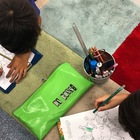
Dash Robot Task This is a fantastic way to encourage risk-taking when engaging with robotics. Students are encouraged to work in partners to guess and check what functions on the Dot and Dash app will help them to complete the task. Once they have mastered some of the basic settings, students are extended onto a more challenging task. Perfect for an introductory lesson with Dash...approximately Year 2 onwards. All you need? This activity sheet (two per page), iPads and rulers/tape measures.
2nd - 4th
Computer Science - Technology, Robotics
Showing 1-24 of 43+ results

TPT is the largest marketplace for PreK-12 resources, powered by a community of educators.
IXL family of brands