
Integer Rules Cheat Sheet
10+ results
Filters
Grade
Subject
Resource type
Standard
Audience


Bottle Cap Project in Onshape: Complete CAD Lesson with Teacher Resources

This is a beginner-to-intermediate CAD project where learners design a realistic Fanta Orange bottle cap in Onshape. It includes a step-by-step project guide, a teacher’s guide with pacing and built-in checks, a student quiz with answer key, poster-style visuals, and classroom-ready cheat sheets. Students will model the ridged edges that give the cap strength and grip, loft smooth transitions between profiles, shell the cap for lightweight functionality, and apply a branded decal for an authenti
5th - 12th, Adult Education, Higher Education
Computer Science - Technology, Engineering, Robotics

Bee-Bots Quick Start Guide and Materials for STEM/STEAM Challenges

Ready to get started using Bee-Bots with your students? These are the perfect introductory robot to use with kids of ANY age! Engage and motivate kids on the daily basis! Use for STEM/STEAM Challenges AND integrate into your content - easily adaptable for use practicing sight words, math fact fluency, and more! What's included?- Bee-Bot mat templates - Direction Cards (Go, Pause, Right Turn, Left Turn, Clear, Finish, Forward, Backward) - Bee-Bot group work role cards - Bee-Bot coding language ch
K - 3rd
Computer Science - Technology, Robotics

STEAM Engineering Design Planning Sheets/Mats: Student Templates for PBL

Use these no-prep student planning sheets/mats for any STEAM Project-Based Learning, Genius Hour, or GATE Extension activity! Printable & Editable/Digital files included! These planning sheets guide students through the Engineering Design Process, providing them with an organized space to write, plan, design, and revise. Students will love the structure and organization these templates provide! These STEAM tools can be used for all learners to develop and encourage higher-level thinking an
2nd - 8th
Engineering, Robotics

Game Design STEM | Create Your Own Game | Design Thinking Units For K - 9Th

🎮 Game Design STEM | Create Your Own Game (Kindergarten–Grade 2)Turn creativity into innovation with this exciting Game Design STEM activity! Students explore how games are created while designing their own playable game with rules, goals, and challenges. This resource guides learners to plan, build, test, and improve their own game, as outlined in the challenge on page 2, where they learn that games are built with structure and clear design elements. ⭐ What Makes This Resource Special:✔
1st - 9th
Computer Science - Technology, General Science, Robotics

Recycled Robots STEAM Project| Earth Day Project | Editable
This STEAM project includes directions for students to create a recycled robot to help celebrate Earth Day! Or you can decide when to give this project to your students and change up the directions as it is editable! It also includes a robot commercial planning sheet for students to be able to share about their robot. Students could then decide how to produce their commercial whether just getting up in front of the class and reading it or recording it using apps such as imovie, shadow puppet edu
3rd - 5th
Robotics

Robo-Count: Mission to 20 |No Prep Math Activities for Kindergarten & Special ED

This 20-page printable PDF features a cute robot theme. Each page focuses on numbers 1–20 with simple, repetitive counting tasks. No answer key is needed because answers are self-evident (e.g., count robots or dots and circle the correct number). The font is large, and the layout avoids busy backgrounds — ideal for children with attention difficulties or autism. How to use:· Print and use immediately (NO PREP). · Laminate or place in sheet protectors for repeat use with dry-erase markers. · Stud
PreK - 1st
Numbers, Other (Math), Robotics

International Dot Day Coding Activity with Robots, Robotics

Celebrate creativity and innovation while building essential STEM skills with Carly and Adam’s International Dot Day Coding with Robots activity. Inspired by The Dot by Peter H. Reynolds, this engaging lesson helps elementary students “make their mark” with code as they explore the programming process in a hands-on, collaborative way. What’s Included Teacher Instructions with setup guidance and differentiation tipsCoding Mat & Dot Cards for interactive robot navigation challengesProgram Plann
1st - 5th
Computer Science - Technology, Robotics, Science
CCSS
MP1
, MP2
, MP3
+5

Dash Robot Task
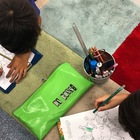
Dash Robot Task This is a fantastic way to encourage risk-taking when engaging with robotics. Students are encouraged to work in partners to guess and check what functions on the Dot and Dash app will help them to complete the task. Once they have mastered some of the basic settings, students are extended onto a more challenging task. Perfect for an introductory lesson with Dash...approximately Year 2 onwards. All you need? This activity sheet (two per page), iPads and rulers/tape measures.
2nd - 4th
Computer Science - Technology, Robotics

Robot Safety Coloring Pages for K-3 STEM Early Finishers

Robot Safety Coloring pages help K-3 students understand safe routines for using robots in organized STEM classroom spaces. These simple science coloring pages support early robotics discussions while giving teachers an easy option for calm, meaningful early finisher work. What's included• Safe Robot Work Area • Robot Charging Station Safety • Safe Hands Around Robots • Robot Path Safety • Teacher-Guided Robot Demonstration How teachers can use itUse these Robot Safety Coloring pages to introduc
K - 3rd
Coloring Pages, General Science, Robotics
Also included in: Robotics STEM Coloring Pages for K-3 Science and Early Finishers

Simple Machines HEXBUGS: STEM Challenge Card Centers

Simple Machines HEXBUG : STEM Challenge Cards is a great *low prep* resource to review Simple Machines with your students. Works great as a center activity, lesson extention, or part of a Makerapace. Students LOVE HEXBUGS! In this engaging lesson, students follow 6 HEXBUG Challenge Cards to problem-solve and construct simple machines (such as inclined planes and pulleys) to help their HEXBUG move large tape "boulders". Students create using legos, tape, rulers, string, HEXBUG robots, and, of c
2nd - 6th
Robotics
Showing 1-10 of 10+ results

TPT is the largest marketplace for PreK-12 resources, powered by a community of educators.
IXL family of brands