


Description
Paper & Ink is proud to present our Introduction to Adobe Photoshop CC series with our PHOTOSHOP UNIT TASK ASSIGNMENT: STAINED GLASS. This assignment includes our designed assignment outline booklet, criteria to complete the project, a rubric, a written reflection and peer feedback section, and brainstorming sheets in one full ZIPPED file! Students will explore their knowledge of Photoshop while getting creative with their favourite subject matter through stained glass.
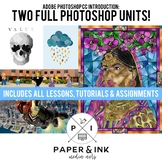
In our experience, this assignment - including the introductory tutorial along with brainstorming, student exploration & work periods - can easily take up two weeks to complete (depending on time allotment allowed by the instructor). This assignment works best when first beginning our introductory tutorial found here. You can purchase this assignment individually or as a bundle with the introductory tutorial. Two student examples can be found on the preview image for this assignment.
We hope you enjoy the project which can be used across all Adobe Photoshop versions. Feel free to share student examples as we absolutely love to see what classrooms create with this assignment!
Feel free to check out our other lessons at the following links:
Adobe Photoshop CC (2019) - Introduction Tutorial - Selection & Transform Tool
Adobe Photoshop CC (2019) - Introduction Tutorial - Levels, Editing & Text Tool
Adobe Photoshop CC (2019) - Introduction Tutorial - Layer Masks
Adobe Photoshop CC (2019) - Introduction Tutorial - Alien Photo Manipulation
Adobe Photoshop CC (2019) - Introduction Tutorials - BUNDLE!
Adobe Photoshop CC (2019) Assignment Task: Elements & Principles Squares
Adobe Photoshop CC (2019) Introduction Tutorial: Stained Glass
Adobe Photoshop CC (2019) Assignment: Stained Glass
Adobe Photoshop CC Tutorials & Assignments - TWO FULL UNIT PLANS - BUNDLE DEAL!

Highlights


Save even more with bundles

Description
Paper & Ink is proud to present our Introduction to Adobe Photoshop CC series with our PHOTOSHOP UNIT TASK ASSIGNMENT: STAINED GLASS. This assignment includes our designed assignment outline booklet, criteria to complete the project, a rubric, a written reflection and peer feedback section, and brainstorming sheets in one full ZIPPED file! Students will explore their knowledge of Photoshop while getting creative with their favourite subject matter through stained glass.
In our experience, this assignment - including the introductory tutorial along with brainstorming, student exploration & work periods - can easily take up two weeks to complete (depending on time allotment allowed by the instructor). This assignment works best when first beginning our introductory tutorial found here. You can purchase this assignment individually or as a bundle with the introductory tutorial. Two student examples can be found on the preview image for this assignment.
We hope you enjoy the project which can be used across all Adobe Photoshop versions. Feel free to share student examples as we absolutely love to see what classrooms create with this assignment!
Feel free to check out our other lessons at the following links:
Adobe Photoshop CC (2019) - Introduction Tutorial - Selection & Transform Tool
Adobe Photoshop CC (2019) - Introduction Tutorial - Levels, Editing & Text Tool
Adobe Photoshop CC (2019) - Introduction Tutorial - Layer Masks
Adobe Photoshop CC (2019) - Introduction Tutorial - Alien Photo Manipulation
Adobe Photoshop CC (2019) - Introduction Tutorials - BUNDLE!
Adobe Photoshop CC (2019) Assignment Task: Elements & Principles Squares
Adobe Photoshop CC (2019) Introduction Tutorial: Stained Glass
Adobe Photoshop CC (2019) Assignment: Stained Glass
Adobe Photoshop CC Tutorials & Assignments - TWO FULL UNIT PLANS - BUNDLE DEAL!
