


Description
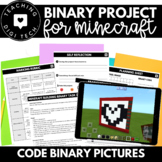
This is an engaging binary coding project on Minecraft that includes all project materials - print & go! Lesson plan, teacher Minecraft guidance, student planning pages, reflection sheet and marking rubric and more are all ready for you to get your students coding on Minecraft!
This project was created as an end of unit activity after students have learnt about binary numbers and pixel images (and binary to decimal conversions *optional). This project requires students to apply their knowledge of binary numbers to create a pixel image on Minecraft.
There are 2 versions of this project, select one depending on your students skills/knowledge/extension abilities.
- Version 1 - basic : Students create a pixel image on Minecraft and code the numbers in binary code (1's/0's).
- Version 2 - extension: Students create a pixel image on Minecraft, code the numbers in binary (1's/0's) and then convert the binary number to decimal numbers using the base 2 system.
Included in this project:
- Teacher instructions about how to set up and use Minecraft
- Lesson plan
- Past student project example photos
- 2 versions of the project task sheet (including learning intentions and success criteria)
- Brainstorming page
- 2 versions of the planning page
- Self-reflection sheet
- Marking rubric (2 versions)
This resource pairs perfectly with our Minecraft Themed Binary Worksheets which will support students knowledge of binary code!
binary to decimal | binary to decimal converter | decimal to binary | binary to decimal worksheet | how to decimal to binary | converting from decimal to binary | converting from binary to decimal | decimal to binary conversion | binary to decimal conversion | binary to decimal | binary code practice | binary code worksheet | binary practice | minecraft project | minecraft coding project | project on minecraft | code with minecraft |
Minecraft Binary Coding Project | Binary Code Assessment | Binary Code Activity

Highlights


Save even more with bundles

Description
This is an engaging binary coding project on Minecraft that includes all project materials - print & go! Lesson plan, teacher Minecraft guidance, student planning pages, reflection sheet and marking rubric and more are all ready for you to get your students coding on Minecraft!
This project was created as an end of unit activity after students have learnt about binary numbers and pixel images (and binary to decimal conversions *optional). This project requires students to apply their knowledge of binary numbers to create a pixel image on Minecraft.
There are 2 versions of this project, select one depending on your students skills/knowledge/extension abilities.
- Version 1 - basic : Students create a pixel image on Minecraft and code the numbers in binary code (1's/0's).
- Version 2 - extension: Students create a pixel image on Minecraft, code the numbers in binary (1's/0's) and then convert the binary number to decimal numbers using the base 2 system.
Included in this project:
- Teacher instructions about how to set up and use Minecraft
- Lesson plan
- Past student project example photos
- 2 versions of the project task sheet (including learning intentions and success criteria)
- Brainstorming page
- 2 versions of the planning page
- Self-reflection sheet
- Marking rubric (2 versions)
This resource pairs perfectly with our Minecraft Themed Binary Worksheets which will support students knowledge of binary code!
binary to decimal | binary to decimal converter | decimal to binary | binary to decimal worksheet | how to decimal to binary | converting from decimal to binary | converting from binary to decimal | decimal to binary conversion | binary to decimal conversion | binary to decimal | binary code practice | binary code worksheet | binary practice | minecraft project | minecraft coding project | project on minecraft | code with minecraft |
Reviews
