TPT
Total:
$0.00
Computer Coding in Scratch 3.0 - Lesson 1: Movement
Share

Description

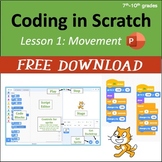
Students start with a tour of the main interface and then receive step-by-step directions that guide them through:

  • triggering a program with an event code block,
  • positioning sprites using go to, move, glide, x and y coordinates, turn, and point towards code blocks,
  • using control codes such as the wait command and the forever loop,
  • using the show and hide code blocks,
  • saving their work and submitting projects to a class assignment folder within Scratch.

The editable PowerPoint includes short embedded videos that demonstrate what the student program should be doing at certain points, and it ends with directions for a culminating activity for students to demonstrate their learning. Since this lesson begins with the basics, it would be great for an hour of code activity. Screenshots are from Scratch 3.0.

Click here for Google Slides versions of this lesson.

3rd - 6th Grade Coding Curriculum (7 Units)

Unit 1 is FREE, click here.

Standalone Hour of Code activity

Other Resources

Microsoft Applications Lessons: Word, Excel, PowerPoint

Adobe CC Lessons: Photoshop, InDesign, Illustrator, Premiere Pro, After Effects

Report this resource to TPT
Reported resources will be reviewed by our team. Report this resource to let us know if this resource violates TPT's content guidelines.

Computer Coding in Scratch 3.0 - Lesson 1: Movement

Miss B's Shop
1.7k Followers
FREE

Highlights

Save even more with bundles

12 detailed PowerPoints that provide step-by-step guidance to students learning how to code using Scratch 3.0. The lessons include embedded videos to better illustrate how the programs should be functioning at various steps. Each lesson ends with a culminating activity with a rubric for students to
Price $79.00Original Price $99.50Save $20.50
17
This is a discounted bundle that includes ALL of my coding resources. These lessons provide step-by-step guidance to teach coding fundamentals using Scratch and include student activities for them to apply their learning. There are two coding curriculums in this bundle - one is geared more towards 3
Price $133.00Original Price $173.50Save $40.50
24

Description

Students start with a tour of the main interface and then receive step-by-step directions that guide them through:

  • triggering a program with an event code block,
  • positioning sprites using go to, move, glide, x and y coordinates, turn, and point towards code blocks,
  • using control codes such as the wait command and the forever loop,
  • using the show and hide code blocks,
  • saving their work and submitting projects to a class assignment folder within Scratch.

The editable PowerPoint includes short embedded videos that demonstrate what the student program should be doing at certain points, and it ends with directions for a culminating activity for students to demonstrate their learning. Since this lesson begins with the basics, it would be great for an hour of code activity. Screenshots are from Scratch 3.0.

Click here for Google Slides versions of this lesson.

3rd - 6th Grade Coding Curriculum (7 Units)

Unit 1 is FREE, click here.

Standalone Hour of Code activity

Other Resources

Microsoft Applications Lessons: Word, Excel, PowerPoint

Adobe CC Lessons: Photoshop, InDesign, Illustrator, Premiere Pro, After Effects

Report this resource to TPT
Reported resources will be reviewed by our team. Report this resource to let us know if this resource violates TPT's content guidelines.

Reviews

4.7
Rated 4.72 out of 5, based on 32 reviews
32
ratings
5
25
4
5
3
2
2
0
1
0
Mostly used with 6th and 7th grades
Reviews
2
2
10
12
5
3
2
4th
5th
6th
7th
8th
9th
10th
All verified TPT purchases
Great resource!
Rated 5 out of 5
February 18, 2026
I used it for my grade 7 and 8 french math students. Great starting point if you have never taught it before.
Ryan B.
417 reviews • Outside the United States
Grades taught: 6th, 7th, 8th
Must Have Resource
Rated 5 out of 5
September 1, 2025
Met expectations
Would purchase more
Great product that my class really enjoys and finds engaging and useful. Highly recommend it to any teacher.
Chris Torma
(TPT Seller)
295 reviews
Grades taught: 2nd, 4th
Rated 5 out of 5
July 16, 2025
My students had fun with this activity. Great to use with reluctant learners.
Jamie L.
445 reviews
Grades taught: 7th
Rated 5 out of 5
July 4, 2025
My students enjoyed this activity. The step by step instructions are very helpful.
Dorothy K.
282 reviews
Grades taught: 6th, 7th
Rated 5 out of 5
August 28, 2024
Great resource enjoyed using it and the students enjoyed it also.
The Growing Tree
(TPT Seller)
1,001 reviews
Rated 3 out of 5
September 18, 2023
I found this helpful in teaching computers for the first time. Thank you
Luigina M.
224 reviews
Grades taught: 7th, 8th
Student populations: Learning difficulties
Rated 4 out of 5
July 8, 2023
Good resource to use in CTE courses for middle/high school.
Moira R.
185 reviews
Grades taught: 7th
Rated 3 out of 5
June 12, 2023
Didn't get a chance to use this, but I appreciate it being free
Rebecca L.
47 reviews

Questions & Answers

Loading
Loading