


Description
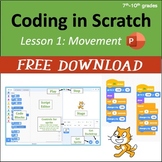
Students start with a tour of the main interface and then receive step-by-step directions that guide them through:
- triggering a program with an event code block,
- positioning sprites using go to, move, glide, x and y coordinates, turn, and point towards code blocks,
- using control codes such as the wait command and the forever loop,
- using the show and hide code blocks,
- saving their work and submitting projects to a class assignment folder within Scratch.
The editable PowerPoint includes short embedded videos that demonstrate what the student program should be doing at certain points, and it ends with directions for a culminating activity for students to demonstrate their learning. Since this lesson begins with the basics, it would be great for an hour of code activity. Screenshots are from Scratch 3.0.
Click here for Google Slides versions of this lesson.
3rd - 6th Grade Coding Curriculum (7 Units)
Unit 1 is FREE, click here.
Standalone Hour of Code activity
Other Resources
Microsoft Applications Lessons: Word, Excel, PowerPoint
Adobe CC Lessons: Photoshop, InDesign, Illustrator, Premiere Pro, After Effects

Highlights


Save even more with bundles


Description
Students start with a tour of the main interface and then receive step-by-step directions that guide them through:
- triggering a program with an event code block,
- positioning sprites using go to, move, glide, x and y coordinates, turn, and point towards code blocks,
- using control codes such as the wait command and the forever loop,
- using the show and hide code blocks,
- saving their work and submitting projects to a class assignment folder within Scratch.
The editable PowerPoint includes short embedded videos that demonstrate what the student program should be doing at certain points, and it ends with directions for a culminating activity for students to demonstrate their learning. Since this lesson begins with the basics, it would be great for an hour of code activity. Screenshots are from Scratch 3.0.
Click here for Google Slides versions of this lesson.
3rd - 6th Grade Coding Curriculum (7 Units)
Unit 1 is FREE, click here.
Standalone Hour of Code activity
Other Resources
Microsoft Applications Lessons: Word, Excel, PowerPoint
Adobe CC Lessons: Photoshop, InDesign, Illustrator, Premiere Pro, After Effects
