


Description
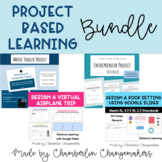
Aligned with standards, RL.4.3 and RL.5.3, students design a book setting based on textual evidence. Your students will learn more advanced concepts in Google Slides and practice describing setting in a unique way. Students can also design two book settings to compare and contrast settings in a book. Designed for distance learning, this resource is easy to post to Google Classroom and is a great back to school activity.
Through this project, students also gain valuable digital skills like:
- Creating shapes in Google Slides
- Changing the sizes of shapes
- Rotating shapes
- Grouping two or more shapes
- Layering shapes
This resource includes detailed instructions for all of the skills above.
More Resources for Distance Learning:
- Design a Virtual Field Trip using Google Slides
- 10 Google Docs Formatting Activities
- Redesign a Room in Your House using Google Slides
- Entrepreneur Project Notebook (PBL)
- PreK-5 At Home Technology Learning Plan
- Free Gr. 6-8 At Home Technology Plan
- Criteria and Constraint STEM Challenges - Low Prep!
- Community Helpers Worksheets and Coloring Pages
Your feedback is valuable to me! I would love to hear your feedback on this resource! Simply go to your "My Purchases" page where you will see a review button. Click on "Have you used this resource? If so, leave a review." Each time you give feedback, TPT gives you feedback credits that you use to lower the cost of your future purchases. Thank you so much!
Design a Book Setting Using Google Slides- End of the Year, Back to School PBL

Highlights


Save even more with bundles



Description
Aligned with standards, RL.4.3 and RL.5.3, students design a book setting based on textual evidence. Your students will learn more advanced concepts in Google Slides and practice describing setting in a unique way. Students can also design two book settings to compare and contrast settings in a book. Designed for distance learning, this resource is easy to post to Google Classroom and is a great back to school activity.
Through this project, students also gain valuable digital skills like:
- Creating shapes in Google Slides
- Changing the sizes of shapes
- Rotating shapes
- Grouping two or more shapes
- Layering shapes
This resource includes detailed instructions for all of the skills above.
More Resources for Distance Learning:
- Design a Virtual Field Trip using Google Slides
- 10 Google Docs Formatting Activities
- Redesign a Room in Your House using Google Slides
- Entrepreneur Project Notebook (PBL)
- PreK-5 At Home Technology Learning Plan
- Free Gr. 6-8 At Home Technology Plan
- Criteria and Constraint STEM Challenges - Low Prep!
- Community Helpers Worksheets and Coloring Pages
Your feedback is valuable to me! I would love to hear your feedback on this resource! Simply go to your "My Purchases" page where you will see a review button. Click on "Have you used this resource? If so, leave a review." Each time you give feedback, TPT gives you feedback credits that you use to lower the cost of your future purchases. Thank you so much!
Reviews
