


Description
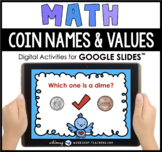
This is a NO PREP set of internet-based digital activities focusing on the names and values of coins up to 25¢ as well as adding two coins together to find the total. This set is intended for use with first and second grade students. Perfect for distance learning and digital math centers! These digital activities are for use with Google Slides™.
This set includes:
• 30 Google Slides™ focusing on the names and values of coins up to 25¢.
Directions for Students:
The deck begins with an overview poster of coin names and values.
There are FOUR ways to practice coin names and values in this deck:
- COIN NAMES: Students are shown two coins and are asked to choose the correct one by name. Eg. Which one is a nickel? (8 cards)
- VALUE: Students choose coins that match the value shown. Eg. Which coin is worth 5 cents? (4 cards)
- RECOGNITION: Students are shown four coins and are asked to choose which coin is different from the others. Eg. Which one is NOT a dime? Which one is NOT worth 5 cents? (8 cards)
- ADDING COINS: Students are shown four coins and are asked to choose which two add together to make a certain amount. Eg. Which two coins make 26¢? (10 cards, amounts up to 50 cents)
PREVIEW:
• To try a preview of several Google Slides™ products, click HERE.
• To see our entire collection of Google Slides™ products, click HERE.
BOOM Cards Version of this Activity:
This set also comes in a self-checking, interactive Boom Card version! All of the Boom card activities include four free cards to play as a preview.
• You can play a few of the cards from this activity for FREE by clicking HERE.
• You can see our entire collection of Boom Cards by clicking HERE.
Tips For Getting Started With Google Slides™:
• You will need: a Google account and access to the internet.
• Click on the PDF access link, and you will be prompted to make a copy of the resource in your own Google Slides.
• To move the moveable pieces, tap on them once, then press and drag to the correct location.
• If images become “stretched”, just click the “back arrow” to reset. You can also use the back arrow to undo any other actions.
Tips For Google Classroom:
•To use in Google Classroom, ensure that you are signed in to the Google Drive account that is linked to your Google Classroom (not your personal Google Drive/Gmail account). Do this before clicking the copy link.
• Go to classroom.google.com and sign in to your Google Classroom. Under the Classwork tab, click +Create >> Assignment. Add a title and directions.
• Click on Add (by the paperclip)and choose Google Drive. After adding this resource to your Google Drive, you will see a rectangle button that says “Students Can View The File”. Click that arrow and choose “Make A Copy For Each Student” and “Assign”.
CONTACT
If you have any questions or concerns, please email me directly at whimsyworkshopcreations@gmail.com
OTHER RESOURCES
You can see ALL clip art and early literacy sets organized in one place by clicking Whimsy Workshop Teaching -- simply choose a tab at the top of the page to explore!
Keep in touch so that you don't miss out on free and discounted resources!
Teachers Pay Teachers Notifications
Our Newsletters and Free Resource Library
- Susanna
Whimsy Workshop Teaching, Inc.
TERMS OF USE
This download allows for single classroom use only. If you know of other teachers who wish to have their own copy, please email the product link to colleagues so they can purchase their own legal copy and also receive any updates in the future. Thank you for respecting my TOU and hard work. Original Resources and Illustrations ©S.Westby - Whimsy Workshop Teaching.com
Google Slides Math Money Coin Names Values Digital Activities Distance Learning

Highlights


Save even more with bundles

Description
This is a NO PREP set of internet-based digital activities focusing on the names and values of coins up to 25¢ as well as adding two coins together to find the total. This set is intended for use with first and second grade students. Perfect for distance learning and digital math centers! These digital activities are for use with Google Slides™.
This set includes:
• 30 Google Slides™ focusing on the names and values of coins up to 25¢.
Directions for Students:
The deck begins with an overview poster of coin names and values.
There are FOUR ways to practice coin names and values in this deck:
- COIN NAMES: Students are shown two coins and are asked to choose the correct one by name. Eg. Which one is a nickel? (8 cards)
- VALUE: Students choose coins that match the value shown. Eg. Which coin is worth 5 cents? (4 cards)
- RECOGNITION: Students are shown four coins and are asked to choose which coin is different from the others. Eg. Which one is NOT a dime? Which one is NOT worth 5 cents? (8 cards)
- ADDING COINS: Students are shown four coins and are asked to choose which two add together to make a certain amount. Eg. Which two coins make 26¢? (10 cards, amounts up to 50 cents)
PREVIEW:
• To try a preview of several Google Slides™ products, click HERE.
• To see our entire collection of Google Slides™ products, click HERE.
BOOM Cards Version of this Activity:
This set also comes in a self-checking, interactive Boom Card version! All of the Boom card activities include four free cards to play as a preview.
• You can play a few of the cards from this activity for FREE by clicking HERE.
• You can see our entire collection of Boom Cards by clicking HERE.
Tips For Getting Started With Google Slides™:
• You will need: a Google account and access to the internet.
• Click on the PDF access link, and you will be prompted to make a copy of the resource in your own Google Slides.
• To move the moveable pieces, tap on them once, then press and drag to the correct location.
• If images become “stretched”, just click the “back arrow” to reset. You can also use the back arrow to undo any other actions.
Tips For Google Classroom:
•To use in Google Classroom, ensure that you are signed in to the Google Drive account that is linked to your Google Classroom (not your personal Google Drive/Gmail account). Do this before clicking the copy link.
• Go to classroom.google.com and sign in to your Google Classroom. Under the Classwork tab, click +Create >> Assignment. Add a title and directions.
• Click on Add (by the paperclip)and choose Google Drive. After adding this resource to your Google Drive, you will see a rectangle button that says “Students Can View The File”. Click that arrow and choose “Make A Copy For Each Student” and “Assign”.
CONTACT
If you have any questions or concerns, please email me directly at whimsyworkshopcreations@gmail.com
OTHER RESOURCES
You can see ALL clip art and early literacy sets organized in one place by clicking Whimsy Workshop Teaching -- simply choose a tab at the top of the page to explore!
Keep in touch so that you don't miss out on free and discounted resources!
Teachers Pay Teachers Notifications
Our Newsletters and Free Resource Library
- Susanna
Whimsy Workshop Teaching, Inc.
TERMS OF USE
This download allows for single classroom use only. If you know of other teachers who wish to have their own copy, please email the product link to colleagues so they can purchase their own legal copy and also receive any updates in the future. Thank you for respecting my TOU and hard work. Original Resources and Illustrations ©S.Westby - Whimsy Workshop Teaching.com
