


Description
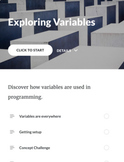
This tutorial engages the student in learning how to create and use variables in computer languages.
Use this learning activity in your web development and Intro to Programming courses.
Although JavaScript is used, the concepts taught apply to all popular programming languages.
View the interactive preview here.
The lesson is designed for beginning programming students and does not require a strong math background.
Learning Objectives:
-- Give examples of every day objects that are used like variables.
-- Create a variable using the keyword var.
-- Initialize a variable using the assignment "=" operator.
-- List at least three data types recognized by JavaScript.
-- Describe when to use the keyword var as well as when that is redundant.
The tutorial uses HTML and JavaScript to demonstrate the various concepts of using variables in code.
A case study and code walk through is included giving the students a sense of how variables are used. The case study involves a basic form and a feedback page showing the user's input.
Materials include:
-- Interactive tutorial that works on any device including smart phones
-- Both PDF and HTML (embed in your LMS) formats are included.
-- 14 question quiz bank in Moodle .gift format.
-- Student Project Specifications.
-- Start and Final source code files that can be used with the tutorial.
Important: This tutorial requires basic knowledge of HTML and using a text editor to create a simple web pages.

Highlights


Description
This tutorial engages the student in learning how to create and use variables in computer languages.
Use this learning activity in your web development and Intro to Programming courses.
Although JavaScript is used, the concepts taught apply to all popular programming languages.
View the interactive preview here.
The lesson is designed for beginning programming students and does not require a strong math background.
Learning Objectives:
-- Give examples of every day objects that are used like variables.
-- Create a variable using the keyword var.
-- Initialize a variable using the assignment "=" operator.
-- List at least three data types recognized by JavaScript.
-- Describe when to use the keyword var as well as when that is redundant.
The tutorial uses HTML and JavaScript to demonstrate the various concepts of using variables in code.
A case study and code walk through is included giving the students a sense of how variables are used. The case study involves a basic form and a feedback page showing the user's input.
Materials include:
-- Interactive tutorial that works on any device including smart phones
-- Both PDF and HTML (embed in your LMS) formats are included.
-- 14 question quiz bank in Moodle .gift format.
-- Student Project Specifications.
-- Start and Final source code files that can be used with the tutorial.
Important: This tutorial requires basic knowledge of HTML and using a text editor to create a simple web pages.
