

What others say

Description
UPDATED September 2018
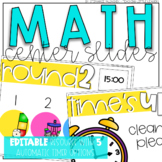
These Math Center Slides are completely EDITABLE. Build your own center rotations that are completely customized to fit your needs. I hope that these digital slides with timers will help simplify your center rotations!
Please note:
***You will need PowerPoint versions that are NEWER than 2010 in order for the Timers to work. Quicktime will also need to be installed on your computer in order to use the TIMERS and view the How-To Video.This updated file only includes .pptx files in order to fully support sounds, transitions, and timers.
How It Works:
- Timers: All timers will begin automatically upon playing the PowerPoint slideshow. Possible time lengths include 10, 12 15, 20, and 25 minutes for center rotations, as well as 1, 2, and 3 minutes for clean up.
- Sounds/Transitions: When a timer stops, the slide will play a ringing sound and automatically transition to the next slide. **Slides transition only after the entire amount of time has passed. Fast forwarding the timers to "0:00" will not cause the slide to transition. They are set to transition after the allotted amount of time.
- Moving Slides: You may reorder any slide and the timers, sounds, and transitions will still be automatic.
- Icons: 7 moveable icons are included and are completely moveable/resizable. Simply copy and paste where you would like them to go. Add a text box on top to include your center names or acronyms.
- Editable Groups Names: Edit the text above the images to reflect your group names (whether they be numbers, letters, or even a list of student names).
What's Included:
- 7 moveable icons with pictures to represent math centers
- Slides labeled Rounds 1-6 in a color
- Clean Up slides with 1, 2, or 3 minute timers
- How to Customize Your Slides Video
- Teacher Note with updated Terms of Use
Possible Centers with the 5 Icons (pictured in preview)
- MATH, MATHS, BUILD compatible :)
- Guided Math/Meet with the Teacher
- Apply
- Add/Subtract
- Technology (iPads or Computers)
- Math by Myself
- Math with a Partner
- Hands On
Timers
ALL center slides include a 10, 12, 15, 20, and 25 minute timer option.
The Clean-Up slides include a 1, 2, and 3 minute timer option.
Love these slides? Check out the Literacy Center Rotation Slides or Save on the Center Slides Bundle (both Math and Literacy Center Slides).
Math Center Rotation Slides {Editable and with Automatic Timers}

Highlights


What others say
Save even more with bundles


Description
UPDATED September 2018
These Math Center Slides are completely EDITABLE. Build your own center rotations that are completely customized to fit your needs. I hope that these digital slides with timers will help simplify your center rotations!
Please note:
***You will need PowerPoint versions that are NEWER than 2010 in order for the Timers to work. Quicktime will also need to be installed on your computer in order to use the TIMERS and view the How-To Video.This updated file only includes .pptx files in order to fully support sounds, transitions, and timers.
How It Works:
- Timers: All timers will begin automatically upon playing the PowerPoint slideshow. Possible time lengths include 10, 12 15, 20, and 25 minutes for center rotations, as well as 1, 2, and 3 minutes for clean up.
- Sounds/Transitions: When a timer stops, the slide will play a ringing sound and automatically transition to the next slide. **Slides transition only after the entire amount of time has passed. Fast forwarding the timers to "0:00" will not cause the slide to transition. They are set to transition after the allotted amount of time.
- Moving Slides: You may reorder any slide and the timers, sounds, and transitions will still be automatic.
- Icons: 7 moveable icons are included and are completely moveable/resizable. Simply copy and paste where you would like them to go. Add a text box on top to include your center names or acronyms.
- Editable Groups Names: Edit the text above the images to reflect your group names (whether they be numbers, letters, or even a list of student names).
What's Included:
- 7 moveable icons with pictures to represent math centers
- Slides labeled Rounds 1-6 in a color
- Clean Up slides with 1, 2, or 3 minute timers
- How to Customize Your Slides Video
- Teacher Note with updated Terms of Use
Possible Centers with the 5 Icons (pictured in preview)
- MATH, MATHS, BUILD compatible :)
- Guided Math/Meet with the Teacher
- Apply
- Add/Subtract
- Technology (iPads or Computers)
- Math by Myself
- Math with a Partner
- Hands On
Timers
ALL center slides include a 10, 12, 15, 20, and 25 minute timer option.
The Clean-Up slides include a 1, 2, and 3 minute timer option.
Love these slides? Check out the Literacy Center Rotation Slides or Save on the Center Slides Bundle (both Math and Literacy Center Slides).
