

Description
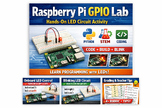
Raspberry Pi GPIO Lab: LED Control & Python Coding Activity
Bring hands-on STEM learning to life with this engaging Raspberry Pi GPIO lab! Students learn how to control LEDs using Python while building real circuits—perfect for beginner computer science, engineering, or robotics courses.
This ready-to-use lab includes student instructions, rubric, teacher tips, and grading guidance, making it easy to implement with minimal prep.
What Students Will Learn
- How GPIO (General-Purpose Input/Output) pins work
- How to write Python code to control hardware
- How to build a simple LED circuit using a breadboard
- Debugging hardware and software issues
- Multiple coding methods: .value(), .on()/.off(), .high()/.low()
What’s Included
✔ Student Lab Assignment (Step-by-step instructions)
✔ LED Circuit Activity (Onboard + External LED)
✔ Blinking LED Coding Challenge
✔ Detailed 20-point Rubric
✔ Teacher Tips & Troubleshooting Guide
✔ Fast Grading Guide (save time grading!)
✔ Extension Ideas for advanced students
Why Teachers Love This Resource
- No prep required – just print or assign digitally
- Beginner-friendly for students new to coding or electronics
- Real-world STEM application using Raspberry Pi
- Built-in differentiation strategies
- Includes common errors + fixes (huge time saver!)
Student Deliverables
- Video of LED turning ON/OFF
- Video of blinking LED (10 times)
- Code screenshot (no full lab report required)
Materials Needed
- Raspberry Pi
- Breadboard
- LED
- Resistor (110–300Ω)
- Jumper wires
- Computer with Python
Perfect For:
- Computer Science Classes
- STEM / Engineering Courses
- Robotics Clubs
- Intro to Programming
- Makerspaces
Grade Levels
8th – 12th (can be used in college intro courses)
Keywords
Raspberry Pi, GPIO lab, Python coding activity, LED circuit project, STEM electronics lab, computer science project, breadboard activity, physical computing Raspberry Pi GPIO lab, Python coding activity, and LED circuit project
- Raspberry Pi
- GPIO
- Python
- Coding Activity
- STEM Lab
- Electronics
- Engineering
- Computer Science
- Robotics
- Physical Computing
- Breadboard
- LED Circuit
- Programming
Raspberry Pi GPIO Lab: LED Control & Python Coding Activity

Highlights


Description
Raspberry Pi GPIO Lab: LED Control & Python Coding Activity
Bring hands-on STEM learning to life with this engaging Raspberry Pi GPIO lab! Students learn how to control LEDs using Python while building real circuits—perfect for beginner computer science, engineering, or robotics courses.
This ready-to-use lab includes student instructions, rubric, teacher tips, and grading guidance, making it easy to implement with minimal prep.
What Students Will Learn
- How GPIO (General-Purpose Input/Output) pins work
- How to write Python code to control hardware
- How to build a simple LED circuit using a breadboard
- Debugging hardware and software issues
- Multiple coding methods: .value(), .on()/.off(), .high()/.low()
What’s Included
✔ Student Lab Assignment (Step-by-step instructions)
✔ LED Circuit Activity (Onboard + External LED)
✔ Blinking LED Coding Challenge
✔ Detailed 20-point Rubric
✔ Teacher Tips & Troubleshooting Guide
✔ Fast Grading Guide (save time grading!)
✔ Extension Ideas for advanced students
Why Teachers Love This Resource
- No prep required – just print or assign digitally
- Beginner-friendly for students new to coding or electronics
- Real-world STEM application using Raspberry Pi
- Built-in differentiation strategies
- Includes common errors + fixes (huge time saver!)
Student Deliverables
- Video of LED turning ON/OFF
- Video of blinking LED (10 times)
- Code screenshot (no full lab report required)
Materials Needed
- Raspberry Pi
- Breadboard
- LED
- Resistor (110–300Ω)
- Jumper wires
- Computer with Python
Perfect For:
- Computer Science Classes
- STEM / Engineering Courses
- Robotics Clubs
- Intro to Programming
- Makerspaces
Grade Levels
8th – 12th (can be used in college intro courses)
Keywords
Raspberry Pi, GPIO lab, Python coding activity, LED circuit project, STEM electronics lab, computer science project, breadboard activity, physical computing Raspberry Pi GPIO lab, Python coding activity, and LED circuit project
- Raspberry Pi
- GPIO
- Python
- Coding Activity
- STEM Lab
- Electronics
- Engineering
- Computer Science
- Robotics
- Physical Computing
- Breadboard
- LED Circuit
- Programming
