


What others say

Description
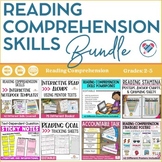
You will receive 147 pages of Reading Comprehension Skills Interactive Notebook Pages that cover 42 different reading skills. They are a fun and engaging way to target your instruction for particular skills. Students can create their interactive notebook pages and refer back to them throughout the year.
Skills Included In This Download:
- alliteration
- asking questions
- author's purpose
- cause and effect
- character comparisons
- character changes
- character actions and development
- character traits
- character's feelings, actions, and choices
- compare and contrast
- comparing two authors
- comparing two books
- comparing two characters
- comparing two problems and solutions
- comparing two settings
- determining importance
- dialogue
- figurative language
- genres
- idioms, proverbs, and adages
- illustrations
- inferring
- main idea and details
- making connections
- metaphors and similes
- mood in illustrations
- multiple meaning words
- nonfiction text features
- onomatopoeia
- personification
- point of view
- predictions
- problem and solution
- settings
- shades of meaning
- summarizing
- plot
- theme, moral, and lesson
- tone and mood
- using illustrations to add detail and meaning
- visualizing
- word choice
How to Use Each Interactive Notebook Page
1.Start by deciding which pieces of the INB pages you want to use.
2.Make one copy of each INB page per student.
3.Have students cut out and glue the INB page onto a blank page in their notebook.
4.Have students fill out each section according to the directions.
When to Use Interactive Notebook Pages
INBs can be used in a variety of ways. They can be used:
•to introduce a new concept
•to reinforce a previously learned concept
•to create a portfolio of work
•to create a reference for students to refer back to throughout the year
Why Use Interactive Notebook Pages?
INB's are a great way to give kids a hands-on way to engage with their learning. They help keep students motivated and they provide a resource that students can refer back to throughout the year.
Print-and-Go Materials
All Create-abilities resources are designed with ease-of-use in mind. Don’t have a color printer? No problem. Pages that do not render well in black-and-white have black-and-white copies included. Be classroom-ready with a quick print.
Check out my preview for a closer look at this product!
Feedback is greatly appreciated!!
★★★★You Might Also Like★★★★
● Sticky Note Text-Dependent Question Stems
● Guided Reading Lesson Plans A-Z
Enjoy!
Highlights


What others say
Save even more with bundles
Description
You will receive 147 pages of Reading Comprehension Skills Interactive Notebook Pages that cover 42 different reading skills. They are a fun and engaging way to target your instruction for particular skills. Students can create their interactive notebook pages and refer back to them throughout the year.
Skills Included In This Download:
- alliteration
- asking questions
- author's purpose
- cause and effect
- character comparisons
- character changes
- character actions and development
- character traits
- character's feelings, actions, and choices
- compare and contrast
- comparing two authors
- comparing two books
- comparing two characters
- comparing two problems and solutions
- comparing two settings
- determining importance
- dialogue
- figurative language
- genres
- idioms, proverbs, and adages
- illustrations
- inferring
- main idea and details
- making connections
- metaphors and similes
- mood in illustrations
- multiple meaning words
- nonfiction text features
- onomatopoeia
- personification
- point of view
- predictions
- problem and solution
- settings
- shades of meaning
- summarizing
- plot
- theme, moral, and lesson
- tone and mood
- using illustrations to add detail and meaning
- visualizing
- word choice
How to Use Each Interactive Notebook Page
1.Start by deciding which pieces of the INB pages you want to use.
2.Make one copy of each INB page per student.
3.Have students cut out and glue the INB page onto a blank page in their notebook.
4.Have students fill out each section according to the directions.
When to Use Interactive Notebook Pages
INBs can be used in a variety of ways. They can be used:
•to introduce a new concept
•to reinforce a previously learned concept
•to create a portfolio of work
•to create a reference for students to refer back to throughout the year
Why Use Interactive Notebook Pages?
INB's are a great way to give kids a hands-on way to engage with their learning. They help keep students motivated and they provide a resource that students can refer back to throughout the year.
Print-and-Go Materials
All Create-abilities resources are designed with ease-of-use in mind. Don’t have a color printer? No problem. Pages that do not render well in black-and-white have black-and-white copies included. Be classroom-ready with a quick print.
Check out my preview for a closer look at this product!
Feedback is greatly appreciated!!
★★★★You Might Also Like★★★★
● Sticky Note Text-Dependent Question Stems
● Guided Reading Lesson Plans A-Z
Enjoy!
Reviews

Thank you SO much! I'm glad you enjoyed it!
Thank you so much! I'm so glad you have enjoyed using this product in your classroom! I appreciate the feedback and the review. Have a great day!
Thank you SO much! I'm glad you enjoyed it!
Thank you SO much! I'm glad you enjoyed it!
You just made my day with this feedback! I'm so glad it worked out so well for you and your students. Can you please email me at cassie@create-abilities.com? I'd love to send you a little thank you!
I'm glad this worked out well for you in your classroom! I appreciate the feedback and the review. Have a great day!
Thank you! I am SO glad you and your students enjoyed it! Thank you for purchasing!
