


Description
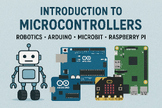
🌟 STEM Activity | Introduction to Robotics & Microcontrollers | Grades 6–12 | Middle & High School | Arduino, Raspberry Pi | Beginner Engineering
This lesson has been dramatically updated and expanded with over twice as much material. Get your copy today!
Bring robotics to life in your classroom with this hands‑on, student‑friendly introduction to microcontrollers — the tiny computers that power robots, smart devices, and the modern world! Whether you’re using Arduino, micro:bit, or Raspberry Pi Pico, this lesson gives you everything you need to confidently teach coding, circuits, and real‑world engineering… even if you’ve never taught robotics before.
Students will explore how microcontrollers sense, think, and act, then write their very first program to control an LED or display a pattern. It’s the perfect launchpad for a full robotics unit — engaging, accessible, and classroom‑ready!
📦 What’s Included
- ✔️ Complete Teacher Lesson Plan
- ✔️ Student Workbook (printable)
- ✔️ Vocabulary & Concept Worksheets
- ✔️ Board Identification Sheets
- ✔️ Step‑by‑Step Lab: Blink Your First LED
- ✔️ Multiple Code Examples (Arduino, micro:bit, Pico)
- ✔️ Expanded Practice Activities
- ✔️ Challenge Task
- ✔️ Quiz + Answer Key
- ✔️ Performance Assessment
- ✔️ Reflection Pages
- ✔️ Simplified Pinout Diagrams
- ✔️ Input → Process → Output Visuals
- ✔️ Differentiation Supports for Grades 9–12
🧩 What Problem Does This Resource Solve for Teachers?
Most teachers want to teach robotics…
…but feel overwhelmed by coding, electronics, and hardware differences.
This resource solves that problem by giving you:
- A plug‑and‑teach lesson that works with ANY of the three most common school microcontrollers
- Step‑by‑step instructions that require zero prior programming experience
- Clear diagrams, scaffolds, and student‑friendly explanations
- A complete student workbook so you don’t have to create anything from scratch
- A lesson that is fully doable in a single class period
No more guessing. No more Googling. No more “I hope this works.”
Everything is done for you.
🍎 Why It Matters for Teachers
- You get a stress‑free entry point into robotics
- You can teach coding and engineering with confidence
- You save hours of prep time
- You can support mixed‑ability classrooms with built‑in differentiation
- You gain a reusable lesson that fits any robotics unit
This lesson empowers teachers to teach STEM like pros — even if they’re brand new to microcontrollers.
🚀 Why It Matters for Students
- Students get hands‑on experience with real robotics hardware
- They see immediate results (LEDs blink, patterns appear!)
- They build confidence in coding and engineering
- They learn how modern technology actually works
- They develop problem‑solving, debugging, and collaboration skills
This lesson turns students into creators, not just consumers, of technology.
📚 Standards Alignment Review
Aligned to:
NGSS Engineering & Technology
- MS‑ETS1‑1, MS‑ETS1‑2
- HS‑ETS1‑2, HS‑ETS1‑4
CSTA Computer Science
- 2‑AP‑10
- 2‑AP‑13
- 3A‑CS‑02
- 3B‑AP‑14
ISTE Standards
- 1.4 Innovative Designer
- 1.5 Computational Thinker
- 1.6 Creative Communicator
🎓 What Students Will Learn & What It Will Do for Them
Students will learn to:
- Explain what a microcontroller is
- Identify inputs, outputs, and processing
- Build a simple circuit (Arduino/Pico) or use built‑in components (micro:bit)
- Upload and modify their first program
- Understand digital vs analog signals
- Apply the Input → Process → Output model
- Debug and improve their code
This lesson builds foundational skills that prepare students for:
- Robotics
- Engineering
- Coding
- Automation
- Real‑world problem solving
💬 Why You Should Buy This Resource
If you want a fun, engaging, and teacher‑proof way to introduce robotics — without stress, confusion, or hours of prep — this lesson is your perfect starting point. It gives you everything you need to confidently teach microcontrollers using Arduino, micro:bit, or Raspberry Pi Pico, all in one beautifully organized package.
Your students will love it. You’ll feel confident teaching it. Your robotics unit will finally have the strong, exciting launch it deserves.
Bring your classroom to life — one blinking LED at a time! 🤖💡✨
Check out our comprehensive Introduction to Robotics lesson here:
Introduction to Robotics: Build Robots Scratch, Arduino, TinkerCAD, Raspberry Pi
Follow Us and Give Feedback!
Click the ★ to follow my store and get notified when new products and freebies become available. Did you know that you can receive credit toward future TpT purchases by reviewing this product? Each dollar you spend gives you one TpT credit! If you enjoy this product, please leave a positive review at the product page or through "My Purchases" under "My Account" at TpT.
STEM Activity | Introduction to Robotics: Microcontrollers Arduino, Raspberry Pi

Highlights


Save even more with bundles

Description
🌟 STEM Activity | Introduction to Robotics & Microcontrollers | Grades 6–12 | Middle & High School | Arduino, Raspberry Pi | Beginner Engineering
This lesson has been dramatically updated and expanded with over twice as much material. Get your copy today!
Bring robotics to life in your classroom with this hands‑on, student‑friendly introduction to microcontrollers — the tiny computers that power robots, smart devices, and the modern world! Whether you’re using Arduino, micro:bit, or Raspberry Pi Pico, this lesson gives you everything you need to confidently teach coding, circuits, and real‑world engineering… even if you’ve never taught robotics before.
Students will explore how microcontrollers sense, think, and act, then write their very first program to control an LED or display a pattern. It’s the perfect launchpad for a full robotics unit — engaging, accessible, and classroom‑ready!
📦 What’s Included
- ✔️ Complete Teacher Lesson Plan
- ✔️ Student Workbook (printable)
- ✔️ Vocabulary & Concept Worksheets
- ✔️ Board Identification Sheets
- ✔️ Step‑by‑Step Lab: Blink Your First LED
- ✔️ Multiple Code Examples (Arduino, micro:bit, Pico)
- ✔️ Expanded Practice Activities
- ✔️ Challenge Task
- ✔️ Quiz + Answer Key
- ✔️ Performance Assessment
- ✔️ Reflection Pages
- ✔️ Simplified Pinout Diagrams
- ✔️ Input → Process → Output Visuals
- ✔️ Differentiation Supports for Grades 9–12
🧩 What Problem Does This Resource Solve for Teachers?
Most teachers want to teach robotics…
…but feel overwhelmed by coding, electronics, and hardware differences.
This resource solves that problem by giving you:
- A plug‑and‑teach lesson that works with ANY of the three most common school microcontrollers
- Step‑by‑step instructions that require zero prior programming experience
- Clear diagrams, scaffolds, and student‑friendly explanations
- A complete student workbook so you don’t have to create anything from scratch
- A lesson that is fully doable in a single class period
No more guessing. No more Googling. No more “I hope this works.”
Everything is done for you.
🍎 Why It Matters for Teachers
- You get a stress‑free entry point into robotics
- You can teach coding and engineering with confidence
- You save hours of prep time
- You can support mixed‑ability classrooms with built‑in differentiation
- You gain a reusable lesson that fits any robotics unit
This lesson empowers teachers to teach STEM like pros — even if they’re brand new to microcontrollers.
🚀 Why It Matters for Students
- Students get hands‑on experience with real robotics hardware
- They see immediate results (LEDs blink, patterns appear!)
- They build confidence in coding and engineering
- They learn how modern technology actually works
- They develop problem‑solving, debugging, and collaboration skills
This lesson turns students into creators, not just consumers, of technology.
📚 Standards Alignment Review
Aligned to:
NGSS Engineering & Technology
- MS‑ETS1‑1, MS‑ETS1‑2
- HS‑ETS1‑2, HS‑ETS1‑4
CSTA Computer Science
- 2‑AP‑10
- 2‑AP‑13
- 3A‑CS‑02
- 3B‑AP‑14
ISTE Standards
- 1.4 Innovative Designer
- 1.5 Computational Thinker
- 1.6 Creative Communicator
🎓 What Students Will Learn & What It Will Do for Them
Students will learn to:
- Explain what a microcontroller is
- Identify inputs, outputs, and processing
- Build a simple circuit (Arduino/Pico) or use built‑in components (micro:bit)
- Upload and modify their first program
- Understand digital vs analog signals
- Apply the Input → Process → Output model
- Debug and improve their code
This lesson builds foundational skills that prepare students for:
- Robotics
- Engineering
- Coding
- Automation
- Real‑world problem solving
💬 Why You Should Buy This Resource
If you want a fun, engaging, and teacher‑proof way to introduce robotics — without stress, confusion, or hours of prep — this lesson is your perfect starting point. It gives you everything you need to confidently teach microcontrollers using Arduino, micro:bit, or Raspberry Pi Pico, all in one beautifully organized package.
Your students will love it. You’ll feel confident teaching it. Your robotics unit will finally have the strong, exciting launch it deserves.
Bring your classroom to life — one blinking LED at a time! 🤖💡✨
Check out our comprehensive Introduction to Robotics lesson here:
Introduction to Robotics: Build Robots Scratch, Arduino, TinkerCAD, Raspberry Pi
Follow Us and Give Feedback!
Click the ★ to follow my store and get notified when new products and freebies become available. Did you know that you can receive credit toward future TpT purchases by reviewing this product? Each dollar you spend gives you one TpT credit! If you enjoy this product, please leave a positive review at the product page or through "My Purchases" under "My Account" at TpT.
