

Description
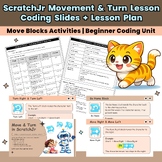
Make coding fun and easy for young learners with this Move & Turn in ScratchJr Lesson Pack!
This resource is designed for Grade 1 students who are beginning their coding journey. Students will learn how to control characters using movement and turning blocks while developing early computational thinking skills.
What’s Included
✔ 19 Slides (PowerPoint + PDF)
- Movement Blocks (Right, Left, Up, Down)
- Turn Blocks (Right, Left)
- Hop & Go Home Blocks
- Step-by-step examples
- Coding demonstrations
- Practice & reflection slides
✔ 5-Page Lesson Plan (PowerPoint + PDF)
- Clear teaching structure (1 hour lesson)
- Teacher actions & student activities
- Learning objectives & success criteria
- Assessment & differentiation ideas
Learning Objectives
Students will be able to:
- Use movement blocks (Right, Left, Up, Down)
- Use turn blocks (Right, Left)
- Use Hop and Go Home blocks
- Create simple coding sequences
- Understand step-by-step instructions (algorithms)
Why Teachers Love This Resource
- Perfect for beginners (no coding experience needed)
- Ready-to-use slides (no prep required)
- Structured lesson plan included
- Supports computational thinking skills
- Engaging visuals for young learners
Skills Covered
- Basic Coding Concepts
- Sequencing (Step-by-step thinking)
- Direction & Movement
- Problem Solving
- Early Computer Science Skills
Perfect For
- Grade 1 Computer Science / Technology
- Introduction to Coding lessons
- ScratchJr beginners
- STEM / Coding centers
scratchjr lesson, grade 1 coding, scratch jr movement, coding lesson elementary, computer science grade 1, move blocks scratchjr, coding slides powerpoint, coding lesson plan, beginner coding activities, scratchjr turn blocks, stem lesson grade 1, coding for kids, scratchjr activities, algorithm lesson kids, sequencing coding lesson, coding worksheet primary, intro to coding lesson, technology lesson grade 1, scratchjr unit, coding curriculum elementary
ScratchJr Lesson Grade 1 | Move & Turn Coding Unit | Coding Slides + Lesson Plan

Highlights


Save even more with bundles

Description
Make coding fun and easy for young learners with this Move & Turn in ScratchJr Lesson Pack!
This resource is designed for Grade 1 students who are beginning their coding journey. Students will learn how to control characters using movement and turning blocks while developing early computational thinking skills.
What’s Included
✔ 19 Slides (PowerPoint + PDF)
- Movement Blocks (Right, Left, Up, Down)
- Turn Blocks (Right, Left)
- Hop & Go Home Blocks
- Step-by-step examples
- Coding demonstrations
- Practice & reflection slides
✔ 5-Page Lesson Plan (PowerPoint + PDF)
- Clear teaching structure (1 hour lesson)
- Teacher actions & student activities
- Learning objectives & success criteria
- Assessment & differentiation ideas
Learning Objectives
Students will be able to:
- Use movement blocks (Right, Left, Up, Down)
- Use turn blocks (Right, Left)
- Use Hop and Go Home blocks
- Create simple coding sequences
- Understand step-by-step instructions (algorithms)
Why Teachers Love This Resource
- Perfect for beginners (no coding experience needed)
- Ready-to-use slides (no prep required)
- Structured lesson plan included
- Supports computational thinking skills
- Engaging visuals for young learners
Skills Covered
- Basic Coding Concepts
- Sequencing (Step-by-step thinking)
- Direction & Movement
- Problem Solving
- Early Computer Science Skills
Perfect For
- Grade 1 Computer Science / Technology
- Introduction to Coding lessons
- ScratchJr beginners
- STEM / Coding centers
scratchjr lesson, grade 1 coding, scratch jr movement, coding lesson elementary, computer science grade 1, move blocks scratchjr, coding slides powerpoint, coding lesson plan, beginner coding activities, scratchjr turn blocks, stem lesson grade 1, coding for kids, scratchjr activities, algorithm lesson kids, sequencing coding lesson, coding worksheet primary, intro to coding lesson, technology lesson grade 1, scratchjr unit, coding curriculum elementary
