


Description
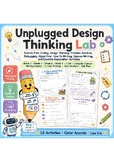
Bring coding, design thinking, and problem solving into your classroom without needing screens or devices. This unplugged design thinking worksheet pack gives students a hands-on way to plan, test, debug, explain, and improve their own screen-free coding ideas.
Students move through a full mini design process as they create coding tools, solve classroom problems, write algorithm steps, use loop and IF/THEN thinking, compare unplugged activities, pitch an idea, test their design, and reflect on what worked. The activities are built to feel playful and accessible while still supporting early computational thinking, communication, planning, and critical thinking skills.
What is included:
- 12 student activity pages
- Teacher guide and suggested answers
- Design a Screen-Free Coding Tool worksheet
- Problem and Solution Code Cards worksheet
- Algorithm Design Planner
- Draw and Label the Coding Kit page
- Debug the Design activity
- Loop Card Challenge
- IF/THEN Design Rules worksheet
- Best Unplugged Activity opinion writing page
- How-To Teach My Activity page
- Pitch Your Unplugged Game page
- The Day We Tested It writing activity
- Final Unplugged Design Challenge
Students will practice:
- Sequencing steps in order
- Planning simple algorithms
- Identifying bugs and improving designs
- Using loops and IF/THEN rules
- Explaining how a tool or activity works
- Comparing two solutions and supporting an opinion
- Writing directions for another student
- Testing, reflecting, and revising
This resource works well for STEM centers, computer science lessons, design thinking units, early finisher activities, sub plans, morning work, enrichment, technology class without devices, and unplugged coding days. It is also helpful when you want students to practice coding vocabulary and computational thinking in a low-prep printable format.
Teacher prep is simple: print the pages you want to use, choose whether students work independently or with partners, and let them design, explain, and improve. The included teacher guide gives suggested use ideas, differentiation notes, and a simple rubric to support review.
Please check the preview to make sure the style, reading level, and worksheet format are the right fit for your students.Bring coding, design thinking, and problem solving into your classroom without needing screens or devices. This unplugged design thinking worksheet pack gives students a hands-on way to plan, test, debug, explain, and improve their own screen-free coding ideas.Students move through a full mini design process as they create coding tools, solve classroom problems, write algorithm steps, use loop and IF/THEN thinking, compare unplugged activities, pitch an idea, test their design, and reflect on what worked. The activities are built to feel playful and accessible while still supporting early computational thinking, communication, planning, and critical thinking skills.What is included:- 12 student activity pages- Teacher guide and suggested answers- Design a Screen-Free Coding Tool worksheet- Problem and Solution Code Cards worksheet- Algorithm Design Planner- Draw and Label the Coding Kit page- Debug the Design activity- Loop Card Challenge- IF/THEN Design Rules worksheet- Best Unplugged Activity opinion writing page- How-To Teach My Activity page- Pitch Your Unplugged Game page- The Day We Tested It writing activity- Final Unplugged Design ChallengeStudents will practice:- Sequencing steps in order- Planning simple algorithms- Identifying bugs and improving designs- Using loops and IF/THEN rules- Explaining how a tool or activity works- Comparing two solutions and supporting an opinion- Writing directions for another student- Testing, reflecting, and revisingThis resource works well for STEM centers, computer science lessons, design thinking units, early finisher activities, sub plans, morning work, enrichment, technology class without devices, and unplugged coding days. It is also helpful when you want students to practice coding vocabulary and computational thinking in a low-prep printable format.Teacher prep is simple: print the pages you want to use, choose whether students work independently or with partners, and let them design, explain, and improve. The included teacher guide gives suggested use ideas, differentiation notes, and a simple rubric to support review.Please check the preview to make sure the style, reading level, and worksheet format are the right fit for your students.
Unplugged Design Thinking Lab: Coding, Problem Solving & STEM Worksheets

Highlights


Description
Bring coding, design thinking, and problem solving into your classroom without needing screens or devices. This unplugged design thinking worksheet pack gives students a hands-on way to plan, test, debug, explain, and improve their own screen-free coding ideas.
Students move through a full mini design process as they create coding tools, solve classroom problems, write algorithm steps, use loop and IF/THEN thinking, compare unplugged activities, pitch an idea, test their design, and reflect on what worked. The activities are built to feel playful and accessible while still supporting early computational thinking, communication, planning, and critical thinking skills.
What is included:
- 12 student activity pages
- Teacher guide and suggested answers
- Design a Screen-Free Coding Tool worksheet
- Problem and Solution Code Cards worksheet
- Algorithm Design Planner
- Draw and Label the Coding Kit page
- Debug the Design activity
- Loop Card Challenge
- IF/THEN Design Rules worksheet
- Best Unplugged Activity opinion writing page
- How-To Teach My Activity page
- Pitch Your Unplugged Game page
- The Day We Tested It writing activity
- Final Unplugged Design Challenge
Students will practice:
- Sequencing steps in order
- Planning simple algorithms
- Identifying bugs and improving designs
- Using loops and IF/THEN rules
- Explaining how a tool or activity works
- Comparing two solutions and supporting an opinion
- Writing directions for another student
- Testing, reflecting, and revising
This resource works well for STEM centers, computer science lessons, design thinking units, early finisher activities, sub plans, morning work, enrichment, technology class without devices, and unplugged coding days. It is also helpful when you want students to practice coding vocabulary and computational thinking in a low-prep printable format.
Teacher prep is simple: print the pages you want to use, choose whether students work independently or with partners, and let them design, explain, and improve. The included teacher guide gives suggested use ideas, differentiation notes, and a simple rubric to support review.
Please check the preview to make sure the style, reading level, and worksheet format are the right fit for your students.Bring coding, design thinking, and problem solving into your classroom without needing screens or devices. This unplugged design thinking worksheet pack gives students a hands-on way to plan, test, debug, explain, and improve their own screen-free coding ideas.Students move through a full mini design process as they create coding tools, solve classroom problems, write algorithm steps, use loop and IF/THEN thinking, compare unplugged activities, pitch an idea, test their design, and reflect on what worked. The activities are built to feel playful and accessible while still supporting early computational thinking, communication, planning, and critical thinking skills.What is included:- 12 student activity pages- Teacher guide and suggested answers- Design a Screen-Free Coding Tool worksheet- Problem and Solution Code Cards worksheet- Algorithm Design Planner- Draw and Label the Coding Kit page- Debug the Design activity- Loop Card Challenge- IF/THEN Design Rules worksheet- Best Unplugged Activity opinion writing page- How-To Teach My Activity page- Pitch Your Unplugged Game page- The Day We Tested It writing activity- Final Unplugged Design ChallengeStudents will practice:- Sequencing steps in order- Planning simple algorithms- Identifying bugs and improving designs- Using loops and IF/THEN rules- Explaining how a tool or activity works- Comparing two solutions and supporting an opinion- Writing directions for another student- Testing, reflecting, and revisingThis resource works well for STEM centers, computer science lessons, design thinking units, early finisher activities, sub plans, morning work, enrichment, technology class without devices, and unplugged coding days. It is also helpful when you want students to practice coding vocabulary and computational thinking in a low-prep printable format.Teacher prep is simple: print the pages you want to use, choose whether students work independently or with partners, and let them design, explain, and improve. The included teacher guide gives suggested use ideas, differentiation notes, and a simple rubric to support review.Please check the preview to make sure the style, reading level, and worksheet format are the right fit for your students.
