
Executive Function Task
130+ results
Filters
Grade
Subject
Format
Resource type
Standard
Theme
Language
Programs & methods
Supports

Dash Robot Task
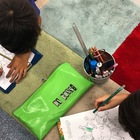
Dash Robot Task This is a fantastic way to encourage risk-taking when engaging with robotics. Students are encouraged to work in partners to guess and check what functions on the Dot and Dash app will help them to complete the task. Once they have mastered some of the basic settings, students are extended onto a more challenging task. Perfect for an introductory lesson with Dash...approximately Year 2 onwards. All you need? This activity sheet (two per page), iPads and rulers/tape measures.
2nd - 4th
Computer Science - Technology, Robotics

Python for Beginners Workbook | Intro to Coding | Grades 5–10 | No Prep

A no-prep introduction to Python for middle and early high school students. Walks beginners through the core concepts they need to write their first real programs — variables, conditionals, loops, functions, and strings — with plain-language explanations and space to practice. Includes 10 exercises.What’s covered:• Variables and assignment statements • If/else conditionals • For and while loops • Functions (defining and calling) • Working with strings • Hands-on practice problems after each sect
5th - 12th
Computer Science - Technology

All-in-One LEGO SPIKE Prime Robotics Bundle – Interactive Lessons & Activities

Want a hands-on way to introduce middle school students to robotics?This all-in-one LEGO SPIKE Prime bundle makes learning about robots interactive, engaging, and memorable. Students explore core robotics concepts, practice problem-solving, and apply their knowledge in activities that keep them thinking and collaborating. Includes: Sense → Think → Act Slides – Teach the core functions of a robot with clear examples and visuals Is It a Robot? Slides – Help students identify robots in real-world
4th - 8th
Computer Science - Technology, Robotics

Presentation Projects | Monthly Google Slides & PowerPoint Tasks All Year

Foster presentation skills all year with monthly Google Slides and PowerPoint projects. Editable templates support student creativity and digital literacy. 12 projects with monthly themed topics for students to practice creating presentations in either Google Slides or PowerPoint. There are 2 levels included for differentiation. The facts are the same, but the requirements for the presentation change between the levels. THESE PROJECTS WORK ON SO MANY SKILLS!1. Navigating to a blank presentation
2nd - 5th
Computer Science - Technology, Graphic Arts, Informational Text

STEM Challenge Task Cards Activity Winter Digital Building Early Finishers

You don't need any building bricks for these digital design challenges (though your students can build a physical model if you do have them available). Not only are these satisfying to build digitally, your students will hone a variety of tech skills while completing colorful and fun designs. Please note the video preview shows the summer set, which is similar. What You'll Get10 Standard Building Brick Challenges (choose from outline included or advanced, NO outline included). This set has a wi
2nd - 6th
Computer Science - Technology, Engineering

Back To School Ice Breaker Coding | 50+ Tasks | Binary Coding | 7yr olds +

Our Back to School Binary pack is the perfect back to school activity that combines coding with getting to know your students. Learn about what Binary code is in an unplugged environment. Binary Coding is such a massive part of computational thinking. It's essentially how computers represent what you see. But don't worry if you are not sure what it is, or how to teach it. Our low prep resource will make it so easy! We have the definitions, the explanation, and a ton of tasks to cement the lear
3rd - 9th
Computer Science - Technology
Also included in: New Year BUNDLE | Back to School | 8 Resources in 1 | New Years 2024

Hour of Code Mega Bundle | Escape Rooms, Task Cards & Digital Literacy

Kick off Hour of Code—and keep computer science learning going all year—with this comprehensive 20-resource Mega Bundle! Designed for grades 3–8, this collection blends coding, technology skills, Google Workspace challenges, and digital literacy assessments into one powerhouse library of ready-to-assign activities. Perfect for Computer Lab, Library/Media, STEM/STEAM, and Technology Specials, this bundle helps students build confidence with Chromebooks, problem-solving, and computer sc
3rd - 6th
Computer Science - Technology, Library Skills, Reading Strategies

3D Printing Vocabulary, Tips, & Design Task Cards for Using a 3D Printer

Are you new to 3D printing or just need some new ideas for your enrichment students to print? This product is a great companion to three dimensional design on websites such as TinkerCad. It will have students ready to design and print in no time. It includes teacher tips, student tips with directions for adding and changing objects, 3D printing vocabulary, and 24 tasks! The first eight tasks help students master 3D design concepts. The next 16 tasks are open-ended tasks that ask students to comb
4th - 6th
Computer Science - Technology

LEGO MindStorm critical thinking EV3 Robot Challenge Task Cards Set B

A new set of advanced challenges for student who have finished in introductory Set A task cards! Included in this new set of challenge task cards is 4 engaging multipart programming challenges that use critical thought to challenge students to use basic MindStorm EV3 programming skills to solve more complex problems. Set B task cards builds upon the basic programming skills introduced in Set A by linking several sensors, loops, and switches into one program. Four life-like challenges include: j
3rd - 9th
Computer Science - Technology, Robotics

AI Impact & Discussion Task Cards | Critical Thinking, Digital Citizenship | 4+

Critical Thinking, Digital Citizenship, EthicsPrepare students to think critically, ethically, and responsibly about artificial intelligence and emerging technologies. These AI Ethics & Impact Task Cards are designed for Grade 4 and up, supporting rich discussion, debate, and written reflection around some of the most important questions of our time— learning, creativity, fairness, privacy, truth, work, and human responsibility. This resource goes beyond how AI works and focuses on how AI sho
4th - 6th
Character Education, Computer Science - Technology

AI Impact & Discussion Task Cards | Critical Thinking, Digital Citizenship
Critical Thinking, Fairness, Digital CitizenshipHelp young learners think deeply, kindly, and confidently about the technologies shaping their world. These AI Ethics & Impact Task Cards are designed specifically for Grades 1–3, introducing students to age-appropriate conversations about fairness, responsibility, creativity, privacy, and feelings in a world where AI and smart technologies are part of everyday life. No technical knowledge required—just curiosity, conversation, and care. What’s
1st - 3rd
Character Education, Computer Science - Technology

Fortnite Unplugged Binary Coding Task Cards Activity Worsheets | Ascii

These Fortnite Unplugged Binary Code Task Cards are perfect to help students learn how to encrypt and decrypt binary messages as well as understand binary code. They are great at engaging your students with problem solving and help support your computer teaching while unplugged. The Fortnite theme will surely capture their imagination. Included in this resource are -30 Fortnite words to be converted into Binary-Color and black and white version-Answers have been includedUnplugged CodingIf you ar
3rd - 8th
Computer Science - Technology, Math

Keyboard Functions Test

Test students' knowledge of everyday functions of the keyboard such as Enter to start a new line in Word and Ctrl+Alt+Delete to unlock the computer. This file gives you not only the test and answer sheet but also a study guide for students.
2nd - 5th
Computer Science - Technology, Instructional Technology

Engineering Task Cards Grades 3-6 | Engineering Design Process Worksheets

Transform your mornings with this engaging STEAM bundle packed with 45 creative, hands-on Morning Missions and 11 printable Design Thinking & Reflection worksheets—perfect for grades 3–5!Prepare your bins with supplies ONE TIME and let your students explore every morning the rest of the quarter! Print and laminate each of the activity cards and let your kids choose which of the 45 activities to explore! In this morning STEAM Exploration, you or your students can pick a "Morning Mission" Card a
3rd - 6th
Basic Principles, Computer Science - Technology, Engineering
NGSS
3-5-ETS1-3
, 3-5-ETS1-1
, 3-5-ETS1-2

Famous Landmarks Task Cards STEM Activity & Presentation

This Famous Landmarks STEM activity is ideal for students in younger grades to learn about and build 16 landmarks. Includes a 100% TEXT EDITABLE and MOST images are editable, full color Animated Google Slides presentation (downloads in Google Slides and works perfectly in PowerPoint) to introduce the activity. Show the landmark to students, ask them to name it, click and the landmark name appears. Includes a slide to edit STEM materials and STEM Reflection questions after the activity. We used s
K - 3rd
Computer Science - Technology, Engineering
NGSS
MS-ETS1-4

VIRTUAL Robot Coding - Lesson 5 - Functions - Part 2 // LESSON PLAN

Lesson 5:This curriculum is designed for learner of all situations, including virtual, in classroom and hybrid learners. In this lesson we will continue to utilize a online robot coding platform, VexVR, and continue to explore thethe concept of the “My Block”, which is a major programming concept called a Function! Attached, you will be buying a Google Document Lesson plan that you will be able to edit, manipulate, and call your own. VIRTUAL Robot Coding - Lesson 5 - Functions - Part 2 // LESSO
1st - 8th
Computer Science - Technology, Robotics
Also included in: VIRTUAL ROBOT CODING - With VexVR

VIRTUAL Robot Coding - Lesson 4 - Functions // LESSON PLAN
This curriculum is designed for learner of all situations, including virtual, in classroom and hybrid learners. In this lesson we utilize a online robot coding platform, VexVR, to understand the concept of the “My Block”, which is a major programming concept called a Function! Attached, you will be buying a Google Document Lesson plan that you will be able to edit, manipulate, and call your own. VIRTUAL Robot Coding - Lesson 4 - Functions // LESSON PLAN is designed to be paired with: VIRTUAL R
1st - 8th
Computer Science - Technology, Robotics
Also included in: VIRTUAL ROBOT CODING - With VexVR
9:06
VIRTUAL Robot Coding - VIDEO LESSON 5 - Functions (Part 2)
This curriculum is designed for learner of all situations, including virtual, in classroom and hybrid learners. In this lesson we will continue to utilize a online robot coding platform, VexVR, and continue to explore thethe concept of the “My Block”, which is a major programming concept called a Function! Attached, you will be buying a Google Document Lesson plan that you will be able to edit, manipulate, and call your own. VIRTUAL Robot Coding - VIDEO LESSON 5 - Functions (Part 2) is designed
1st - 8th
Computer Science - Technology, Robotics
Also included in: VIRTUAL ROBOT CODING - With VexVR
12:44
VIRTUAL Robot Coding - VIDEO LESSON 4 - Functions
This curriculum is designed for learner of all situations, including virtual, in classroom and hybrid learners. In this lesson we utilize a online robot coding platform, VexVR, to understand the concept of the “My Block”, which is a major programming concept called a Function! Attached, you will be buying a Google Document Lesson plan that you will be able to edit, manipulate, and call your own. VIRTUAL Robot Coding - VIDEO LESSON 4 - Functions is designed to be paired with: VIRTUAL Robot Codi
1st - 8th
Computer Science - Technology, Robotics
Also included in: VIRTUAL ROBOT CODING - With VexVR

Spend $1 Million Dollars Google Project!

Looking for a task to make Place Value, Rounding, Addition, and Subtraction come to life for your students? Looking for an extension to your unit or a more engaging way to present the standards? Look no further! This Google Slide Project will not disappoint. Students will be engaged, actively work through struggle, gain some deeper understanding of BIG numbers, and practice the foundational standards of place value, rounding, adding, subtracting and more! This is a very open ended project great
4th - 5th
Computer Science - Technology, Place Value
CCSS
4.NBT.A.2
, 4.NBT.A.3
, 4.NBT.B.4
+4

Sphero Basics Bundle

What's Included: Sphero Basics: Movement Task Cards Sphero Basics: Controls Task Cards Great to use as a reference for any sphero coding challenges or activities! For use with Sphero EDU app.
2nd - 8th
Computer Science - Technology

Input - Output Computer Devices
Input - Output Computer Devices helps young students understand the function of computer peripheral devices. Includes Answer sheet.
1st - 3rd
Computer Science - Technology

Beyond the Book: Secret Coders

OVERVIEW:The “Beyond the Book” resources are activities and tasks that have students apply what they have been reading about outside of their books. This particular resource was created for students to use after reading the graphic novel, "Secret Coders" by Gene Luen Yang.WHAT'S INCLUDED:The Tasks: In this resource, students will complete THREE coding tasks that are related to the events in the book. These tasks are a mix of print AND digital activities. Because the tasks are connected and n
3rd - 5th
Computer Science - Technology, English Language Arts

Move in the direction and color of the arrows

These worksheets are meant for PreK to KG2 kids. The tasks are one of the very first activities that kids can do. To be more specific, the kids only need to know colors and understand arrows. By using these sheets, the kids can practice coding, sequencing, directions, and colors. Therefore, by introducing the kids to programming, they also practice and review other important areas of development. In my experience, most kids will solve a worksheet in 5-10 minutes. Although the usage and solutions
PreK - 6th
Computer Science - Technology, Other (Math)
Showing 1-24 of 130+ results

TPT is the largest marketplace for PreK-12 resources, powered by a community of educators.
IXL family of brands