
Computer Coding
43+ results
Filters
Grade
Subject
Format
Resource type
Standard
Language

Emergency Computer Science Sub Plans for Coding with Choice Board

Looking for a ready to go editable sub template? These emergency sub plans provide a quick and easy computer science course sub plan that fits into any unit. There are 7 choices the substitute can choose from; it is designed with the middle school student in mind and comes both as PDF and as a Google Doc TM so it can be edited with your personal details. What's Included?Teacher DirectionsNote to SubstituteEmergency Lesson PlanClassroom Notes TemplateWebsite Evaluation FormVideo Evaluation Fo
7th - 8th
Computer Science - Technology

*Touchless* Digital Bathroom and Hall Pass Kit QR Code and Google Compatible

Don't you just hate being interrupted in the middle of a great teaching moment to sign a hall pass? Digital hall passes to the rescue! Simply add your own QR code (instructions included) and print these student instructions for your wall. Boom! No more interruptions, and you will have an exact digital log of who has left the classroom, all kept and organized by Google for you! These resources are fully customizable and come with detailed instructions and screenshots even for those not as comfo
4th - 12th
For All Subjects

UPDATED! Digital Restroom Pass: Use with QR Codes or Set Up on Classroom Device

Make your classroom digital with ease by creating a digital restroom pass. I have this form pulled up on a computer in the back of the room and students fill it out quickly and take the pass. No need to have them document the time because when you look at the spreadsheet the form creates, a timestamp is given. If you want to take it a step further, link the pass to a QR code. Then have students scan the QR code with their technology (everyone used snapchat to scan QR codes in my room) and fill o
Not Specific
For All Subjects

Math x Python Series - Coding Linear Relations (Project 8 - Student Guide)

Empower Your Students with Hands-On Data Visualization!Unlock deeper understanding of linear relationships and prediction error with the Project 8 Student Guide: Enhanced Graphing with Matplotlib—a student-friendly roadmap that transforms abstract algebra into interactive, real-world analysis. Why Teachers & Students Will Love This Guide Student-Centered Design Clear, Step-by-Step Instructions: Guided pseudocode planning and code snippets walk learners through each function, reducing frus
7th - 9th, Adult Education
Algebra, Computer Science - Technology, Other (Math)

HTML and CSS Cheat Sheet for Use with Code.org Unit 2

This Google Doc has a list of frequently used tags and links for use with code.org Unit 2. Share this doc with your students and they can add elements as they progress through the unit.
5th - 8th
Computer Science - Technology

QR Code 2 of 3 – Touchless SignOut GoogleForm

How to use GoogleForms with a QR code to create a touchless log system for the classroom. Students can scan a QR code with their phone, or the teacher can provide a link for students to use on the Chromebooks or computers when logging in or out of class.
6th - 12th, Adult Education
For All Subjects
Also included in: QR Touchless SignOut | Covid Classroom & Beyond...

QR Code 1 of 3 - Touchless SignOut GoogleSlides
How to use GoogleForms with a QR code to create a touchelss log system for the classroom. Students can scan a QR code with their phone, or the teacher can provide a link for students to use on their Chromebooks or computers when logging in or out of class.
6th - 12th, Adult Education
For All Subjects

TECHNOLOGY APPLICATIONS - 2nd SEMESTER Curriculum Course Guide - GOOGLE - FREE

********************************NEW UPDATE 2025******************************* Technology & Computer Applications COURSE GUIDE - 2ND SEMESTER - GOOGLECourse Sequence & Pacing Guide (Google Apps) - OVER 85 AssignmentsTo purchase, the Second Semester Curriculum Bundle for Google Apps, visit:Technology Applications Second Semester Course BundleA complete semester course guide broken down by specific units as listed below and links to assignments which cover content including:Unit 8: SpreadsheetsUni
5th - 12th
Business, Computer Science - Technology, Instructional Technology

Étiquettes mots de passe-informatique-ordinateurs
Si tu es comme moi, les codes informatiques peuvent causer des maux de tête. Voici des petites cartes que vous pourrez utiliser pour inscrire les codes variés des élèves. Vous pouvez dupliquer les diapositives pour le nombre d’élèves que vous avez. Il est possible d’inscrire les informations à la main ou directement dans le document. Je vous encourage à les laminer et les accrocher sur un anneau que vous garderez vous-même. Il y a déjà un endroit prédéterminé pour placer votre poinçon. Au
Computer Science - Technology, For All Subjects

DIGITAL HALL PASS GOOGLE FORM

Fill out the form before leaving to use the restroom. Students will scan QR code to fill out google form for hall pass. Social Distancing Safe.
Not Specific
Computer Science - Technology

Editable Seating Chart Templates PowerPoint + Google BUNDLE

These editable seating chart PowerPoint templates allow you to create adorable seating charts on your computer. Most of the heavy lifting is done for you and all that is left to do is customize! And with this money-saving bundle, you'll get access to the PowerPoint AND Google Slides version of the seating charts!There are 10 adorable, ink-friendly designs, and a horizontal and vertical version of each. Then, in each file there are 3 different layouts to choose from: individual desks, tables, or
Not Specific
For All Subjects

Elementary Library Media Center Scope and Sequence / Planning Document

A very easy way to organize what you're teaching by week and quarter. Each content area is color coded so you can easily see what type of content you're teaching and to which grades. -Pre-K through 5th Grades broken down by quarter and by week-ELA & Content Areas Addressed-STEM-Library Skills-Links to Resources IncludedI have an A/B schedule, but you CAN use this for a regular weekly schedule too! If you need to use it as weekly, just type in other activities in the black spaces and change the
PreK - 5th
Computer Science - Technology, Library Skills

Scratch Skills Checklist

With so many categories and blocks in Scratch try this handy dandy customizable Scratch Skills Checklist. All categories are listed on the left, color coded to match the colors in Scratch. Each category expands with the list of blocks underneath. There are columns to enter the date you introduced the category/block to students along with column for notes. You can customize this for your learning environment. Check out my website and blog for more free tech-ed ideas and resources. www.mrsgeeek
3rd - 6th
Computer Science - Technology, Instructional Technology

Classroom Sign In / Sign Out (Digital Hall Pass)

Digital Hall Pass (or class sign in). This is a google form that allows a student to sign in and out of a classroom (or computer lab). I use this as a digital hall pass log to document who leaves my room and how long they are gone. I utilize this in my classes, we are a one-to-one school, but this can be easily linked to a QR code for students to scan with their phone. In my class, it is linked in our Google Classroom page. When a student uses it, they fill it out and leave the completed and s
Not Specific
For All Subjects

Google Form Tardy Log

This Google Form will simplify recording student tardies. The sections are in English with Spanish translations. You may fill it out or have an extra computer station for students to complete the form. You may also create a QR Code so that students can fill out the form on their phone.
6th - 12th
For All Subjects
Also included in: Classroom Management Bundle

11 Google Keep Custom Headers, Labels Template Organization Farmhouse Dots To Do

Ready to get your life together?! If you are a Google Keep user, or want to be, consider using these headings to draw attention and keep your stuff organized! Included are 11 potential templates color-coded to Google Keep's solid color scheme. They are completely editable and easy to customize so that you can have multiple options to make it individual to your needs and style! Here are some potential uses:The Neverending Work To Do List!Personnel To Do ListMeeting Agenda IdeasAppointments to m
For All Subjects

IEP DOcumentation Form

This form is a complete form, all you do is add student name and their goals. It is made to add all information to an Excel form. It automatically goes to form, easy as that. The form also can have a QR code printed where this form can be used on a phone or tablet. No need to use a computer. After finishing the form, right click on form and click Create QR code.
Not Specific

Behavior Documentation Form
This form is a complete form, all you do is add student name and their behaviors. It is made to add all information to an Excel document. It automatically goes to form, easy as that. The form also can have a QR code printed where this form can be used on a phone or tablet. No need to use a computer. After finishing the form, right click on form and click Create QR code.
Not Specific
For All Subjects

Toileting Form
This form is a complete form, all you do is add student name; the rest is done. It is made to add all information to an Excel form. It automatically goes to form, easy as that. The form also can have a QR code printed where this form can be used on a phone or tablet. No need to use a computer. After finishing the form, right click on form and click Create QR code.
Not Specific

Productivity Tips for SLPs

This free resource includes productivity tips for busy speech-language pathologists, teachers, and related service professionals, with a focus on leveraging technologies in order to improve efficiency, save time, and streamline therapy processes. Also included are step-by-step instructions for creating your own QR codes, creating google sheets therapy templates, and creating a navigable table of contents for your word documents.
PreK - 12th, Adult Education, Higher Education
Computer Science - Technology

Digital Lunch Count

Digital Lunch Choice Board for the ClassroomMake lunch count a breeze with this colorful, interactive Digital Lunch Choice Board! Perfect for elementary classrooms, this resource allows students to quickly and easily select their lunch option each morning. Even use the form link to create a QR code for older students to scan! What’s Included: A fully editable digital lunch choice slide (Google Slides or PowerPoint) Space for lunch options (hot lunch, cold lunch, brought from home, salad, et
K - 8th
Classroom Community

Service Providers Form
This form is a complete form, all you do is add student names and their providers, such as OT, PT, VI, ST, DHH, etc. It is made to add all information to an Excel form. It automatically goes to form, easy as that. The form also can have a QR code printed where this form can be used on a phone or tablet. No need to use a computer. After finishing the form, right click on form and click Create QR code.
Not Specific

Gradebook Survey Questions Feedback Student Survey Google Form

Gradebook Survey Questions Students Questions Resource to get Feedback from Grades with Digital Student Survey Gradebook Questions organized in a Google Form online Includes1. Gradebook Feedback SurveyStudents can ask about Grades and you will keep them organized 2. PAPER VersionAll Questions on paper if students do not have access to computer 3. Customized Google Form BannerEnding Thank You Image4. Send to students through e-maillink in Google ClassroomSchool WebsiteQR Code Setup Directio
Not Specific
For All Subjects
Also included in: Digital Student Survey Forms Bundle Classroom Management Google Forms

Electronic Sign Out Sign In Tracker Google Sheet (editable)
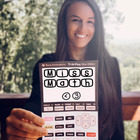
Editable Google Sheet: Electronic Sign Out Sign In Tracker This is a user-friendly and time-saving way to track when students leave and enter the classroom when going to the restroom, clinic, office, counselor, clinic, etc. It is an extremely easy way to hold students accountable. Duration is automatically calculated for students and color coded based on how long they were out of the classroom. This was made for PC/Windows computers. If using a mac, the short-cut will be CMD+SHIFT+; instead of
Not Specific
For All Subjects
Showing 1-24 of 43+ results

TPT is the largest marketplace for PreK-12 resources, powered by a community of educators.
IXL family of brands