

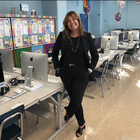
About the store
Welcome to Ms. Elias Chic Geek, your go-to store for innovative and engaging technology lessons! I am Ms. Elias, a dedicated technology educator at the largest Middle School in Manhattan. With a passion for teaching and a love for technology, I create all my own lessons to ensure they are both effective and fun for students. My store offers a variety of resources designed to make technology accessible and exciting, fostering a love for learning in every student. Explore my collection and find high-quality, creative, and classroom-tested materials that will inspire your students and enhance your teaching experience. Let's embark on a tech-savvy journey together!
Read moreAll resources
Filters
Grade
Subject
Format
Resource type

Did The Jetsons Predict Our Future? — A 2-Day AI & Critical Thinking Unit
Did The Jetsons Predict Our Future? — A 2-Day AI & Critical Thinking Unit for Grades 6-8 Teach artificial intelligence WITHOUT a single boring definition slide. This 2-day mini-unit uses the 1962 animated cartoon The Jetsons as a Trojan horse: students walk in laughing at Rosie the Robot — and walk out two days later able to distinguish AI from automation, defend a claim with evidence, and design their own technology prediction for the year 2076. Built for higher-order Bloom's verbs (Analyze,
4th - 12th
Computer Science - Technology, Instructional Technology

Did The Jetsons Predict Our Future?
Lesson Plan 1: "Exploring 'The Jetsons': A Futuristic Perspective"Description: Take your students on a journey to the future with this engaging lesson plan inspired by the beloved TV show, "The Jetsons." In just two class periods, middle school students will delve into the concept of futuristic design and technological predictions. They'll analyze how "The Jetsons" envisioned the future and explore how our world today measures up to those predictions. This interactive lesson includes discussions
4th - 12th
Computer Science - Technology, Instructional Technology

Technology Class Vocabulary Words
TOPIC: COMPUTER SCIENCE
5th - 12th, Adult Education, Higher Education
Computer Science - Technology, Instructional Technology

Keeping Students Safe Online
What The Tech - Slideshow to teach your student's parents how to be safe online. The digital world we all live in right now has so many positives, but like the polarity, two sides of a coin, it has many negatives as well. This slideshow will help your audience learn how to navigate our new normal and keep your kids safe online together! .
Not Specific
Computer Science - Technology, School Counseling

Email Etiquette Quiz
Email Etiquette Google Quiz Multiple Choice
3rd - 12th
Instructional Technology, Writing

Color The Keyboard
Engage your young learners in the world of keyboards with this interactive and colorful Google Drawings activity!What's Included:A ready-made Google Slide of a blank QWERTY keyboard (without letters)Colorful circles with corresponding numbers (adapt the numbers to difficulty level)Skills Learned:Basic keyboard layout (letters) - adaptable for upper grades (keyboard sections)Drag-and-drop functionality in Google Slides
K - 6th
Computer Science - Technology, Instructional Technology

Email Signature Mastery: Elevate Your Email Game!
Title: "Email Signature Mastery: Elevate Your Email Game!"Description: Unlock the power of professional email communication with our engaging lesson, "Let’s Learn About our Email Accounts Together!" In this specific module, we'll dive deep into one of the most essential and often overlooked aspects of email etiquette: creating the perfect email signature. In today's digital age, your email signature is your digital business card. It's a vital tool for making a strong first impression, conveying
4th - 12th
Computer Science - Technology, Instructional Technology

Email Etiquette Posters
Are you tired of seeing poorly written emails with bad grammar, unclear messages, or inappropriate tone? Help your students improve their email etiquette with these professionally designed posters! This set includes 10 high-quality posters covering the most important reasons for email etiquette.
4th - 12th, Higher Education
Creative Writing, Writing

Create your own College Pennant
Objective: Students will be able to create a personalized college pennant using Google Slides. Materials: Access to Google SlidesA basic understanding of how to use Google SlidesIntroduction (10 minutes): Introduce the concept of a college pennant.Show examples of different college pennants and explain their significance.Explain that students will be creating their own personalized pennant using Google Slides. Template included.Direct Instruction (20 minutes): Open Google Slides and create
1st - 8th
Computer Science - Technology, Instructional Technology

Exploring AI: Understanding Concepts and Debunking Myths Quiz
This engaging quiz is designed for students who have watched the insightful video from Common Sense Education titled "What is AI and how does it work?" (Link: https://www.youtube.com/watch?v=b0KaGBOU4Ys). In this quiz, students will have the opportunity to check their understanding of the fundamental concepts surrounding Artificial Intelligence (AI) and delve into the intriguing world of generative AI. The quiz aims to deepen students' comprehension by breaking down complex ideas and fostering
4th - 8th
Computer Science - Technology, Instructional Technology

Master Keyboard Shortcuts with Our Ultimate Quiz!
Title: "Master Keyboard Shortcuts with Our Ultimate Quiz!"Description: Are you looking for a fun and educational way to help your students or colleagues become keyboard shortcut wizards? Look no further! Our meticulously crafted Google Form Quiz on Keyboard Shortcuts is here to save the day. About the Quiz: Dive into the world of efficient computer navigation with our 15 multiple-choice questions. This engaging quiz will challenge your participants' knowledge of essential keyboard shortcuts tha
4th - 12th
Computer Science - Technology, Instructional Technology

AI-Themed Classroom Table Signs
AI-Themed Classroom Table Signs Brighten up your classroom and tap into the modern world of technology with these vibrant AI-themed table signs! Ideal for tech-savvy teachers and educators looking to integrate AI into their classroom decor. Included in the Set: Chatbot Court – Perfect for your group of tech enthusiasts. Amazon Avenue – Where e-commerce meets education. Siri Drive – Drive your students’ curiosity with this sign. Alexa Boulevard – “Alexa, how can we make learning fun?” Spotify
Not Specific
Computer Science - Technology, Instructional Technology

What is a Hacker?
Lesson Plan: What is a Hacker? Grade: 3rd - 8th Duration: 45 minutes Objective: By the end of this lesson, students will be able to define the term "hacker" and differentiate between "good" and "bad" hackers.
3rd - 8th
Computer Science - Technology, Instructional Technology

Google Doodle Scavenger Hunt
On the next several slides, there is a description of a Google Doodle for you to find. For some, you can choose which one to use as long as it meets the description. For others, it is a very specific Google Doodle you are looking for. Use this site: www.google.com/doodles/#archive
Not Specific
Computer Science - Technology, Instructional Technology

Peace For Ukraine
Awareness of What is Happening in Ukraine Create an art project and video to show your support. This is a classroom community service project to support the Ukrainian people,
K - 12th
Art, Art History, Social Studies

Peace For Ukraine
Interactive Google Slide Show to teach your students how to send positive messages of love to the Ukrainian refugees. Instructions on how to make a video and art project
Not Specific
Art History, Computer Science - Technology, Social Studies

Email Etiquette Banner
With its sleek black-and-white design, this banner will look great in any classroom or bulletin board. It features easy-to-read text and will capture the attention of your audience and help reinforce the importance of proper email etiquette. You simply need to add the name of your school or classroom in the blank area.
3rd - 12th, Adult Education, Higher Education
Computer Science - Technology, Creative Writing

PUT A FINGER DOWN - TIKTOK TREND
Inspired by TikTok, here is a fun way to introduce yourself to our class! Create 10 unique sentences to describe yourself to your classmates. Make sure to use correct spelling and punctuation. Add a photo of yourself where the image placeholder is.Feel free to be creative with fonts, emojis, colors, and images.When it's time to present your slide we will have students hold up both hands with all 10 fingers visible. They put a finger down if the statement applies to them. It’s a fun and safe way
3rd - 12th
Instructional Technology, Other (ELA)

WHAT THE TECH? What parents need to know about Social Media
A turnkey Google Slides workshop for you to teach your parents about the pros and cons of social media.
Not Specific
School Counseling, Social Emotional Learning

APP DESIGN -STEM
Lesson plan for middle school students to pretend they are app developers and develop an app using a worksheet provided: Subject: Technology Grade level: Middle School (6-8) Duration: 1-2 class periods (depending on the pace of the students) Materials Needed: Worksheet (INCLUDED)Pencils/PensLaptops or tablets (optional)Objective: Students will be able to apply critical thinking and problem-solving skills to develop an app that solves a problem or meets a need. They will be able to identify the
3rd - 12th
Computer Science - Technology, Instructional Technology
Showing 1-20 of 41 results
About the store
Experience
Welcome to Ms. Elias Chic Geek, your go-to store for innovative and engaging technology lessons! I am Ms. Elias, a dedicated technology educator at the largest Middle School in Manhattan. With a passion for teaching and a love for technology, I create all my own lessons to ensure they are both effective and fun for students. My store offers a variety of resources designed to make technology accessible and exciting, fostering a love for learning in every student. Explore my collection and find high-quality, creative, and classroom-tested materials that will inspire your students and enhance your teaching experience. Let's embark on a tech-savvy journey together!
Teaching style
I am guided in my teaching by a strong commitment to creating environments for young children that support creativity, problem-solving, critical thinking, curiosity, and mutually-respectful relationships among children and adults.
Just as my students love to learn so do I. Learning is an essential ingredient of any successful teacher. Therefore I devote a great amount of my time attending webinars and professional development workshops in the fields of education, technology, digital citizenship, and community service.
Awards & shining teacher moments
Featured on the NBC Today Show for teaching students about the Device Free Dinner initiative
Received The NYCDOE Digital Inclusion Leader School Leader Award
Teacher of the Year Award
My own education history
I graduated summa cum laude from Long Island University /C.W. Post. I received a Masters of Science Degree in Computers in Education. This degree has provided me the skills necessary to evaluate, select, and implement various information technologies. I am able to use these technologies in all aspects of the curriculum. I received my Bachelor of Science in Education. I am a New York State certified Educational Technology Specialist.
Additional biographical information
A proven educator with an entrepreneurial spirit who incorporates unique,innovative teaching techniques and methodologies to successfully instruct, inspire, motivate, and
encourage students to use creativity and critical thinking abilities while learning about technology.

TPT is the largest marketplace for PreK-12 resources, powered by a community of educators.
IXL family of brands